
Moving from Vimeo On Demand to Curios

Moving from Vimeo On Demand to Curios
Vimeo On Demand is shutting down. If you sell or rent films, series or specials there, this guide shows you how to bring them to Curios, reopen your sales, and keep your audience watching.
Have your past buyers' email addresses? Honor their purchases on Curios.
If you have the email addresses of people who bought or subscribed on Vimeo On Demand, we can import them as your customers on Curios. Their films show up in their Curios library, ready to watch, with nothing to buy again and no files for you to send.
Vimeo only lets you export buyers who opted in to updates: open your VOD page settings, go to the Audience tab and click Export email addresses. Customer lists from anywhere else work too.
Email Greg with your list and tell him which title each buyer owns. Put Import Vimeo customers in the subject line.
How to move over in three steps
Download your originals from Vimeo
Your videos stay in your Vimeo account after the shutdown, but grab the source files (plus trailers, extras and cover art) from your Vimeo library now so you have them ready.
Upload each title to Curios
Create a free Curios account and upload your film, trailer and extras. It takes a few minutes per title. The step-by-step walkthrough is below.
Reopen sales and tell your fans
Publish, then swap your old Vimeo On Demand links for your new Curios link everywhere: your website, socials and email list. Then send us your past buyers so they keep their access.
Everything you had on Vimeo On Demand, on Curios
We built Curios for creators who sell direct, so the tools you relied on at Vimeo On Demand are here. A few aren't live yet. We're building those right now and expect them in the next few days. They're marked Coming soon below.
| Vimeo On Demand | On Curios |
|---|---|
| Sell to own | YesThe Buy Now listing type. Fans own the title and watch it any time. |
| Rentals | Coming soonA rental listing type with a viewing window is in progress. Until it's live, sell to own or include the title in a subscription. |
| Subscriptions | YesCreate a Membership / Subscription for ongoing access to your content. |
| Series and seasons | YesSell episodes on their own and a full season together. Season buyers get new episodes automatically as you release them. |
| Pre-orders | YesThe Pre-order listing type, or schedule a release date and time. |
| Trailers and extras | YesAdd trailers as free preview files, and bonus videos alongside your main film. |
| Free titles | YesThe Free (Claim) listing type, and you still get every viewer's email. |
| Promo codes | YesCreate discount codes in Coupons. See How to Use Coupons. |
| Optional downloads | YesStreaming only by default. Switch on downloads per title. |
| Bundles | YesBundle your film with other formats, like a soundtrack or a making-of ebook, in one checkout. |
| Sell from your own site | YesEvery title gets a buy link and a Curios sales page. See Using Curios Direct Checkout Links. |
| Taxes and VAT | YesCurios is the merchant of record. We collect and file sales tax and VAT worldwide. |
| Analytics | BetterSales, traffic and viewing analytics: see who started, stopped or finished your film. |
| Buyer emails | BetterEvery buyer's contact details, not just the ones who opted in. |
| Selling in other currencies | YesPrice each listing in USD, EUR, GBP, CAD, JPY, NZD and more. Coming soonDifferent prices per country on one title. |
| Captions and subtitles | Coming soonUploading caption files (SRT/VTT) for your films. |
| Region restrictions | Coming soonLimiting a title to certain countries for distribution deals. |
| Film genres | Coming soonMore film genres and subgenres (drama, horror, animation and more). Today video genres are Comedy, Entertainment, News & Politics, Education, Documentary, How To, and Nonprofits & Activism. |
| TV apps | Coming soonWatching on smart TVs. Fans watch on the web and in the Curios app today. |
Missing something you used on Vimeo? Tell us at [email protected]. We're prioritizing features for filmmakers coming over from Vimeo On Demand.
A quick look at Curios
Curios is a direct sales platform and marketplace. You list your work, set your price, and sell straight to your fans. Start at studio.curios.com. If you're new, enter your email (or sign in with Google or Apple) and we'll email you a security code to log in. No credit card needed.
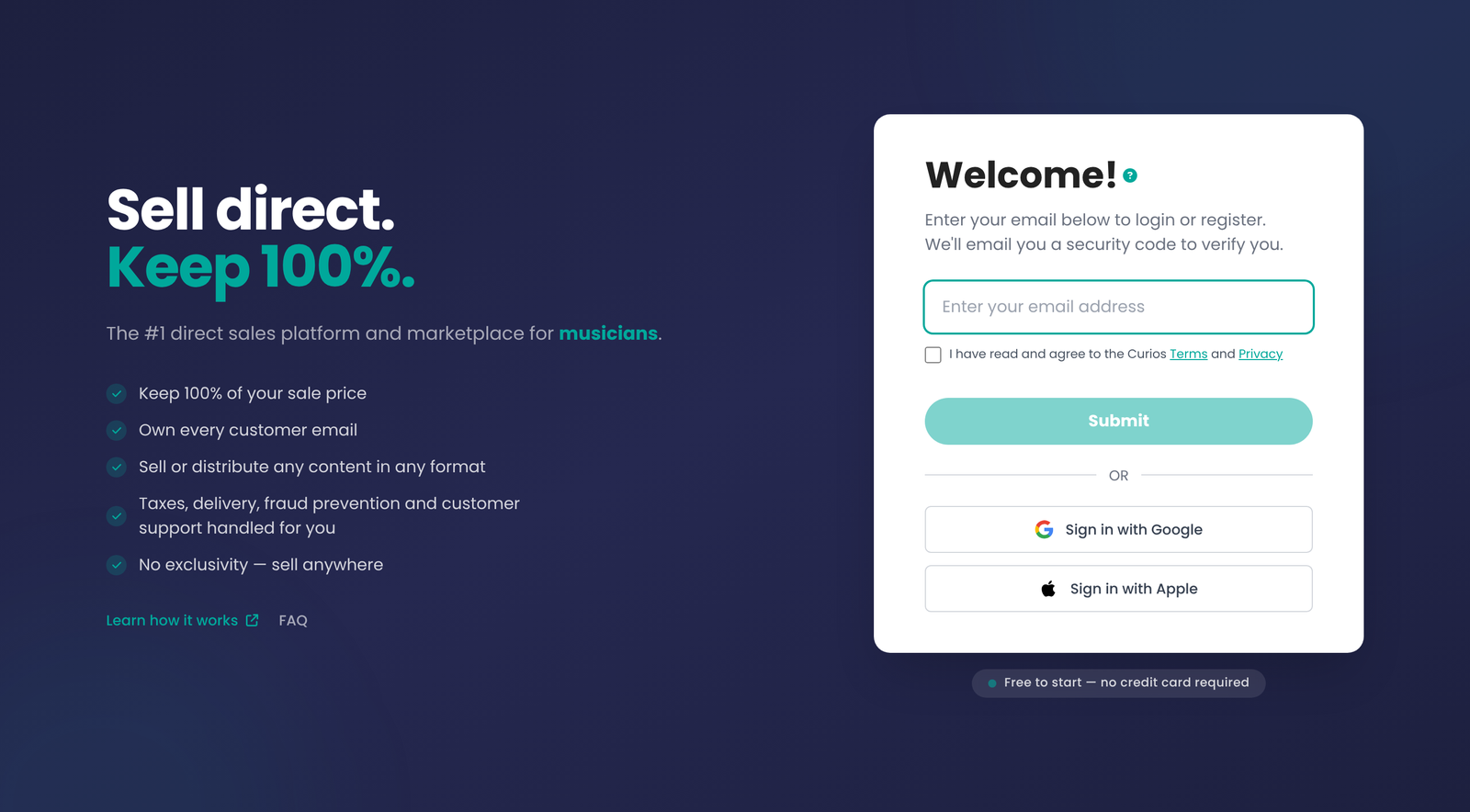
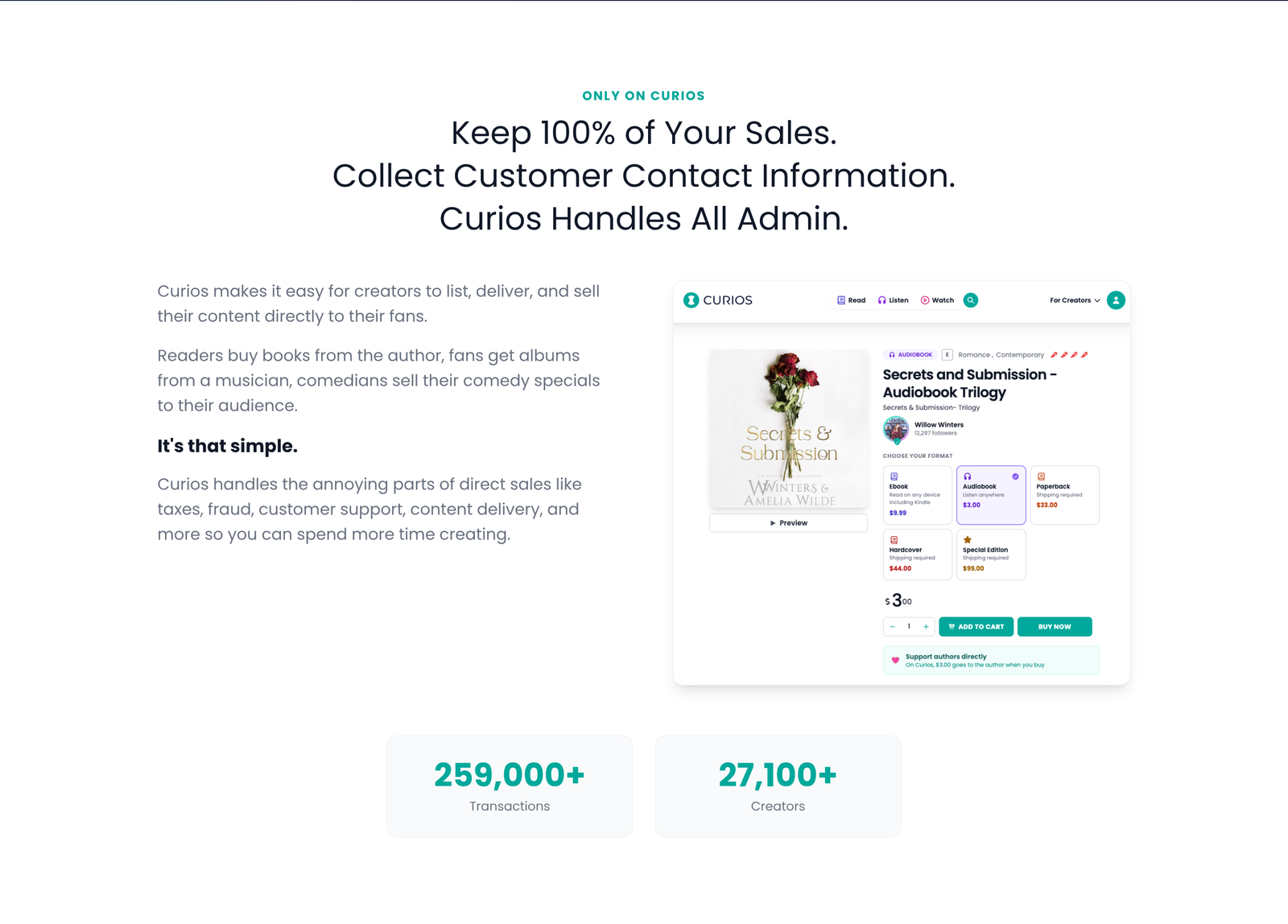
You keep your sale price, you get every customer's contact information, and Curios handles the admin of selling direct.
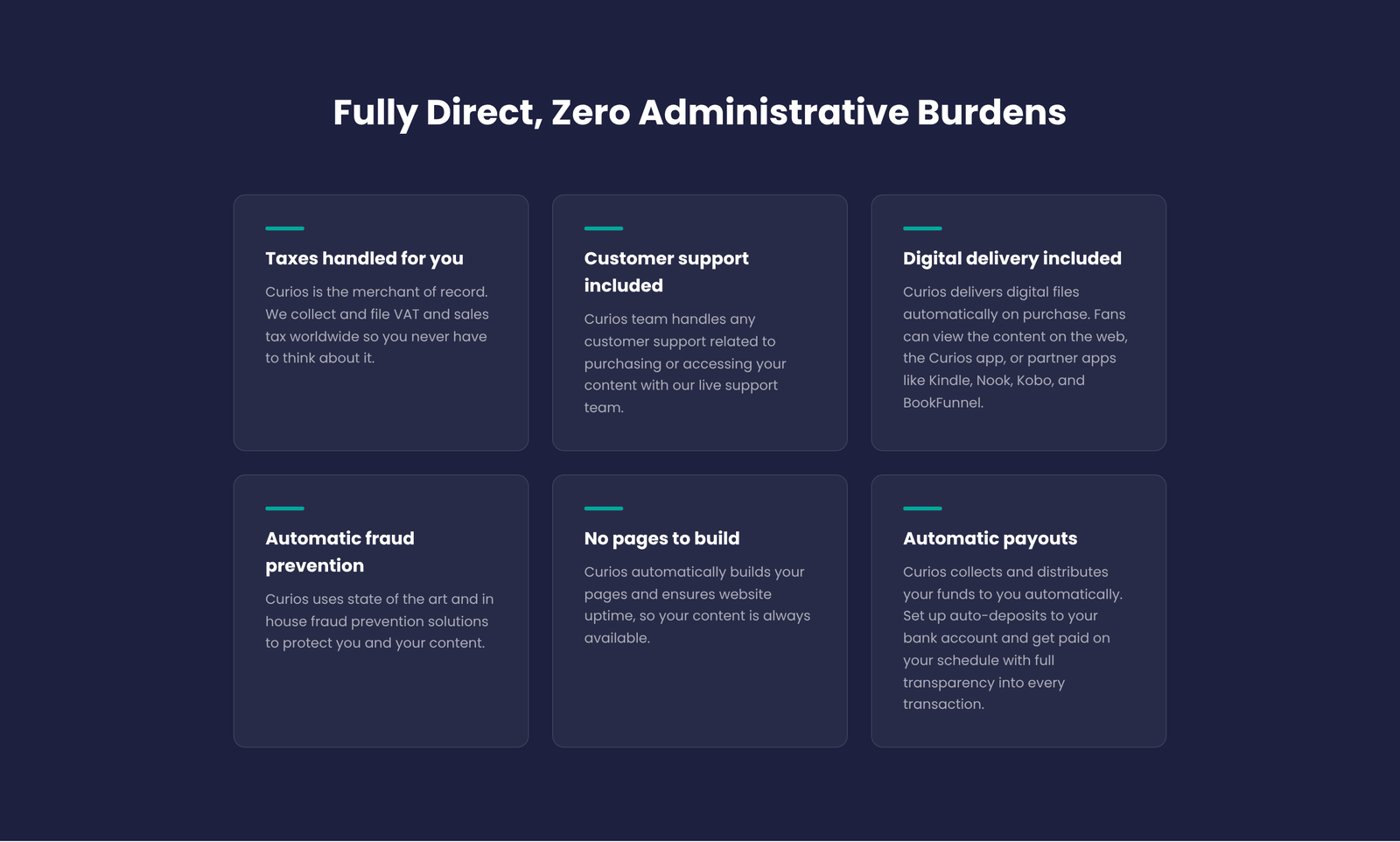
Videos and films sit alongside every other format, so you can sell your film, its soundtrack, a making-of ebook and merch all from one place.
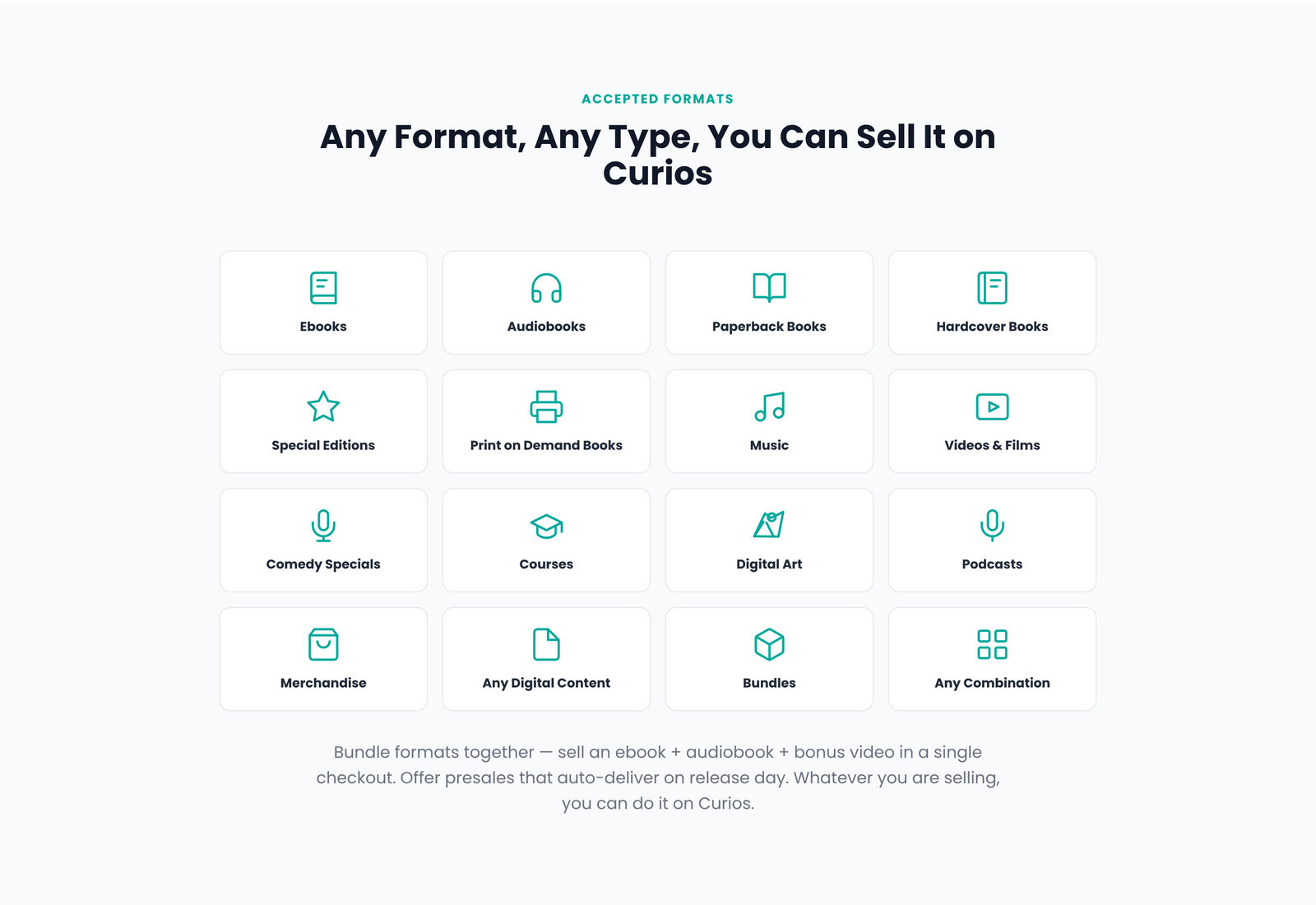
You can start on the free plan and upgrade as you grow.
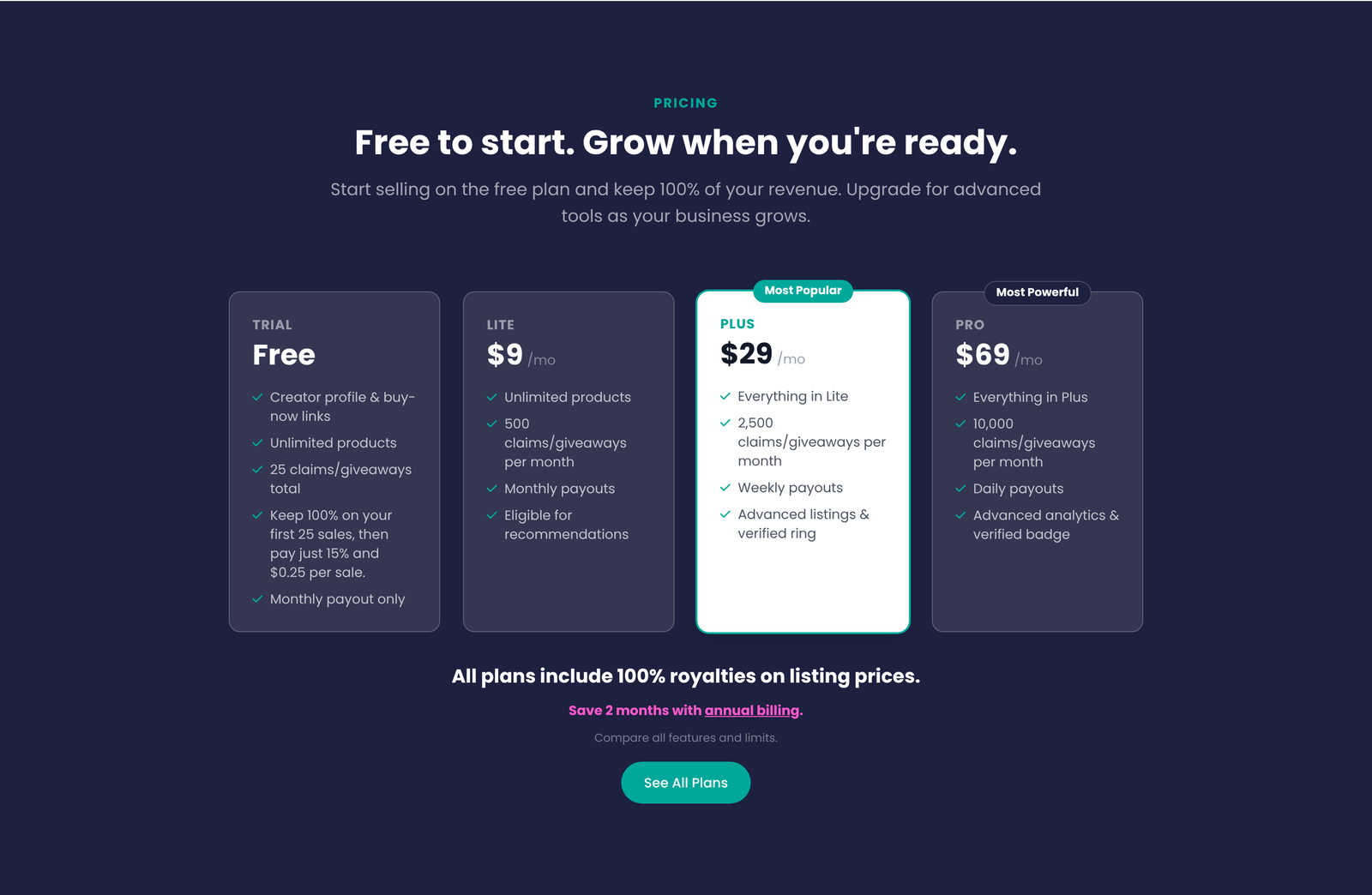
See Pricing for every plan's fees and limits.
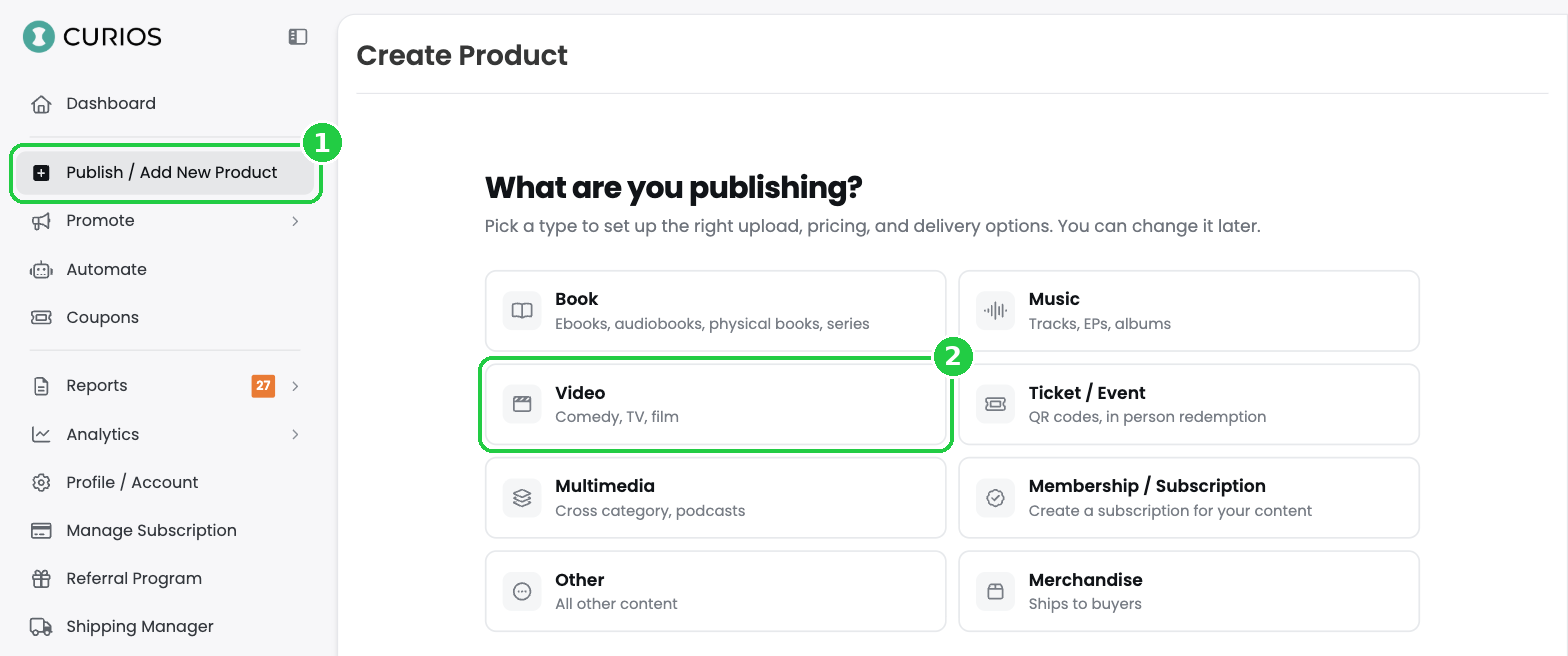
1Start a new video
- Log in at studio.curios.com.
- In the left menu, click Publish / Add New Product (1).
- Under What are you publishing?, click Video (2).
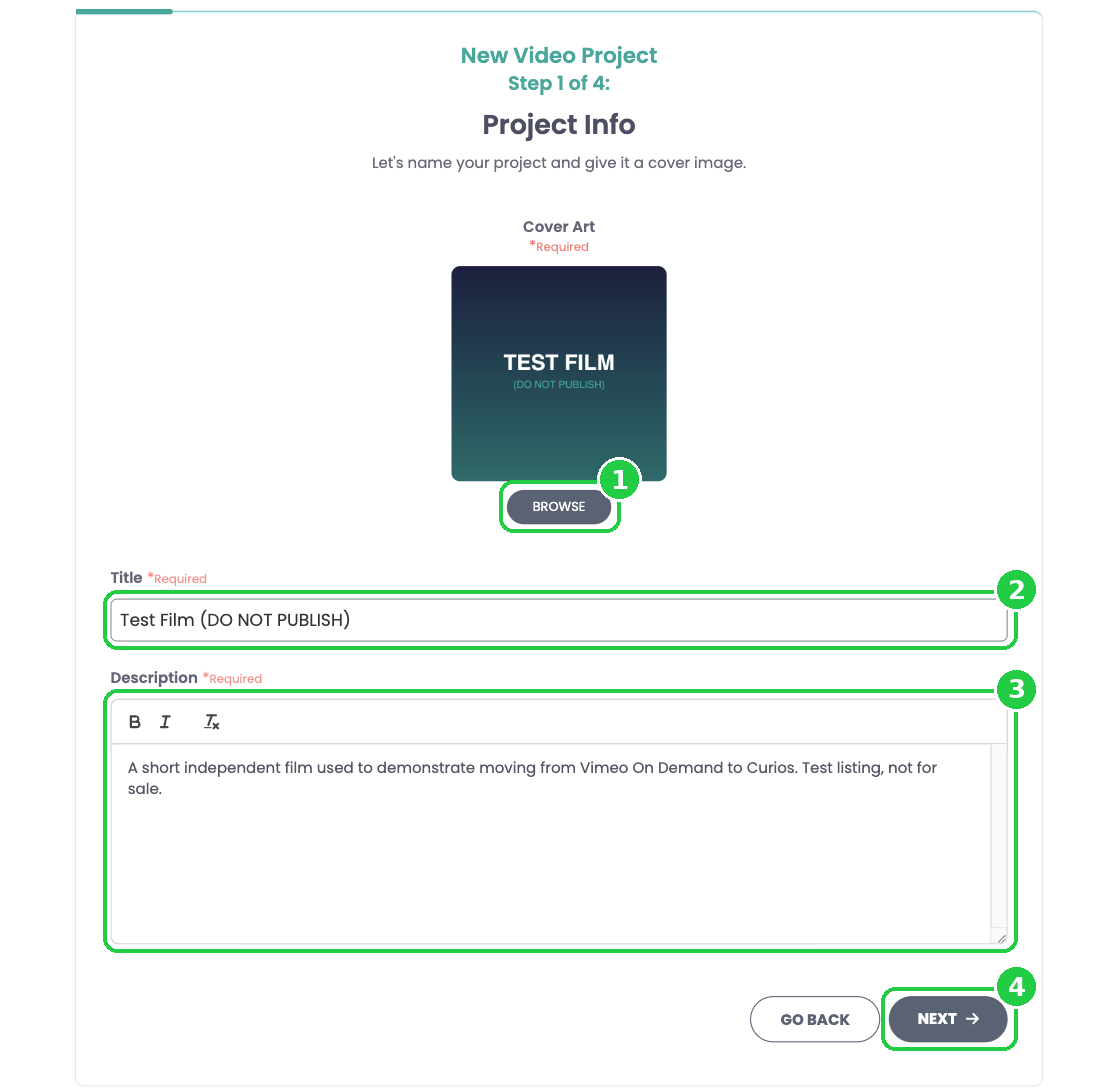
2Add your project info
This is step 1 of 4 in the New Video Project wizard.
- Under Cover Art, click Browse and choose your poster or key art (1).
- Title: enter the title exactly as it should appear on your sales page (2).
- Description: paste your synopsis. You can use bold and italics (3). Your Vimeo On Demand description is a good place to start.
- Click Next (4). If a warning says you have no private files yet, click Continue. You'll add them in the next step.
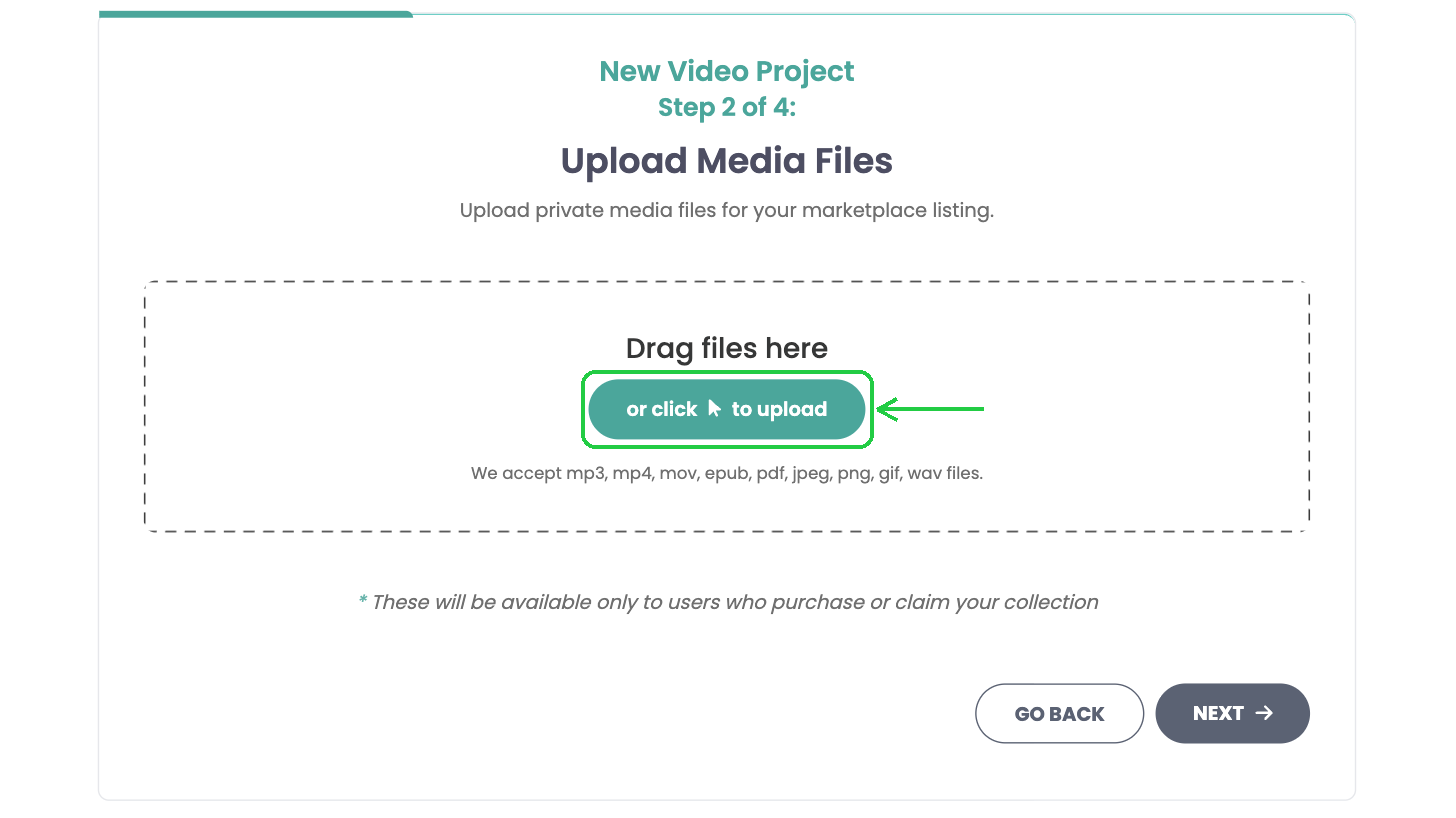
3Upload your film
Files you upload here are private. Only people who buy or claim your title can watch them.
- Drag your video files into the box, or click or click to upload. MP4 and MOV are accepted.
- Your files appear under Video Files (1). Add your extras here too: behind the scenes, deleted scenes, director's commentary. Drag the handle on the left to change the order, and click the pencil to rename a file.
- Click Next (2).
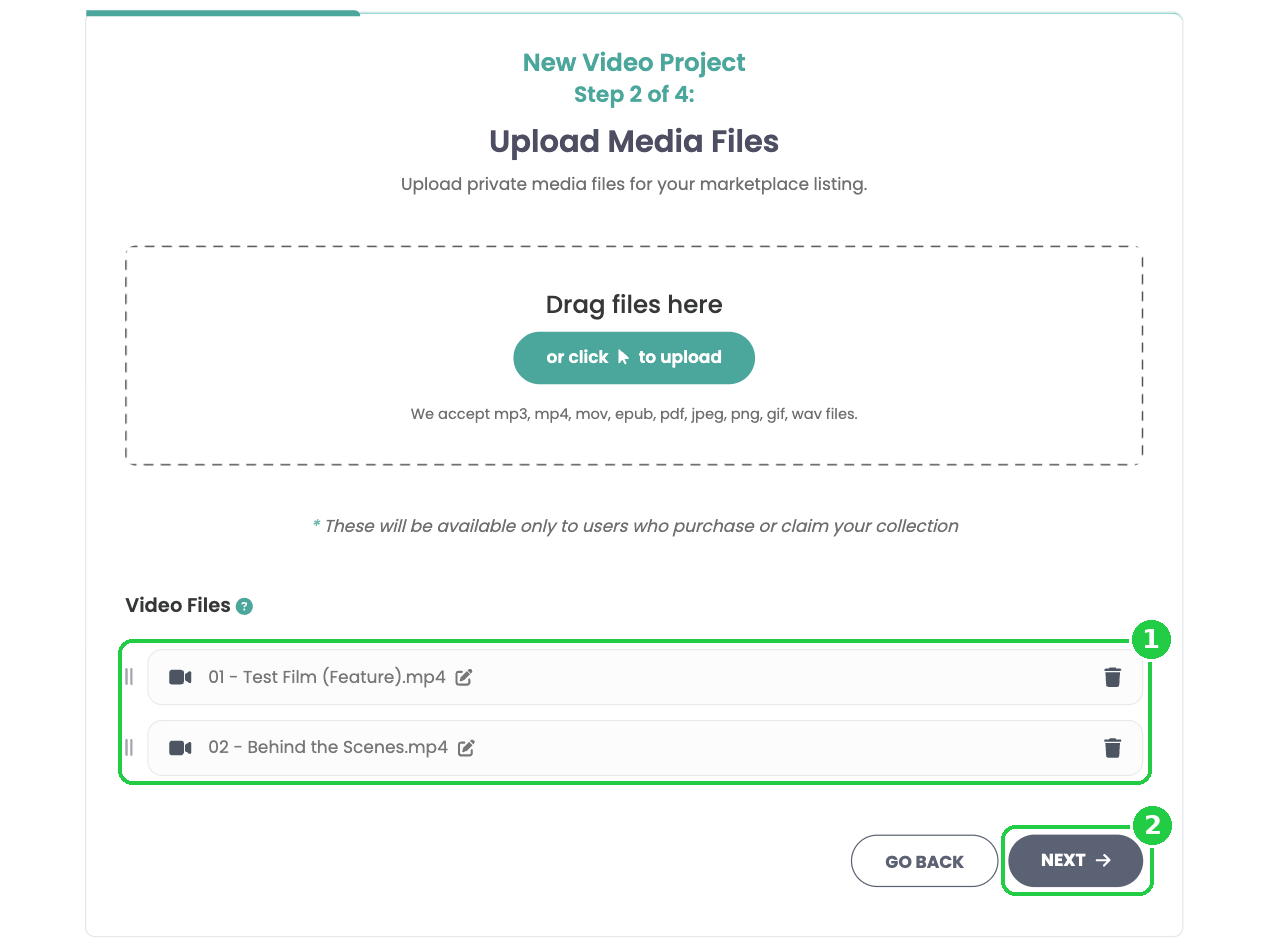
File tips: Upload the highest-quality source file you downloaded from Vimeo. Start each file name with a number (for example, 01 - Feature.mp4, 02 - Behind the Scenes.mp4) so your film and extras stay in order.
4Add your trailer
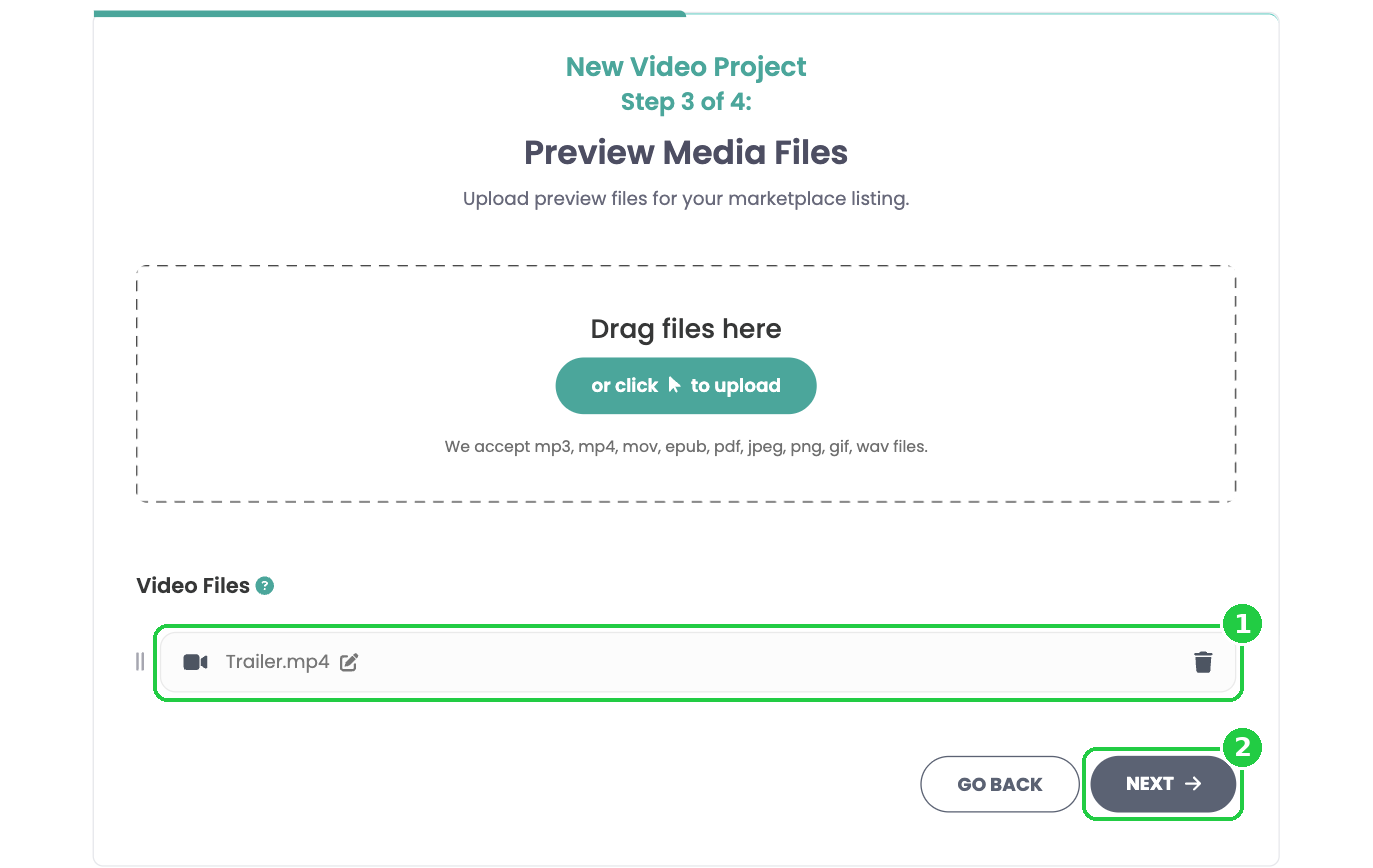
Preview files are free for anyone to watch on your sales page. This is where your trailer goes.
- Under Preview Media Files, upload your trailer (1). You can add more than one, for example a teaser and a full trailer.
- Click Next (2).
5Set your price
Step 4 of 4, Set Price and Create Listing, is where you reopen your sales.
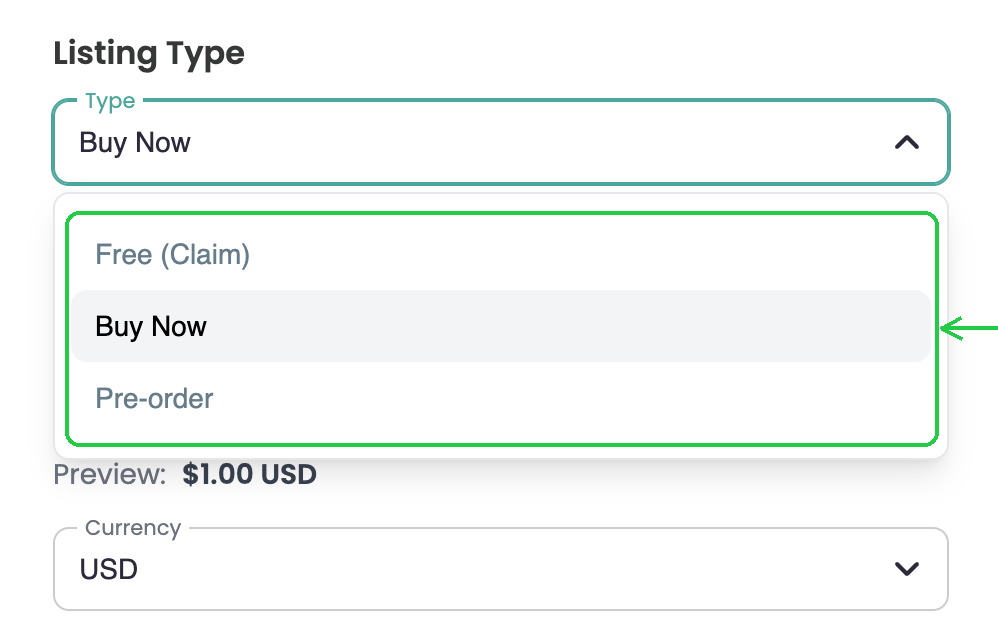
- Click Listing Type and choose one:
- Free (Claim): fans watch for free, and you get the email address of everyone who claims it.
- Buy Now: fans buy the title at the price you set. This replaces your Vimeo On Demand purchase option.
- Pre-order: take orders before release day. See Setting Up a Pre-Order on Curios.
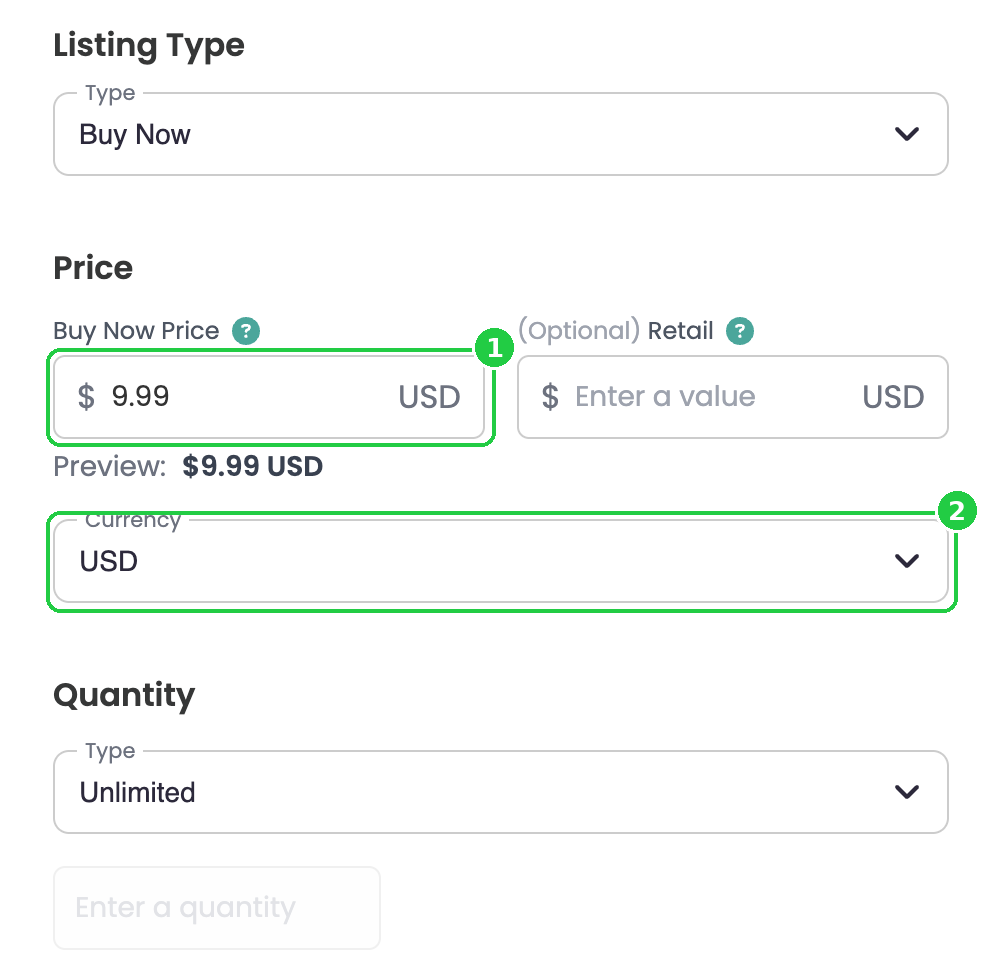
- Buy Now Price: enter your price (1).
- (Optional) Retail: enter a higher "was" price to show a discount. Fans see it crossed out next to your price.
- Currency: choose the currency you want to sell in (2).
- Quantity: leave it on Unlimited, or set a limit for a special release.
6Choose a genre, release date and permissions
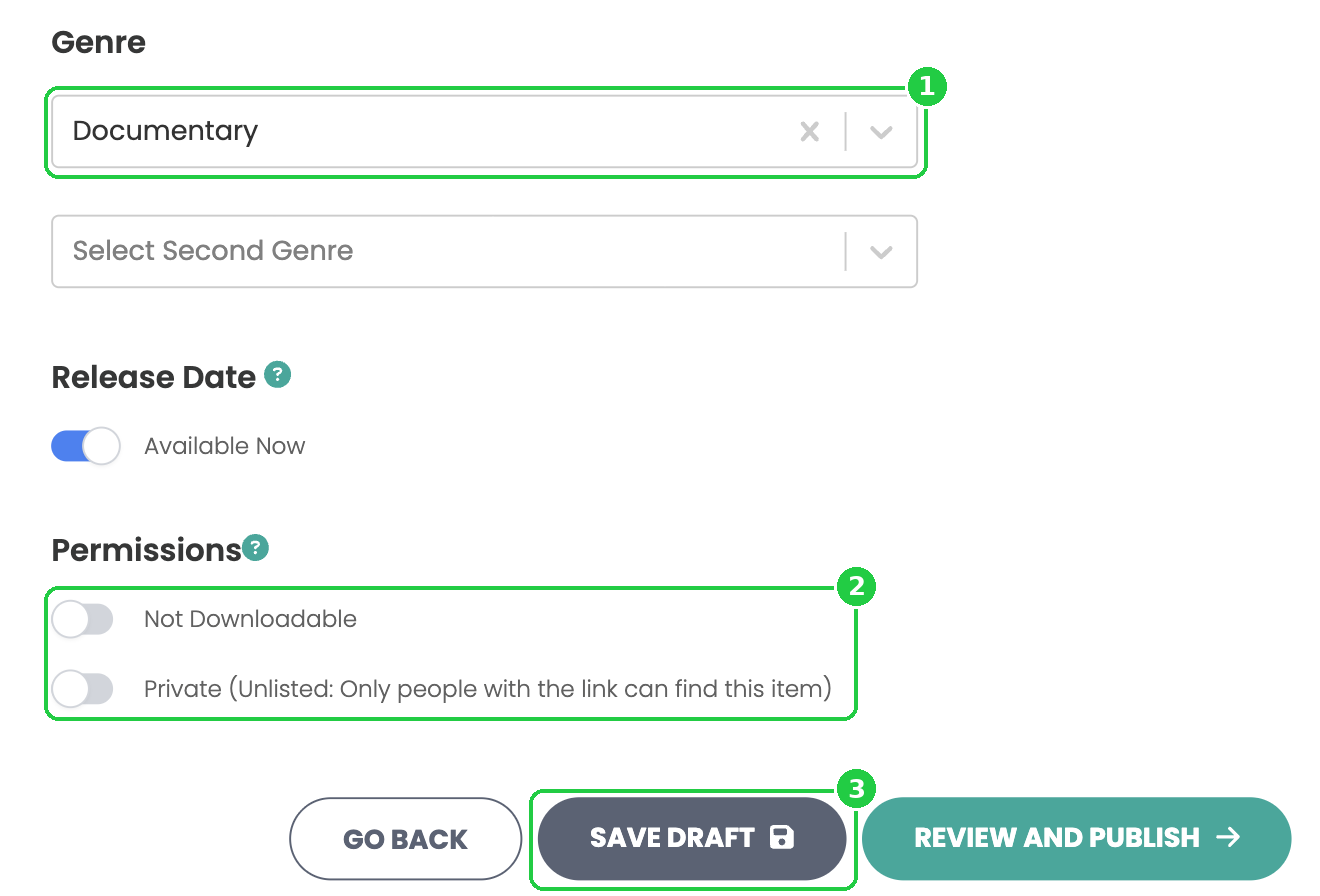
- Genre: choose a genre (1). Optional: add a second genre.
- Release Date: leave Available Now switched on to release as soon as you publish, or switch it off to schedule a premiere date and time.
- Under Permissions, set two switches (2):
- Downloads. Off (the default) shows Not Downloadable: fans stream your film. Switch it on to let buyers download it.
- Visibility. On (the default) shows Public: anyone can discover your film on Curios. Off shows Private (Unlisted): only people with the link can find it.
- Click Save Draft (3) to check everything first, or Review and Publish to go live.
7Publish
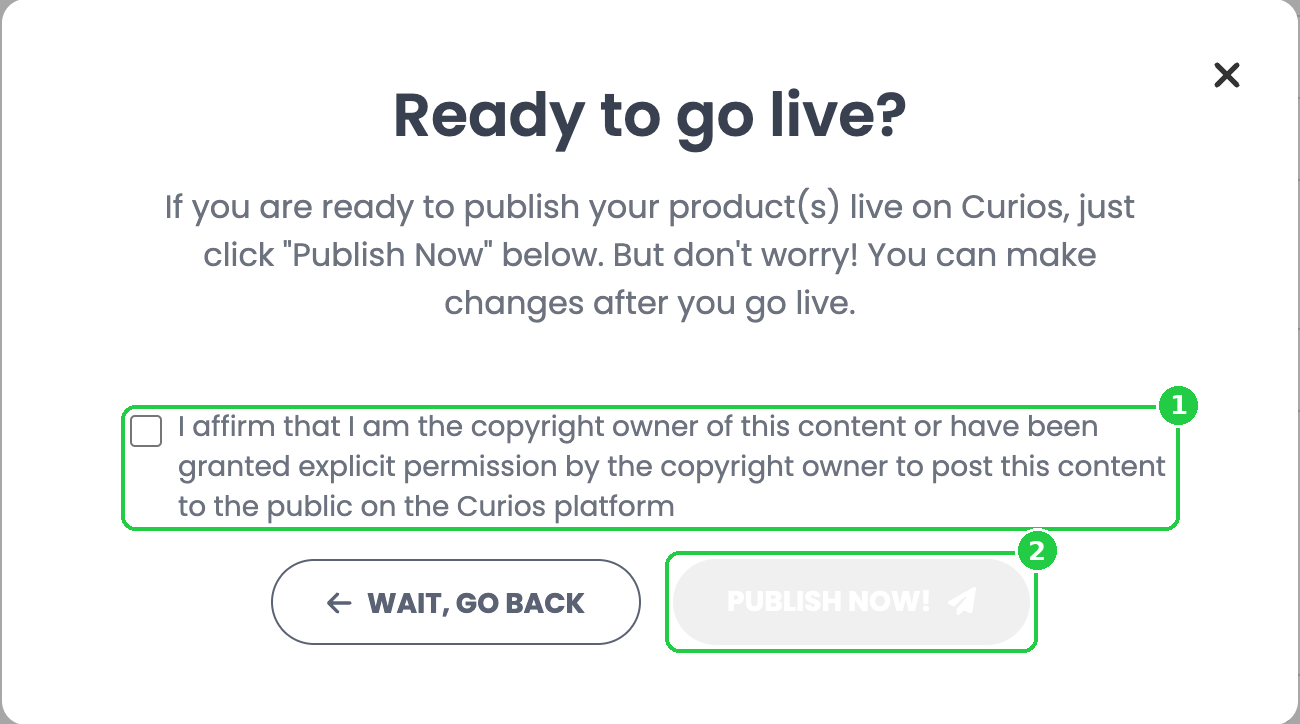
When you click Review and Publish, Curios uploads everything and asks if you're ready to go live.
- Tick the box to confirm you own the rights to the content, or have permission to post it (1).
- Click Publish Now! (2). Or click Wait, Go Back if you're not ready yet.
8Check your product page
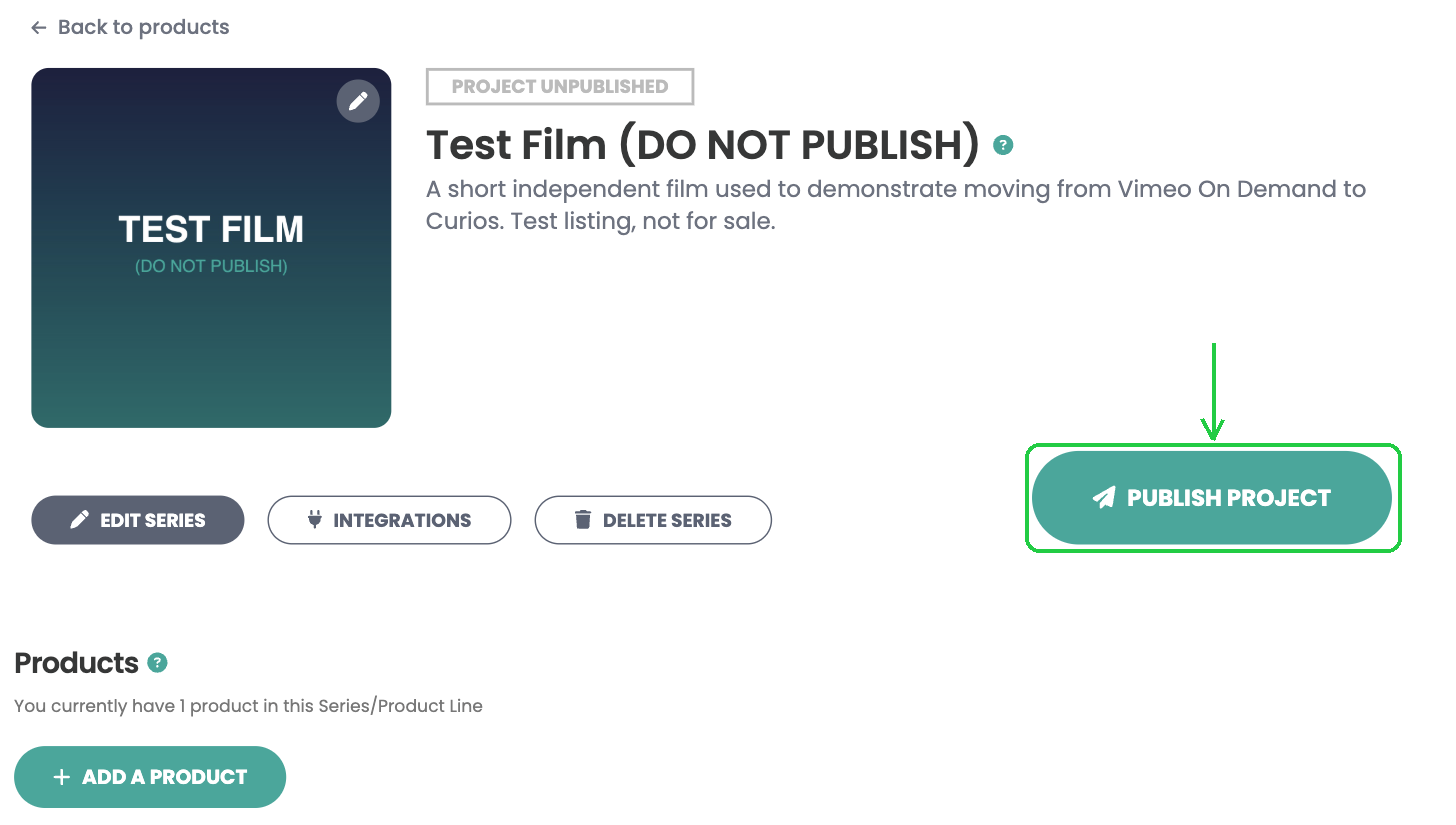
Every title gets a product page in Studio. If you saved a draft, it shows PROJECT UNPUBLISHED. Click Publish Project when you're ready.
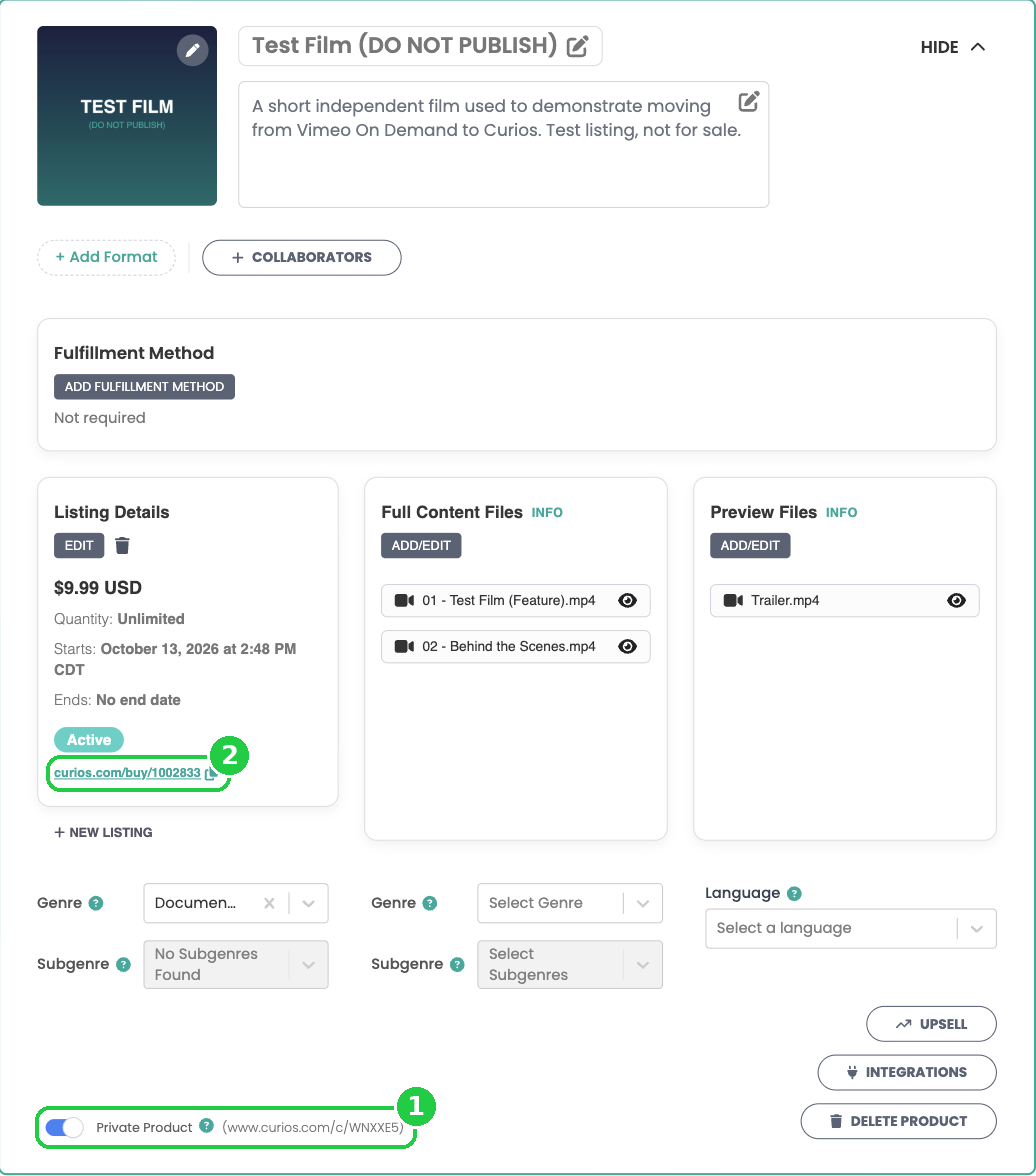
- Scroll down to check Full Content Files (your film and extras) and Preview Files (your trailer). Click ADD/EDIT to change them.
- Private Product (1) controls whether the title is unlisted.
- Your buy link (curios.com/buy/...) is under Listing Details (2). Copy it and use it everywhere your Vimeo On Demand link used to be.
- Use Upsell to offer your other films after a purchase.
Selling a series? Click Add a Product on the product page to add each episode to the same series, plus one season product with every episode in its Full Content Files. When you release a new episode, add it to the season product too, and season buyers can watch it right away.
How your film shows on Curios
Once you publish, here's what your fans see.
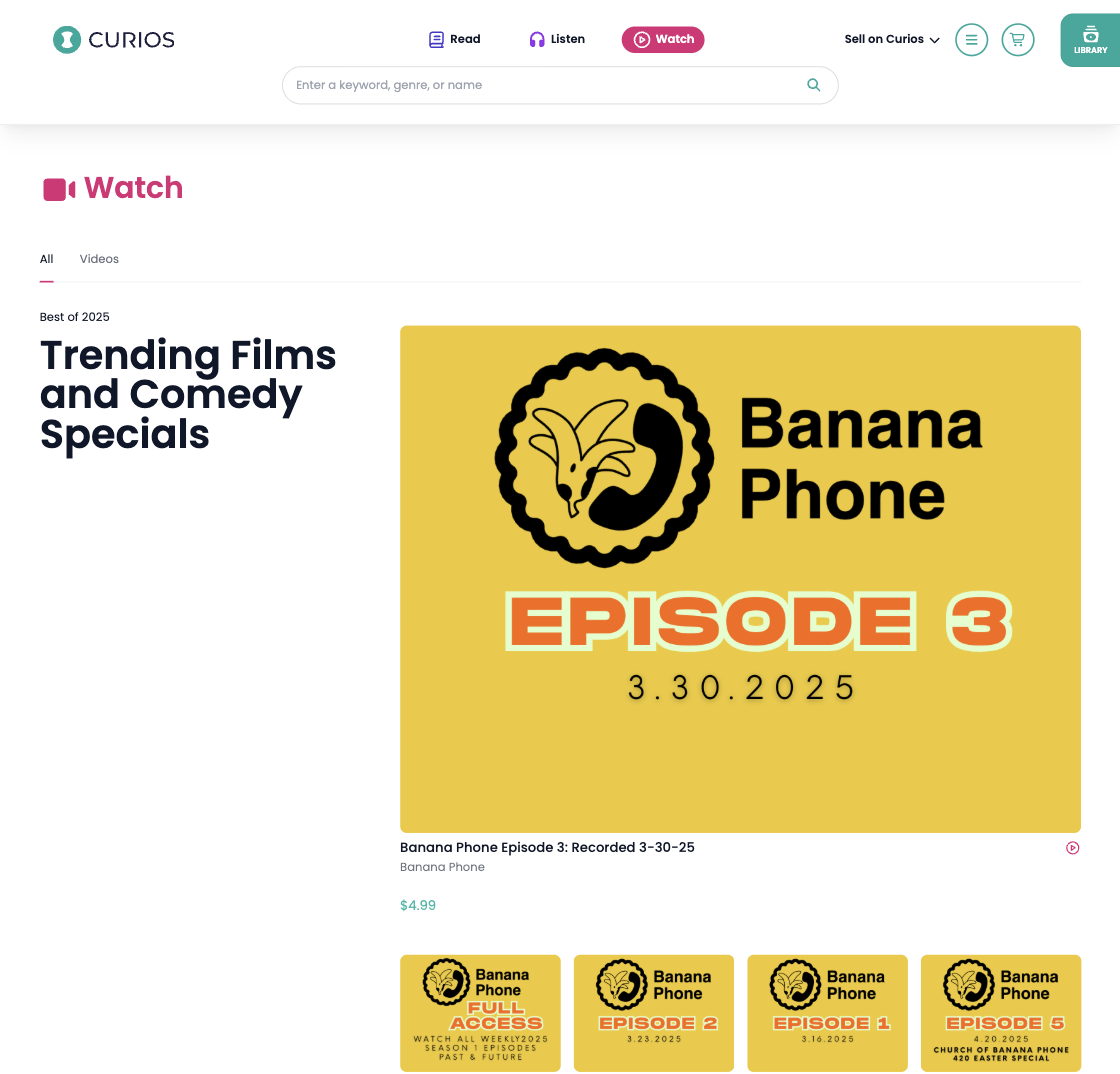
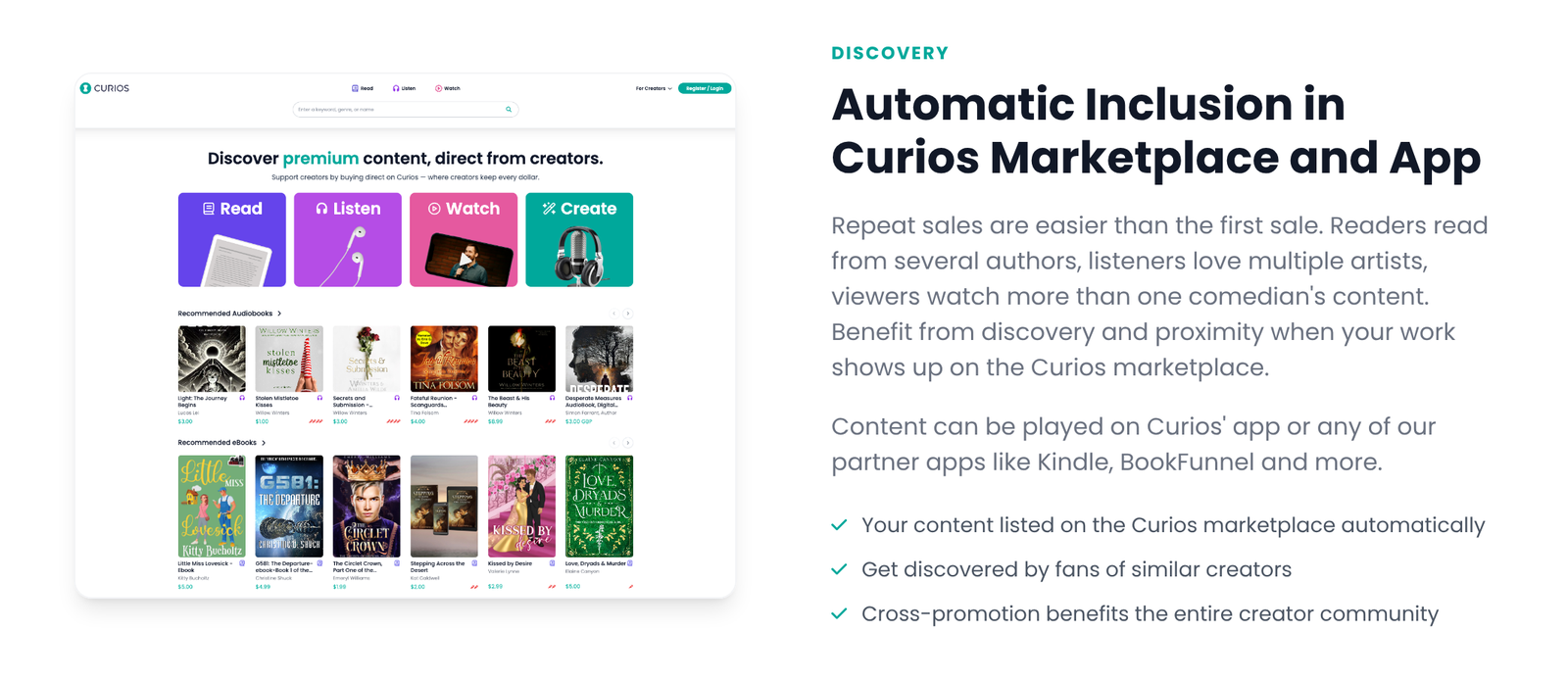
Discovered in the Watch section
Public titles are listed in the Curios marketplace automatically. Videos appear under Watch, where fans of films and specials like yours find new creators.
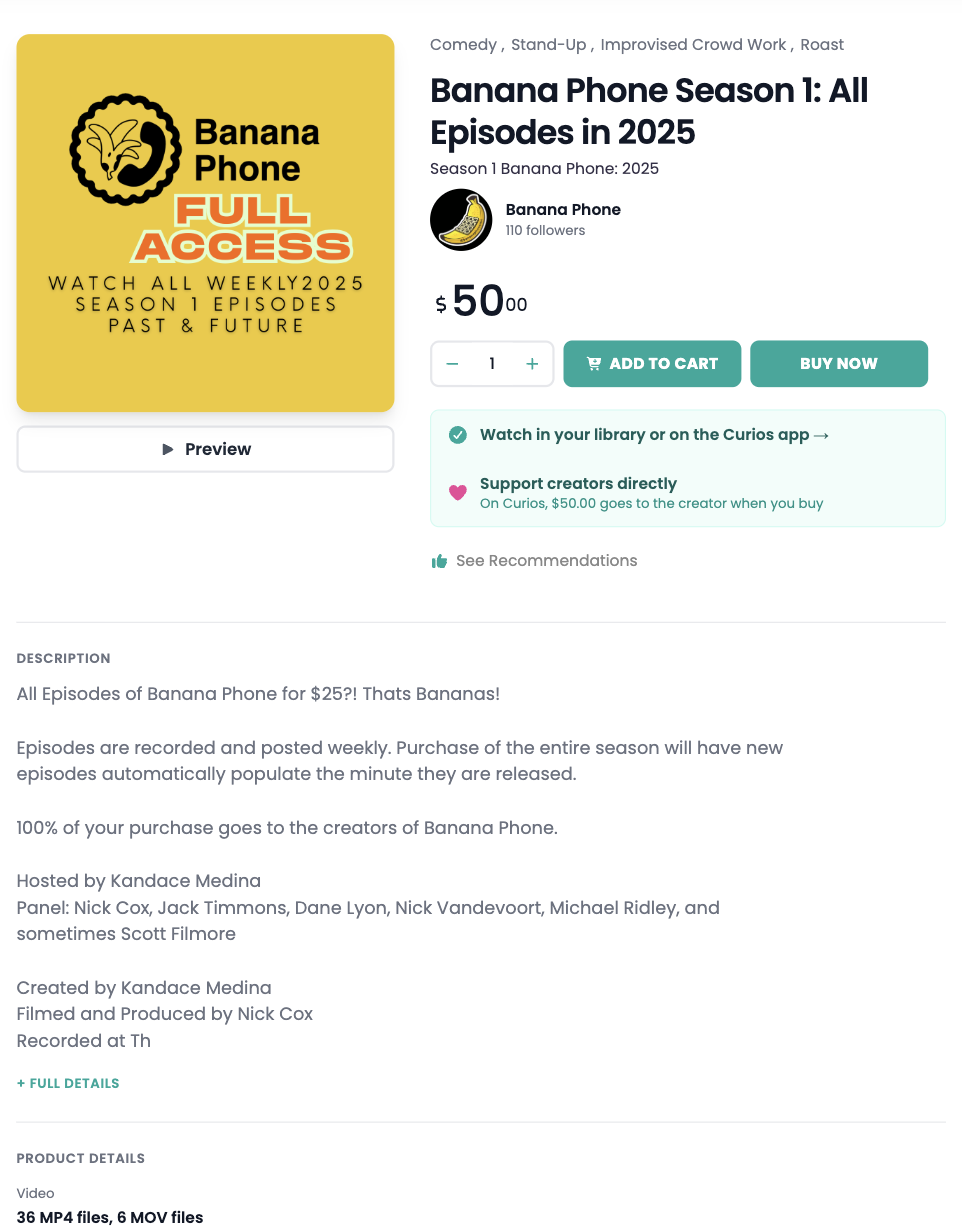
Your sales page
Every title gets its own sales page with your cover art, price, description and a Preview button that plays your trailer. Fans can buy straight away, or add it to their cart with your other work.
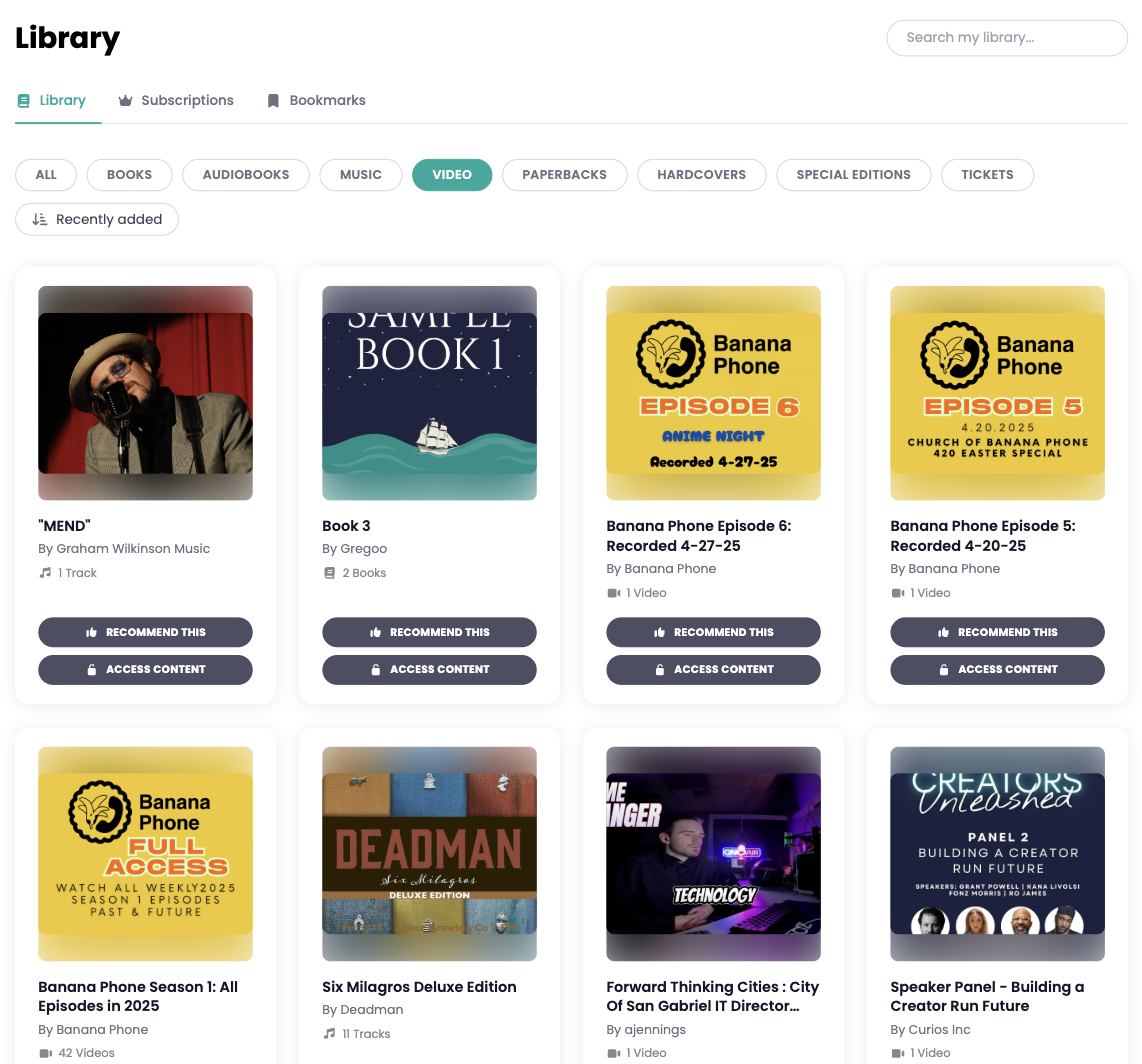
Their library
After buying, your film is added to the fan's Curios library, under the Video filter. They click Access Content to start watching.
Watching
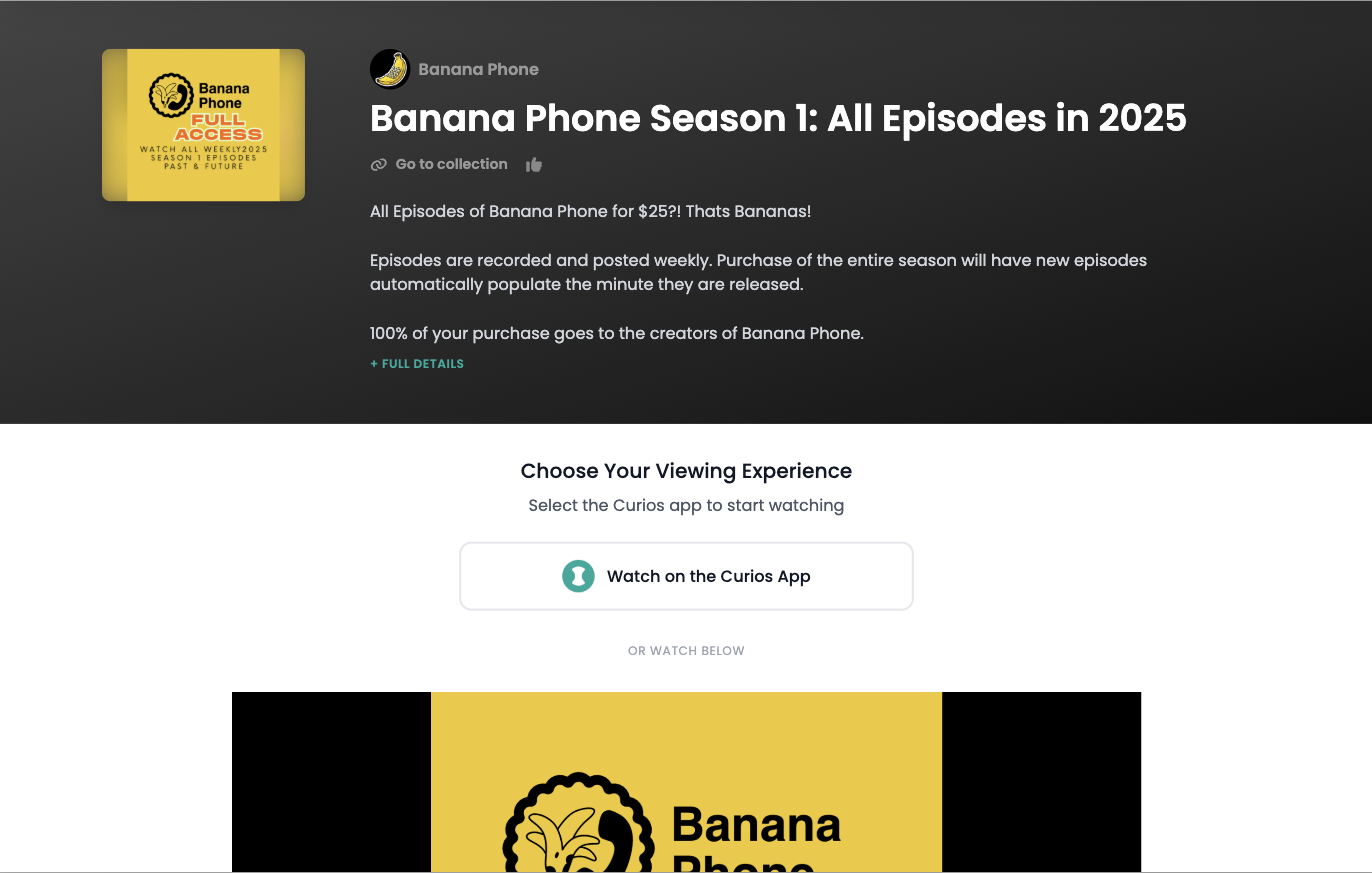
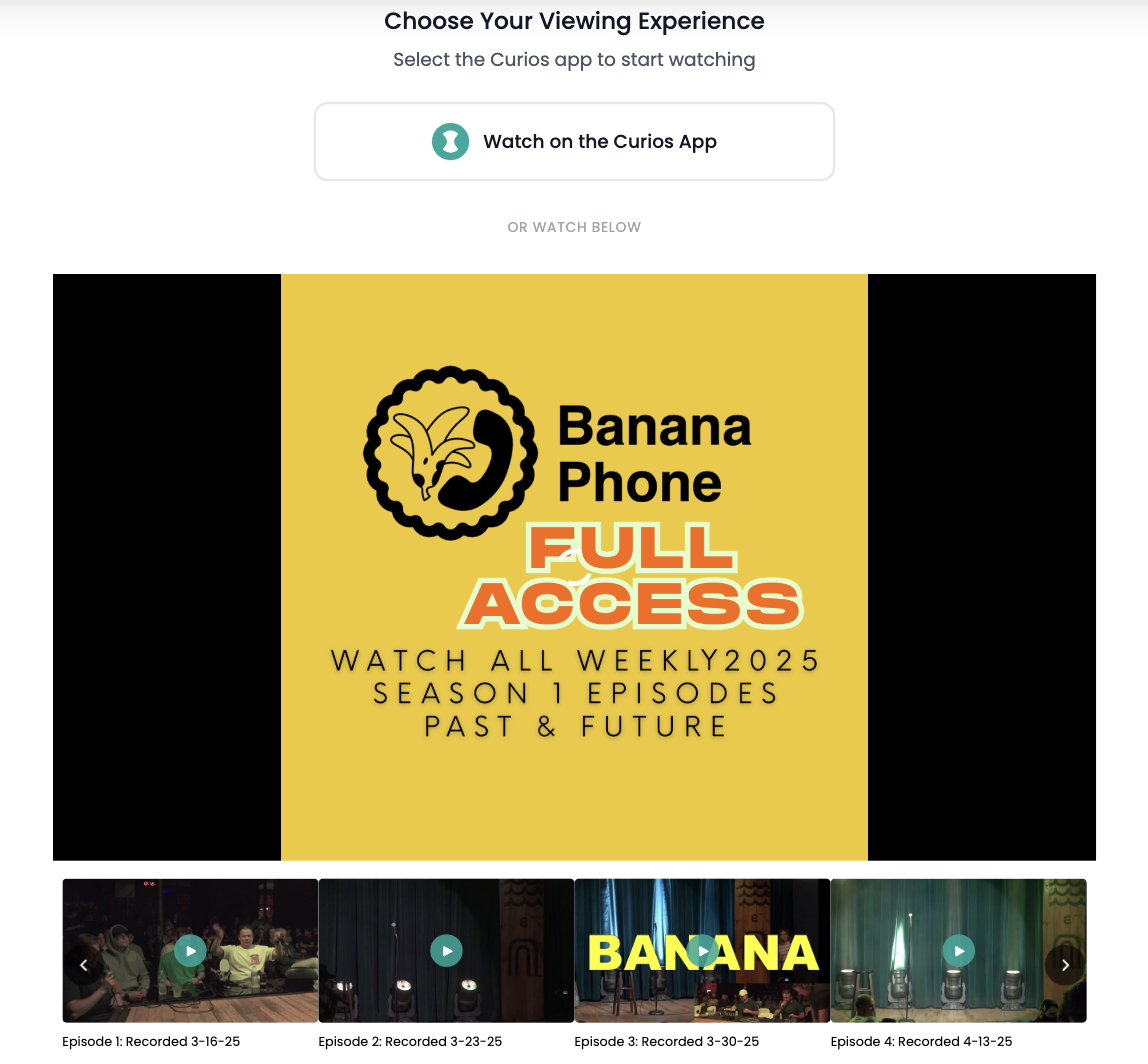
Fans can watch on the Curios app, or right in their browser. Every video in the title (your film and its extras, or every episode in a season) is lined up under the player.
You're always in control. You can change your price, files, trailer, cover or release date at any time, even after you publish. Click the title on your Studio dashboard to open its product page.
Questions about moving from Vimeo On Demand? Email [email protected] or contact Curios support. We're here to help.
Ready to sell direct and keep 100%?
No credit card required. Join creators building real businesses on their own terms.