
Using Curios Direct Checkout Links
Note: This tool is currently in Private Beta, to gain access please email [email protected]
Curios offers direct checkout links so you can take advantage of Curios Direct Sales infrastructure while using your own landing pages or website.
The core advantages of using Curios Direct Links over other payment providers are:
- You still keep 100% of any sale and you get the customer contact information of anyone who buys
- Curios is the merchant of record for the sale, meaning we are responsible for and handle collection and filing of any taxes from the transaction. Taxes are not taken from your proceeds.
- Curios handles the safe delivery of any digital files
- Curios handles any customer support surrounding the delivery of the content, the collection of the funds or anything else our readers may have trouble with.
Distinguishing Between Marketplace Links and Direct Checkout Links
Marketplace Links
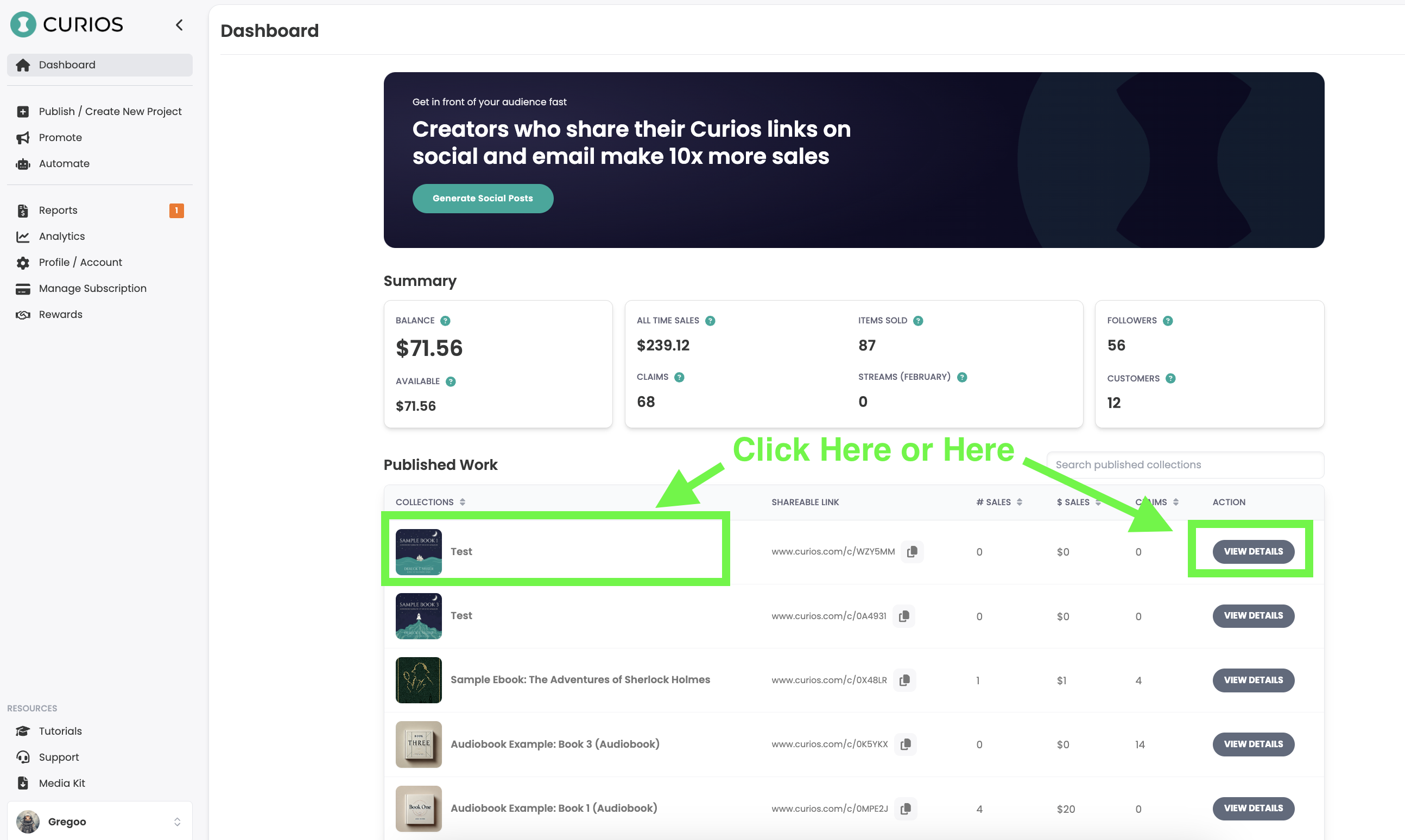
Your Curios Marketplace Links can be found on studio.curios.com on your dashboard page, right here:
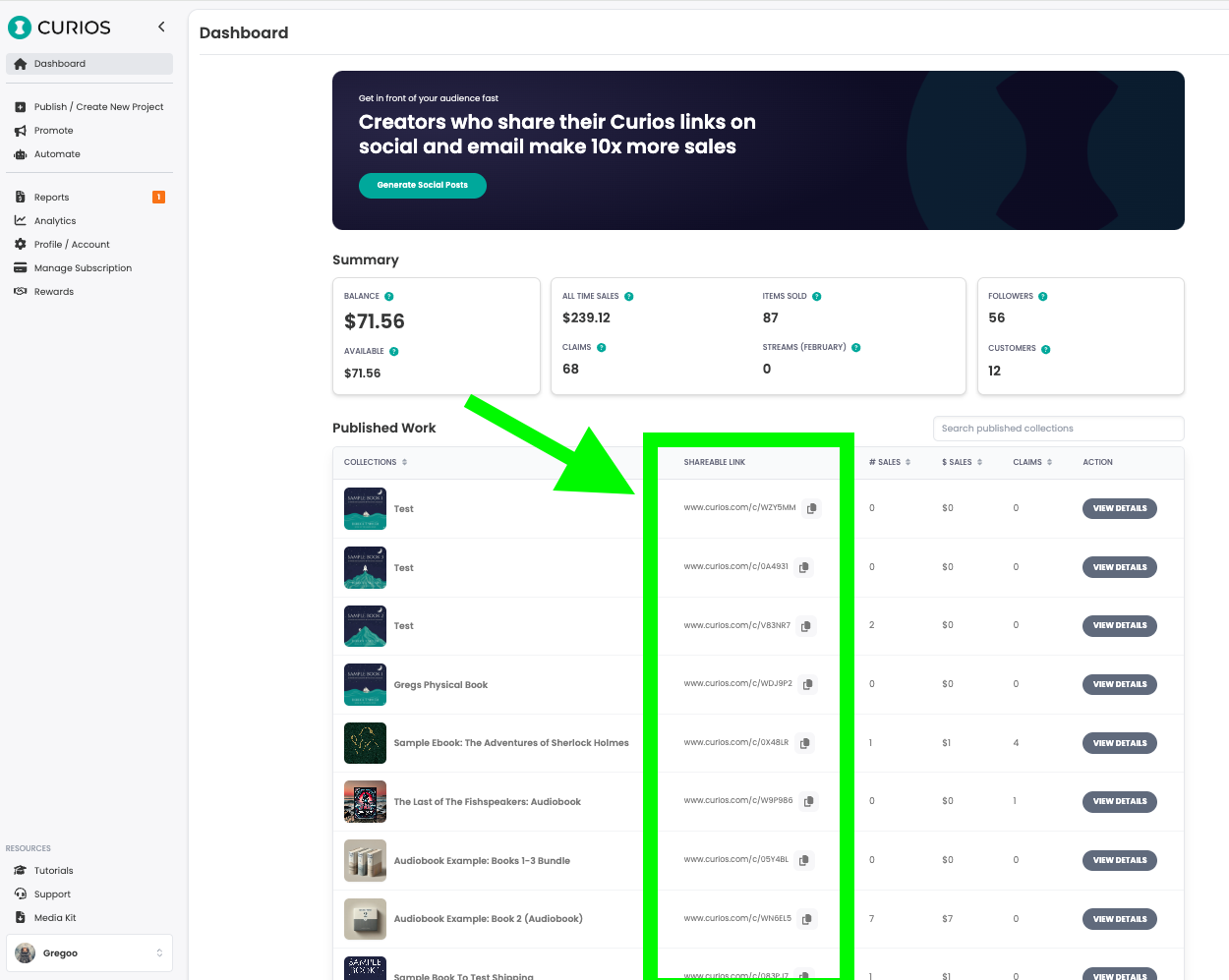
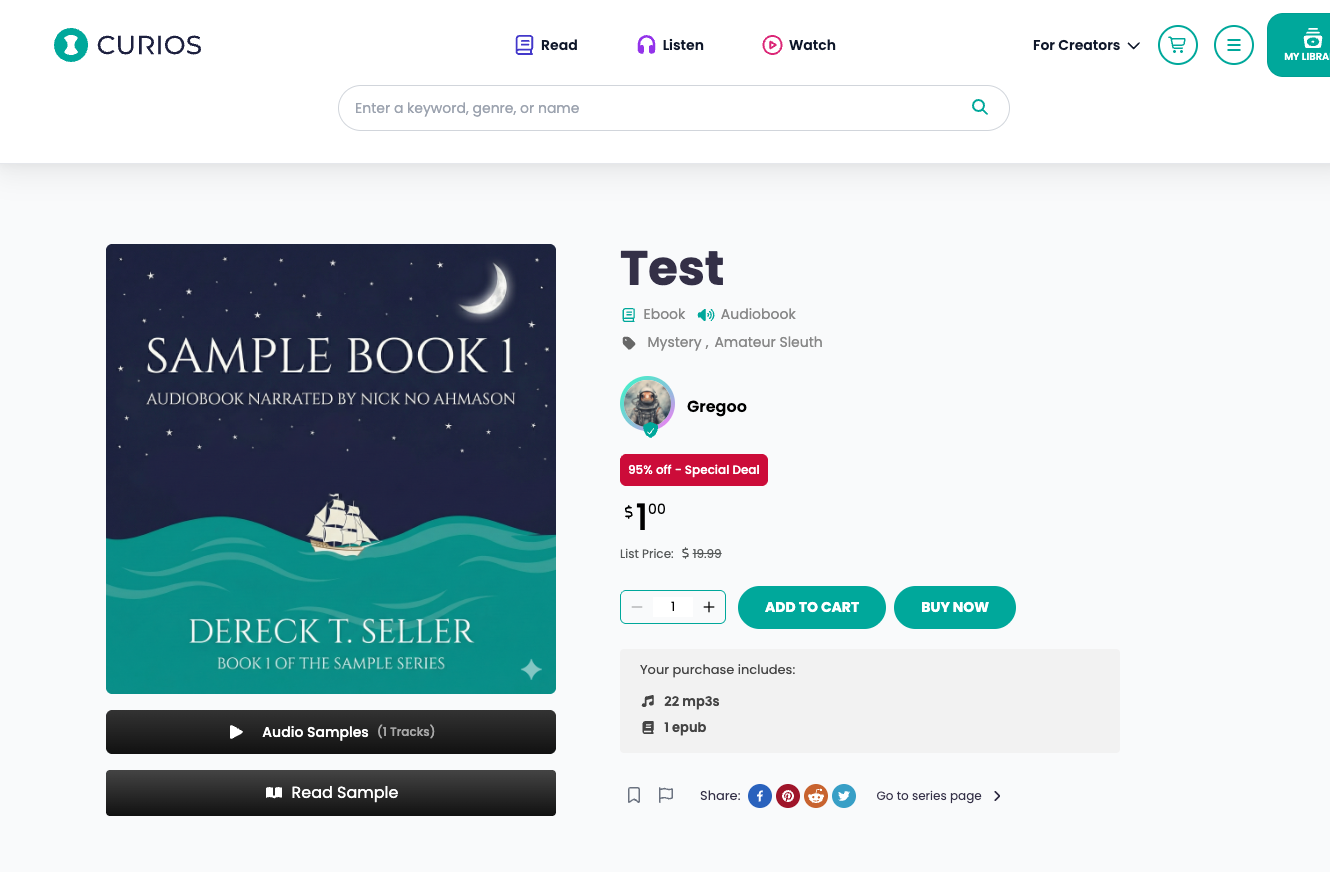
These links lead readers directly to your dedicated book pages on curios.com
Direct Checkout Links
Contrarily your Direct Checkout Links go only to a checkout page.
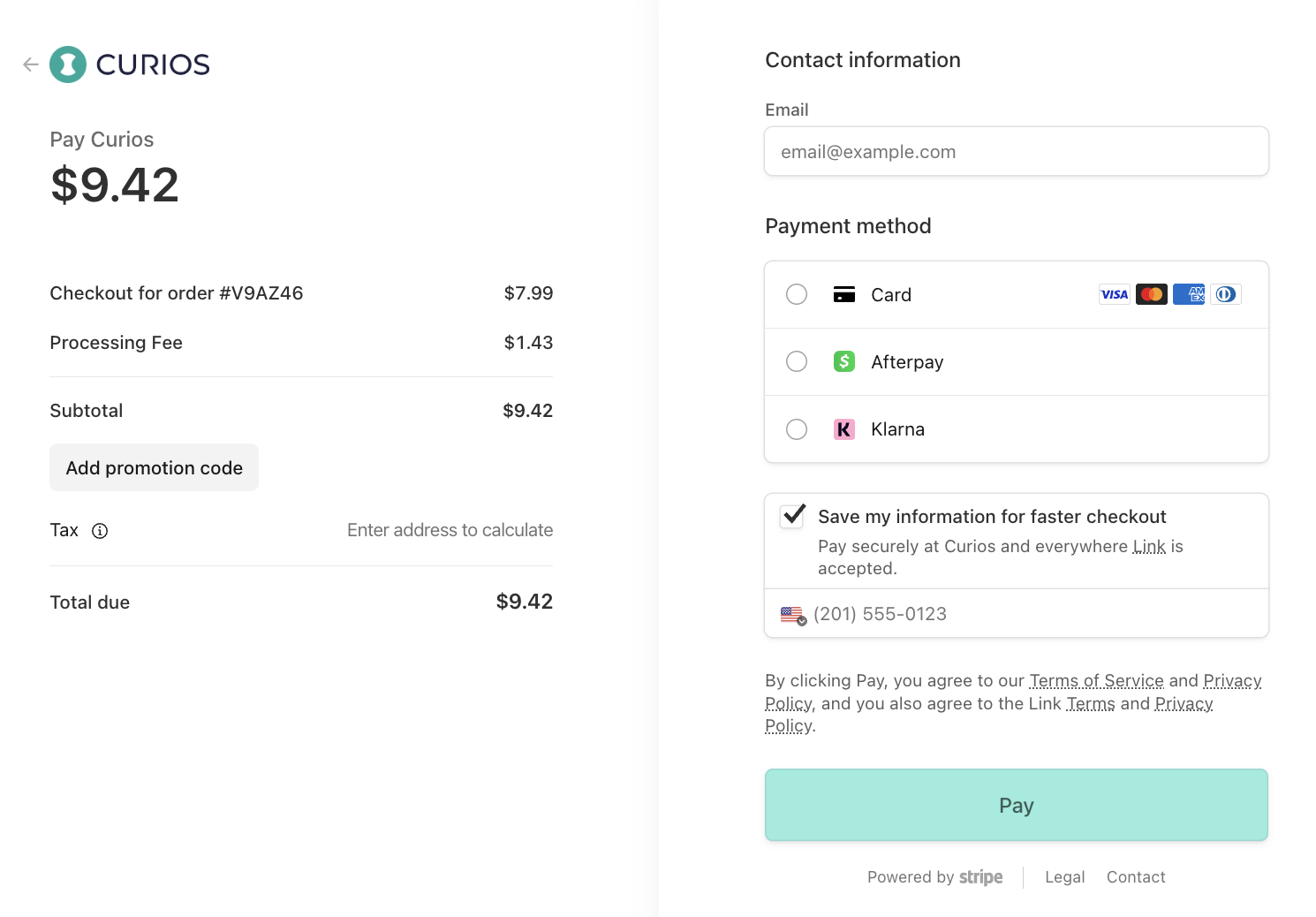
These links are perfect if you are using them on your own website or on your own landing page, where any storytelling or selling of the reader occurs.
These links allow you to gain all the benefits of using Curios on your own website or landing pages
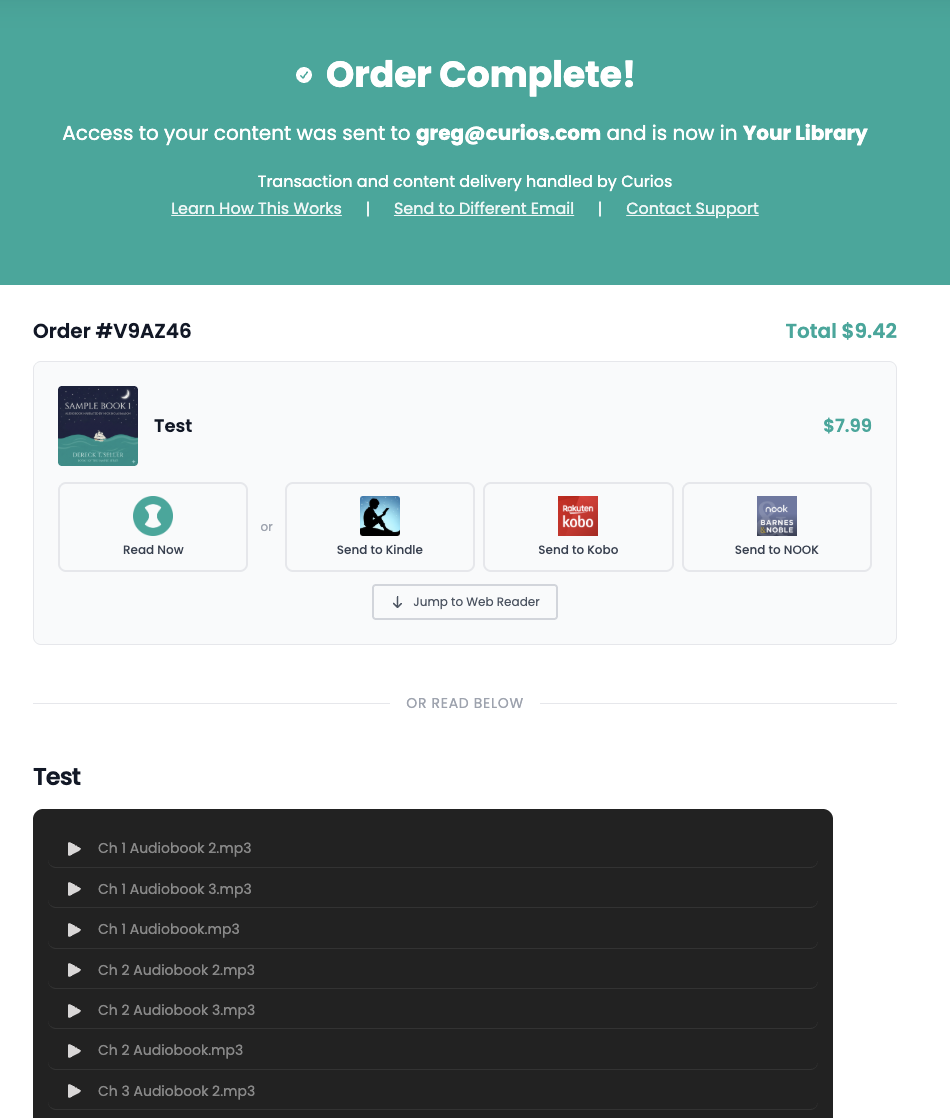
Once a reader pays for an item they are then brought to a content delivery page, where they can immediately access the content they just bought from you.
Finding your Direct Checkout links
Your Direct Checkout Links are found by following these steps.
Step 1:
Login to studio.curios.com and click on the book or bundle to bring up the product detail page.
Step 2:
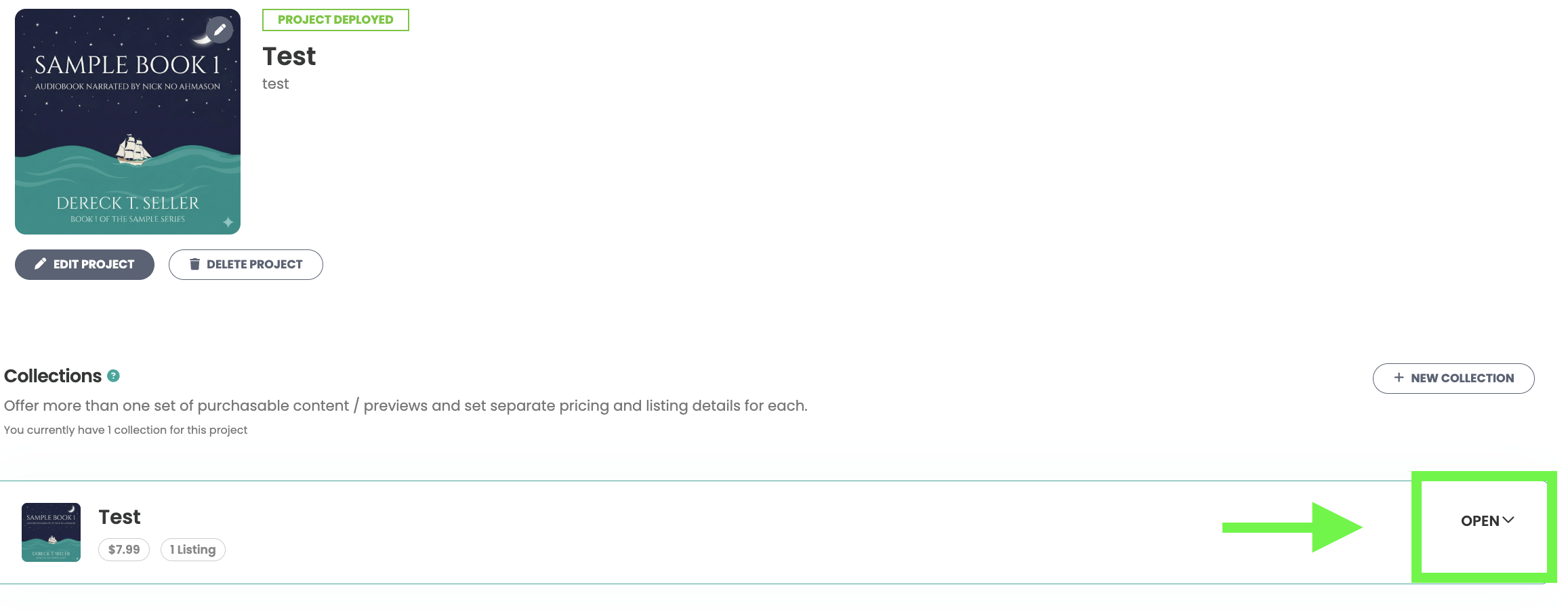
Next, you will need to navigate to the specific item you want a direct link for. You may have to click "Open" on the item if this is part of a series.
Step 3:
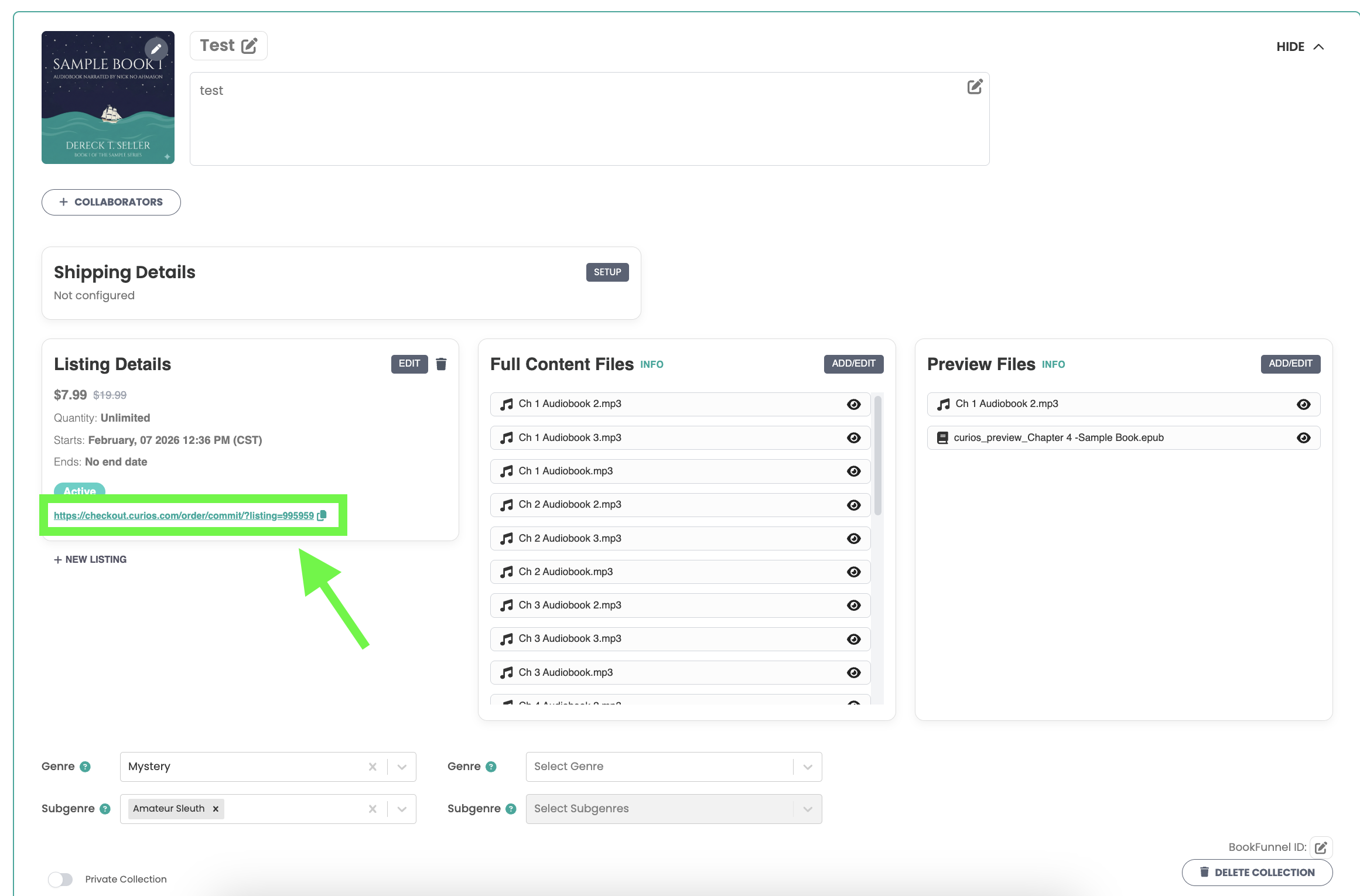
Find and copy your Direct Checkout Link. It will be under the "Listing Details" Section for your product.
Step 4:
Use the link. You can paste this link on any buy buttons on your website or landing pages that you create.
Common Mistakes
Ensure Continuity of content. You will want to double check that you have the right links in the right places. You would not want a buy button for an ebook to go to a checkout link for an audiobook.
Ensure continuity in Price. These are just links, so you will need to make sure the price you have entered on the Curios Studio matches that of your landing page.
If you have any questions or need any clarity, please do not hesitate to reach out to [email protected]
Additionally if you do not see your direct checkout links, ensure you are on a paid plan and then reach out to [email protected]
Thank you for joining us as we make direct sales inevitable.
Using Curios Direct Checkout Links
Note: This tool is currently in Private Beta, to gain access please email [email protected]
Curios offers direct checkout links so you can take advantage of Curios Direct Sales infrastructure while using your own landing pages or website.
The core advantages of using Curios Direct Links over other payment providers are:
- You still keep 100% of any sale and you get the customer contact information of anyone who buys
- Curios is the merchant of record for the sale, meaning we are responsible for and handle collection and filing of any taxes from the transaction. Taxes are not taken from your proceeds.
- Curios handles the safe delivery of any digital files
- Curios handles any customer support surrounding the delivery of the content, the collection of the funds or anything else our readers may have trouble with.
Distinguishing Between Marketplace Links and Direct Checkout Links
Marketplace Links
Your Curios Marketplace Links can be found on studio.curios.com on your dashboard page, right here:
These links lead readers directly to your dedicated book pages on curios.com
Direct Checkout Links
Contrarily your Direct Checkout Links go only to a checkout page.
These links are perfect if you are using them on your own website or on your own landing page, where any storytelling or selling of the reader occurs.
These links allow you to gain all the benefits of using Curios on your own website or landing pages
Once a reader pays for an item they are then brought to a content delivery page, where they can immediately access the content they just bought from you.
Finding your Direct Checkout links
Your Direct Checkout Links are found by following these steps.
Step 1:
Login to studio.curios.com and click on the book or bundle to bring up the product detail page.
Step 2:
Next, you will need to navigate to the specific item you want a direct link for. You may have to click "Open" on the item if this is part of a series.
Step 3:
Find and copy your Direct Checkout Link. It will be under the "Listing Details" Section for your product.
Step 4:
Use the link. You can paste this link on any buy buttons on your website or landing pages that you create.
Common Mistakes
Ensure Continuity of content. You will want to double check that you have the right links in the right places. You would not want a buy button for an ebook to go to a checkout link for an audiobook.
Ensure continuity in Price. These are just links, so you will need to make sure the price you have entered on the Curios Studio matches that of your landing page.
If you have any questions or need any clarity, please do not hesitate to reach out to [email protected]
Additionally if you do not see your direct checkout links, ensure you are on a paid plan and then reach out to [email protected]
Thank you for joining us as we make direct sales inevitable.