
Upload and Sell Your Audiobooks
On this page
For any audiobook of yours on Curios:
• You keep 100% of any sales (you can also give books away for free)
• You get the contact information of your purchasers/listeners
• You maintain total control of your IP at all times.
Step 1: Content Gathering/Prep
1. Have a square jpeg of your cover art.
a. The recommended size for an Audiobook cover is a square image at 2,400 x 2,400 pixels.
b. Include the book title, narrator name(s) and author name(s) in the cover image.
2. Have each chapter saved as an individual MP3 file
a. The filename should be the chapter number and the book title to help avoid misordering
3. Have a compelling description for your audiobook
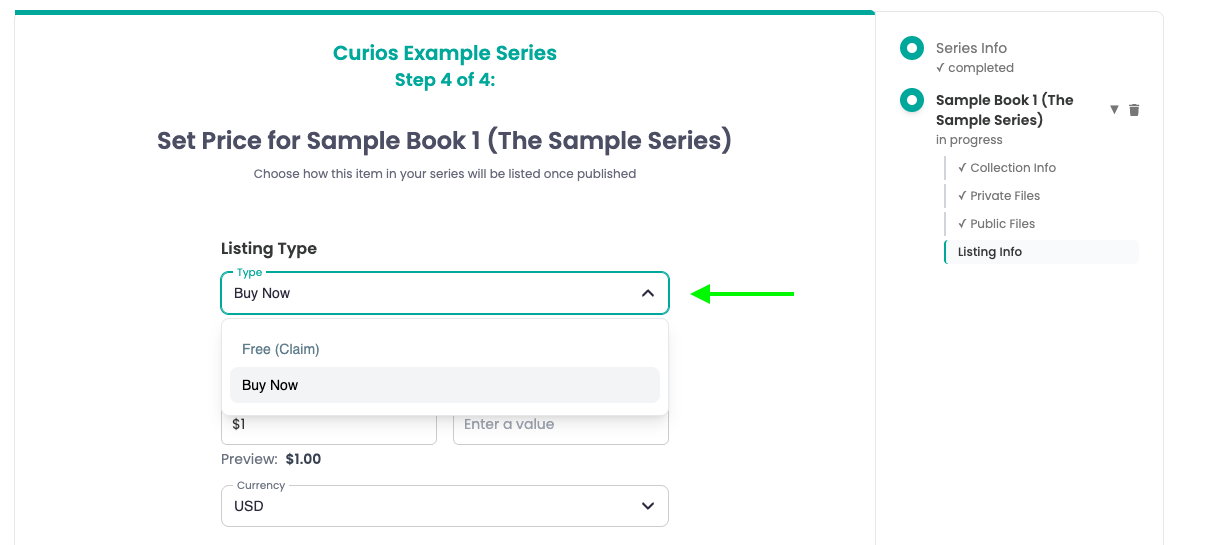
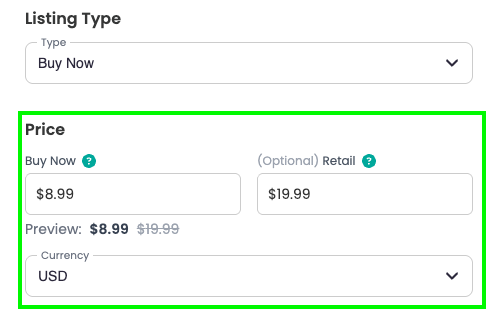
4. Have a sale price in mind. (free is an option on Curios as well)
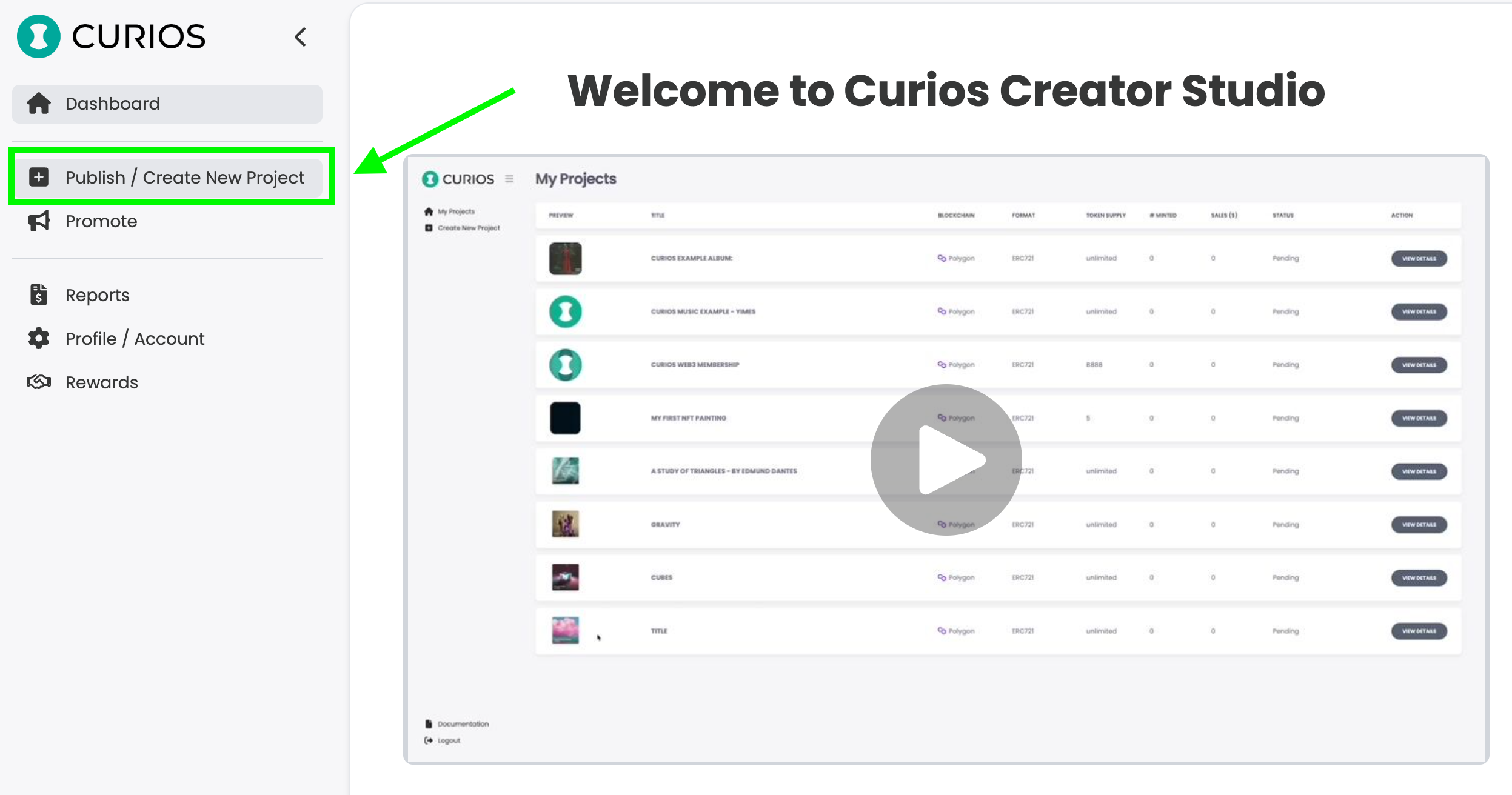
Step 2: Login to The Curios Studio and Click "+ Publish"
Login to studio.curios.com and click "+ Publish" in the left hand menu.
Next, select book from the options available.
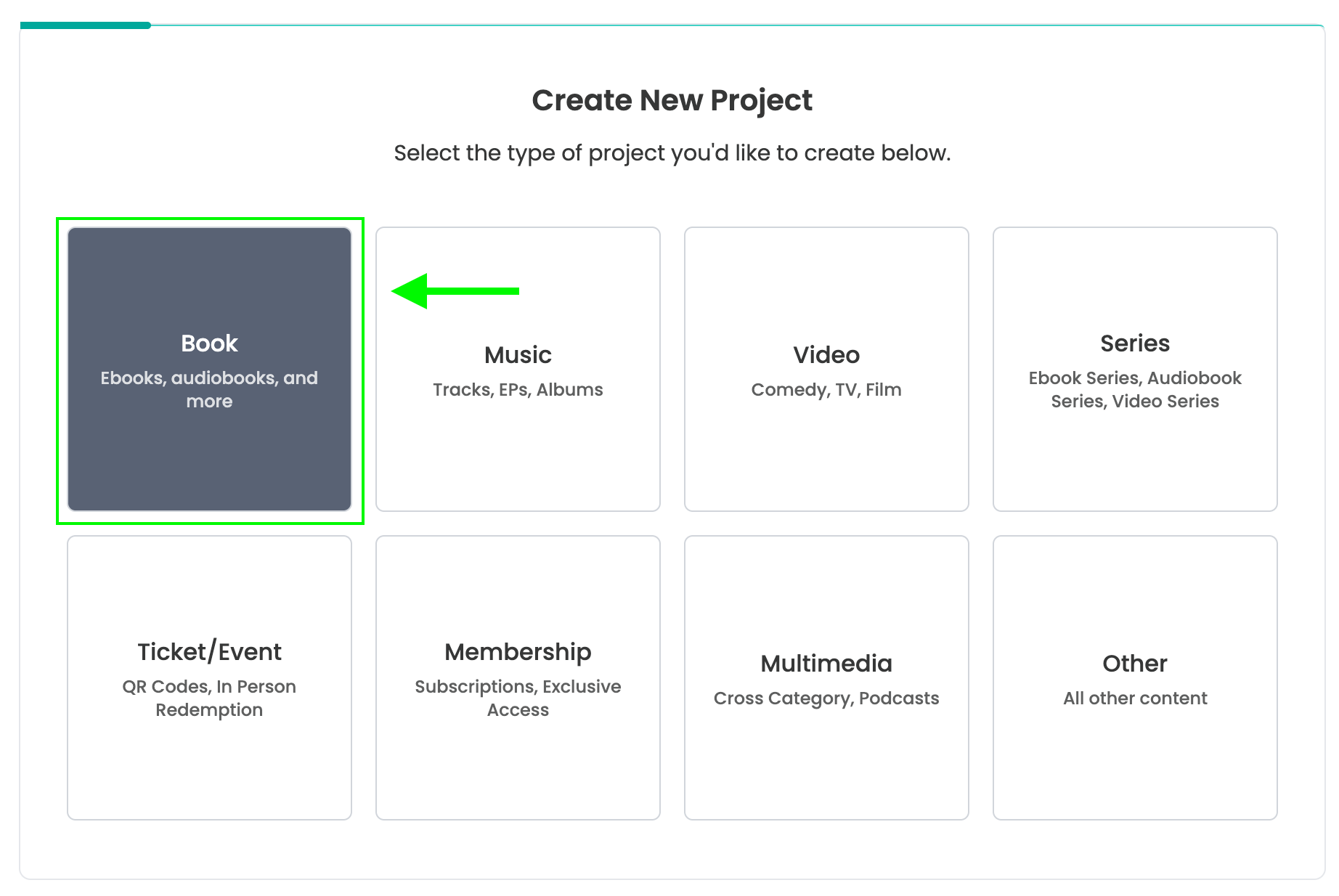
Note: if the audiobook is part of a series, please select series and follow the tutorial found on studio.curios.com/tutorials/upload-book-series
Step 3: Add the information for your Audiobook
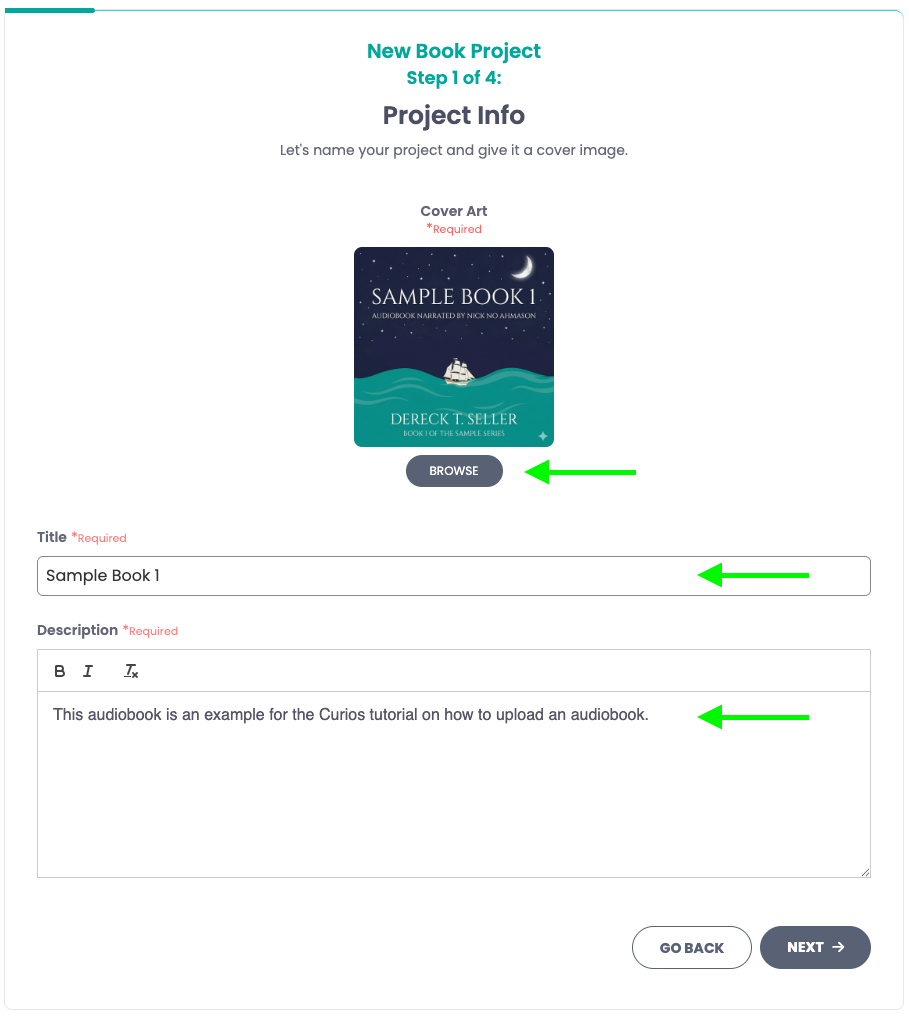
Step 4: Add the mp3 files for the Audiobook
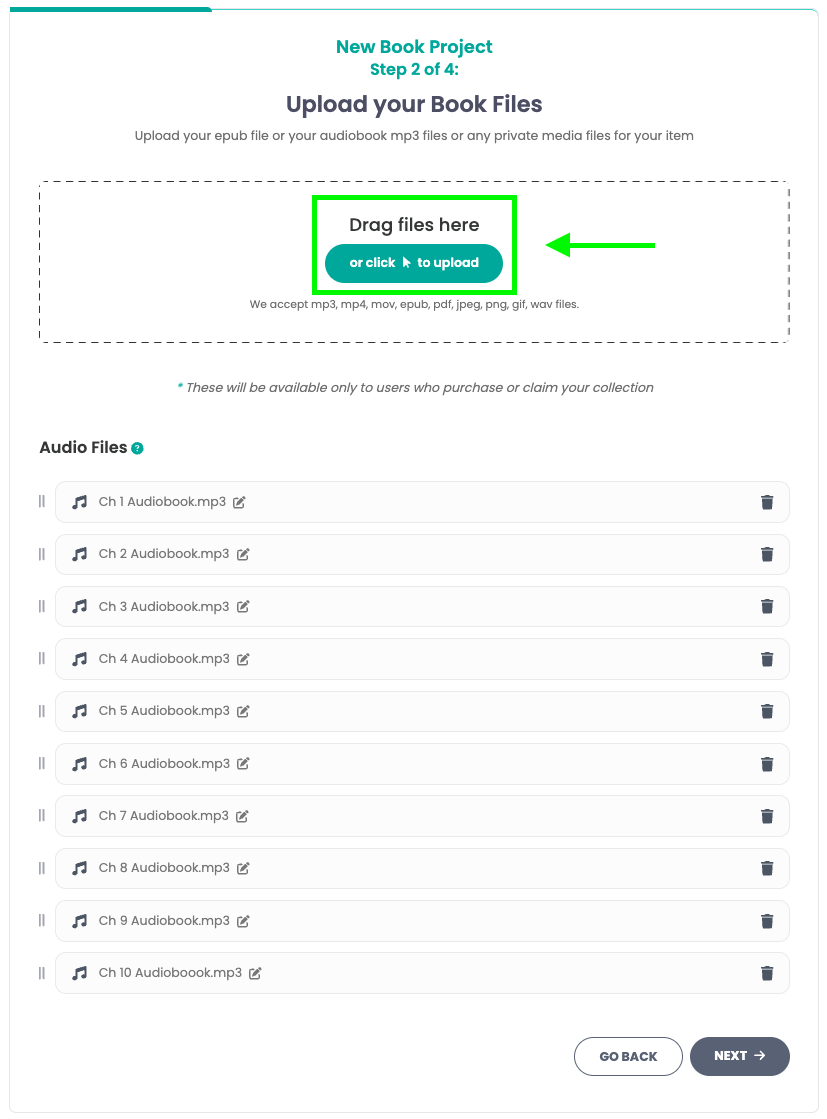
Note: It is a good idea to briefly look this over and ensure the order of the chapters is correct. You can drag and move chapters around to be in order.
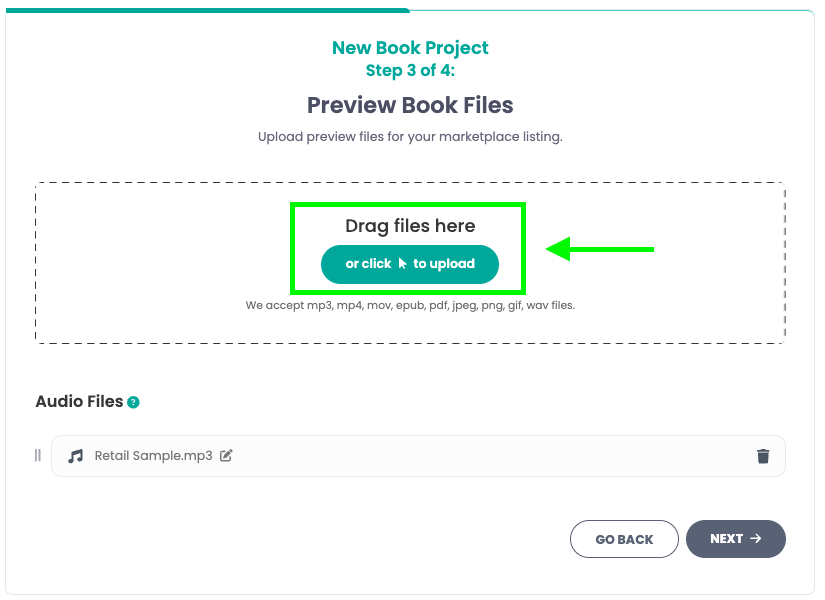
Step 5: Manage/Check Preview Files
Add a preview file for your audiobook. This should be long enough to give the listener a good idea of the narrator's voice, diction, and performance.
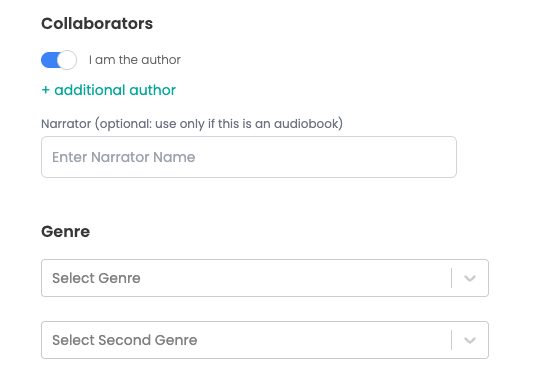
Step 6: Enter the price, book information, and set permissions
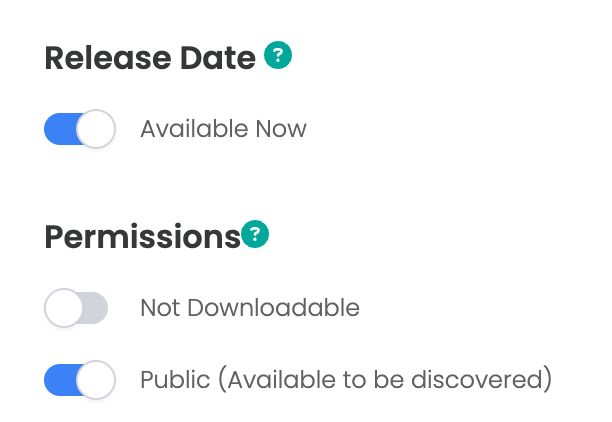
Note: Downloadability is not required. Your readers/listeners can always access their content on Curios via the website or the app and on any of our partner apps.

Step 8: Check
If you run into any issues you can always contact curios support, we are here to help!
Related articles
- TutorialConnect BookFunnel to Your Curios AccountLearn how to connect your BookFunnel account to Curios and add BookFunnel as an additional delivery option for your ebooks and audiobooks.
- TutorialAdd a Book to an Existing SeriesLearn how to add a new book to an existing series on Curios. Step-by-step guide covering collection creation, format selection, and series management.
- TutorialSelf Fulfilled Shipping for AuthorsLearn how to sell physical books, including paperbacks, hardcovers, special editions, signed books, merchandise, and any combination of the above on Curios.