
Upload and Sell Your Audiobook
On this page
Publish your audiobook and start selling
This tutorial walks you through uploading an audiobook to Curios, from creating the listing to publishing it on the marketplace.
Keep 100% of your price
Sell at the price you choose, or give the audiobook away for free.
Know your listeners
You get the contact information of everyone who buys or claims your audiobook.
Keep control of your IP
You own your work and can change or remove it at any time.
Is this book part of a series?
This tutorial covers a standalone book. For a series, follow Upload a Multi-Format Book Series or Add a Book to an Existing Series.
1Start a new book
- Log in at studio.curios.com.
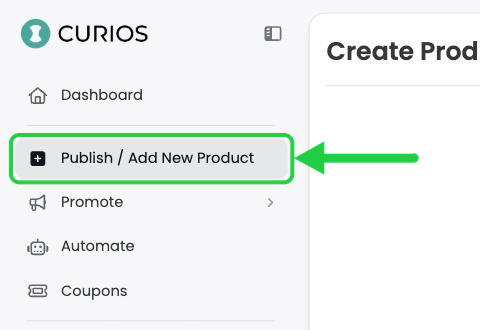
- In the left menu, click Publish / Add New Product.
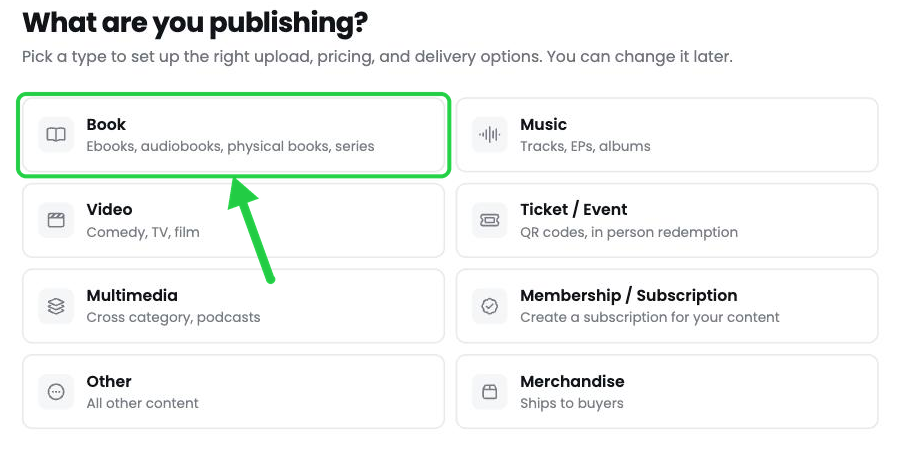
- Under What are you publishing?, click Book.
2Establish the Series Information
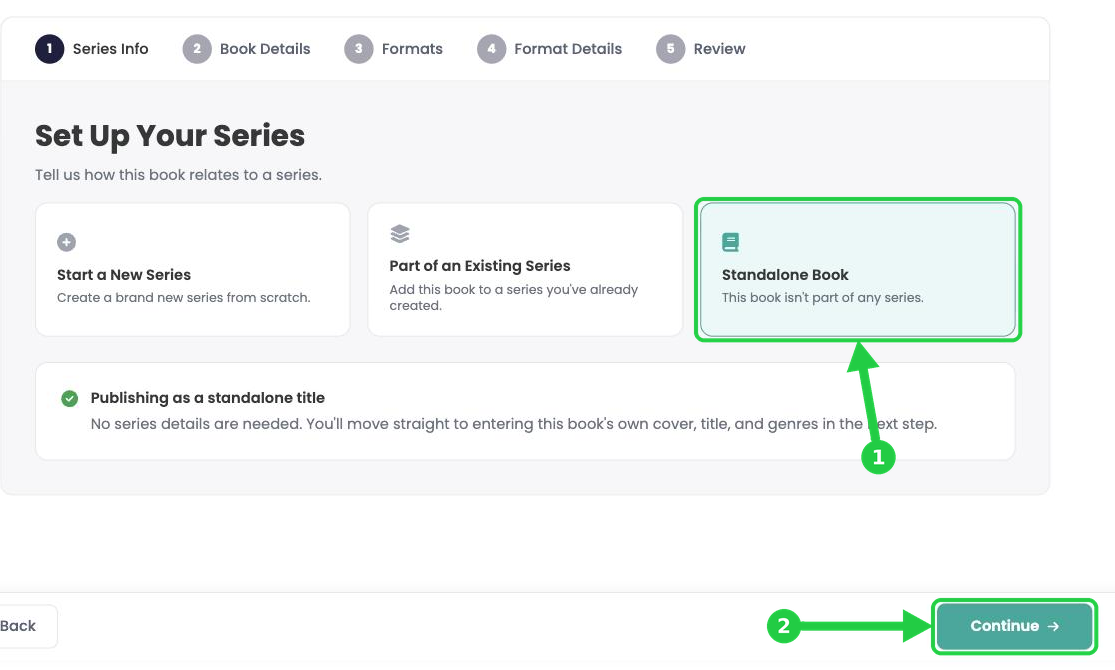
For this example we will select standalone book, but if this book is part of a series then you can specify that here.
- Click Standalone Book.
- Click Continue.
3Add your book details
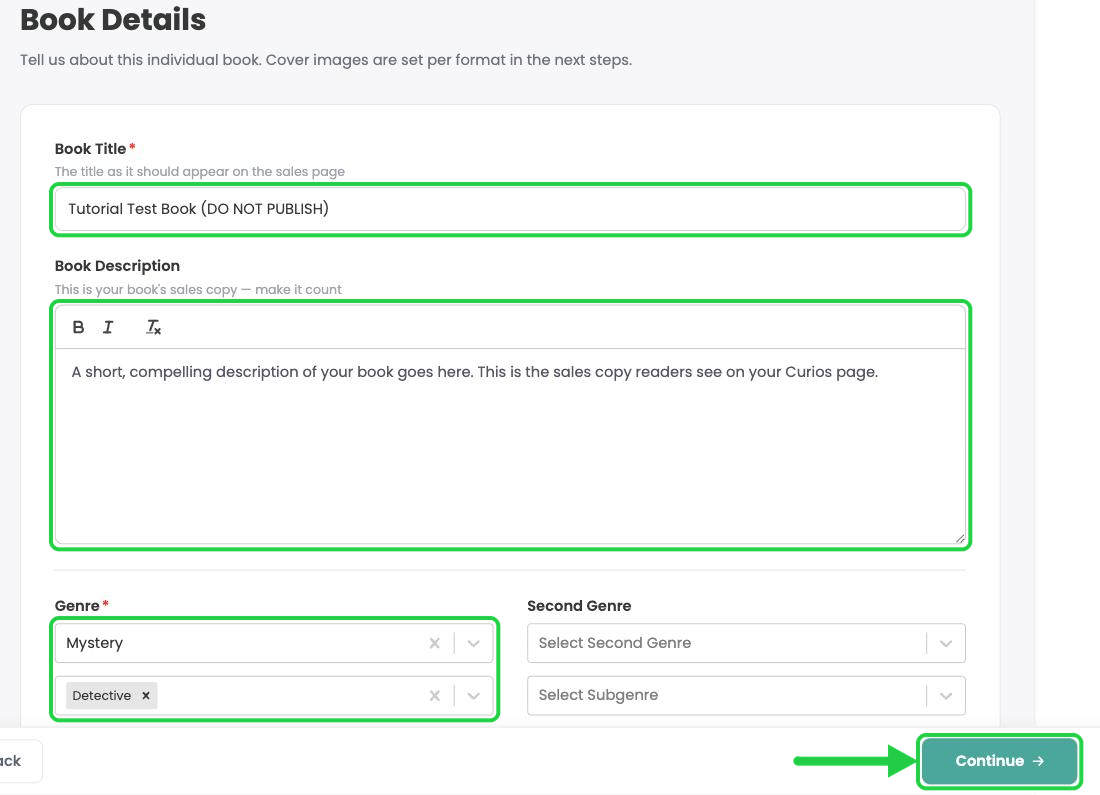
- Book Title: enter the title exactly as it should appear on your sales page.
- Book Description: paste your sales copy. You can use bold and italics.
- Genre: choose a genre (required), then choose one or more subgenres. You can add a Second Genre too.
- Click Continue.
4Choose the Audiobook format
- Click Audiobook.
- Click Continue.
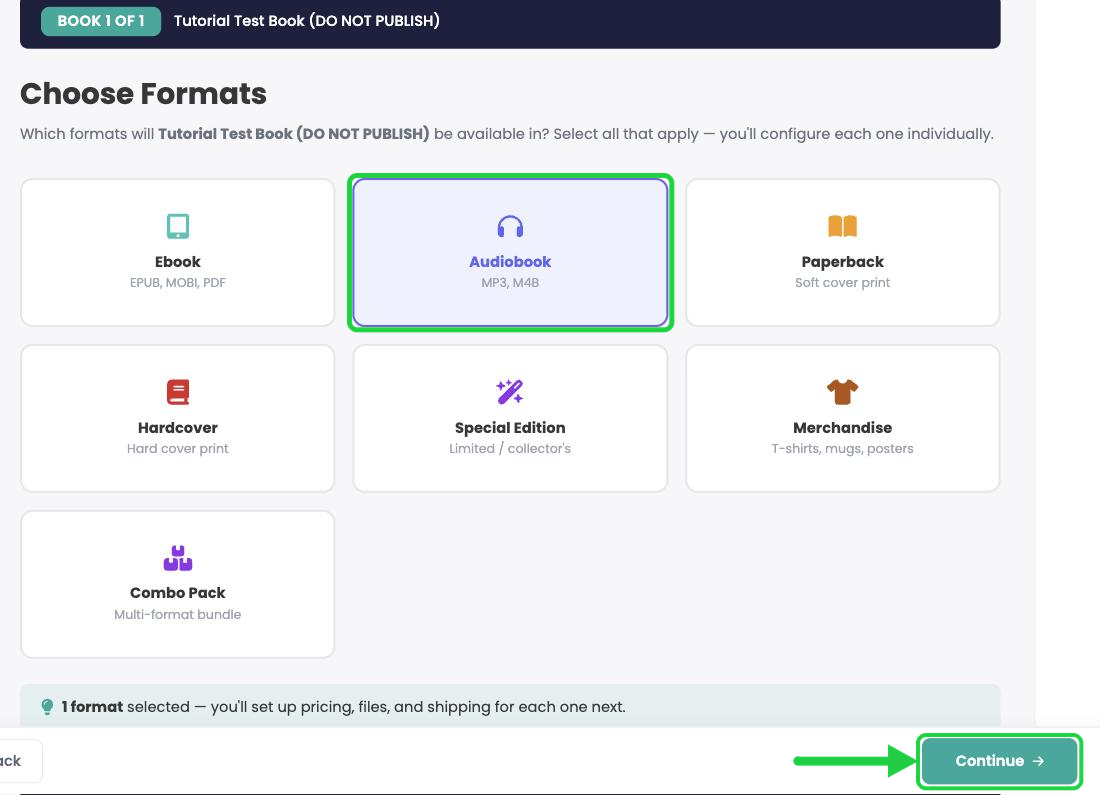
Tip: Selling other formats of this book too? Select them all now and you'll set each one up in turn. You can also add formats later with Add a Format to an Existing Book.
5Upload your audiobook cover
Everything for your audiobook is set on this one page. Work from top to bottom.
- Under Cover Image, click Upload Image and choose your file.
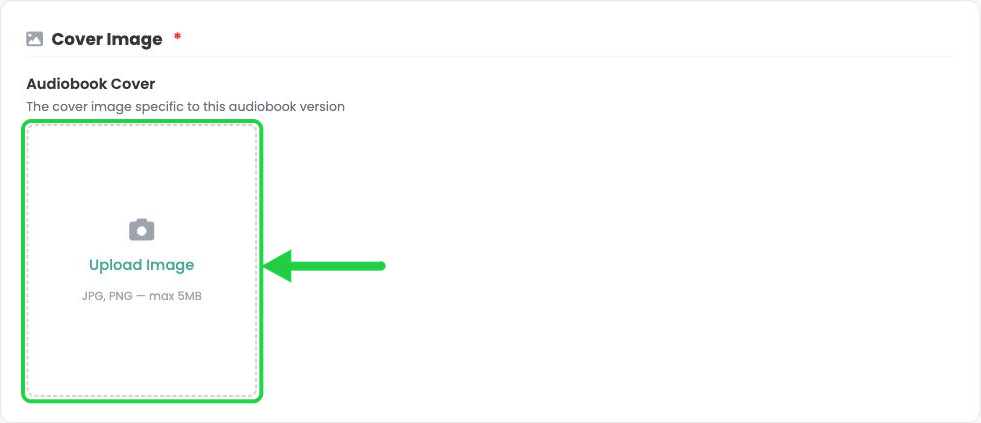
- Your image appears when the upload finishes.
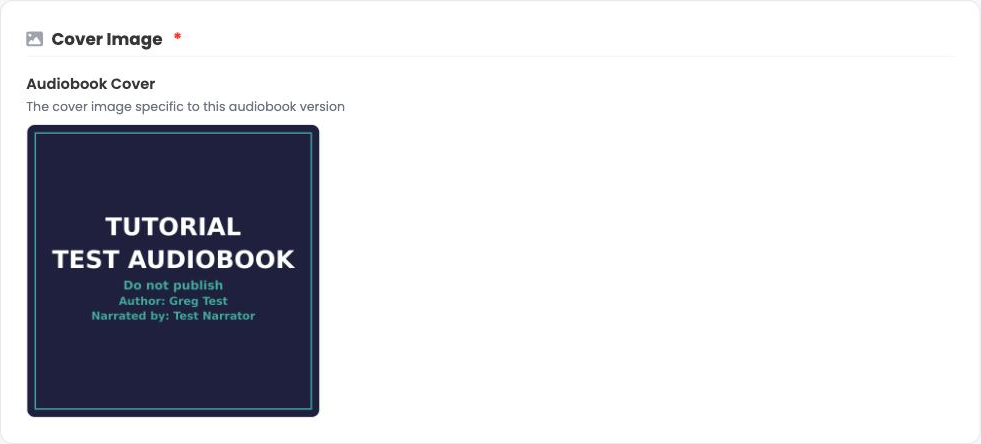
Image specs: JPG or PNG, up to 5 MB. Audiobook covers are square; we recommend 2,400 × 2,400 pixels with the title, author and narrator names on the cover.
6Set your price and release date
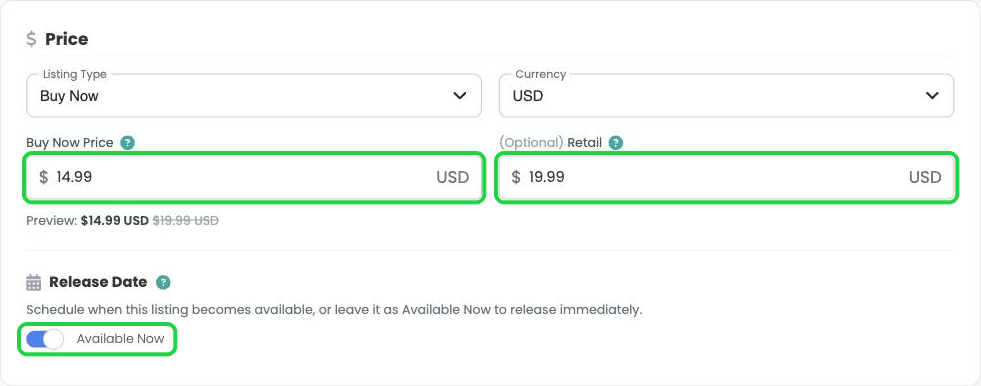
- Click Listing Type and choose one:
- Free (Claim): readers get it for free, and you get the email address of everyone who claims it.
- Buy Now: readers buy it at the price you set.
- Pre-order: take orders before release day. See Setting Up a Pre-Order on Curios.
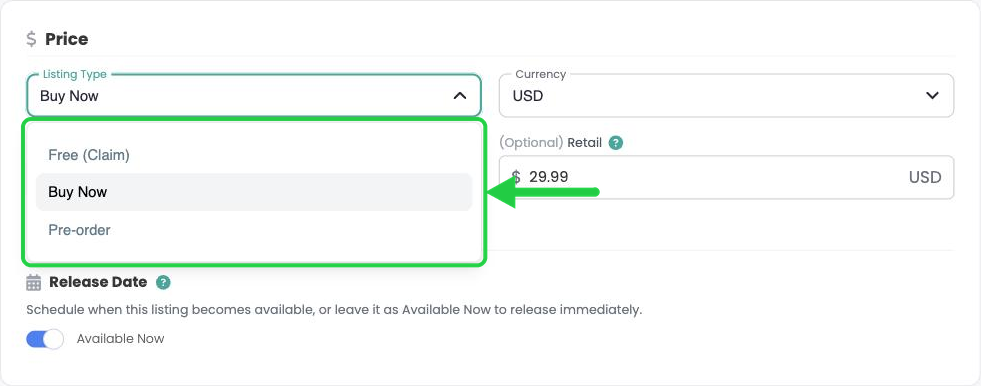
- Buy Now Price: enter your price.
- (Optional) Retail: enter a higher "was" price to show a discount. Readers see it crossed out next to your Buy Now price.
- Release Date: leave Available Now switched on to release as soon as you publish, or switch it off to schedule a date and time (in your local time zone).
7Upload your audio files
- Under Digital Delivery Files, drag your MP3 files into the Files to Deliver box, or click or click to browse. You can select every chapter at once.
- Check the chapter order. Drag the handle on the left of any file to move it.
- Optional: if you deliver through BookFunnel, paste the BookFunnel Book ID. See Connect BookFunnel to Your Curios Account.
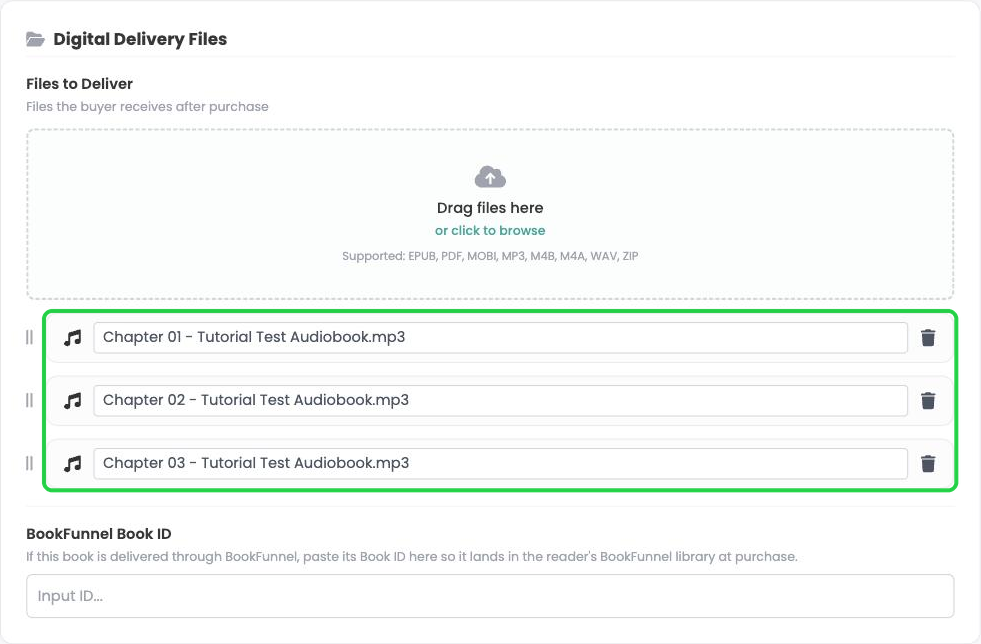
File tips: Upload one MP3 per chapter, and start each file name with the chapter number (for example, Chapter 01 - Title.mp3) so they stay in order. Supported: MP3, M4B, M4A, WAV and ZIP.
8Add a preview clip
Curios doesn't create a preview for audio automatically, so the Public Preview box starts empty.
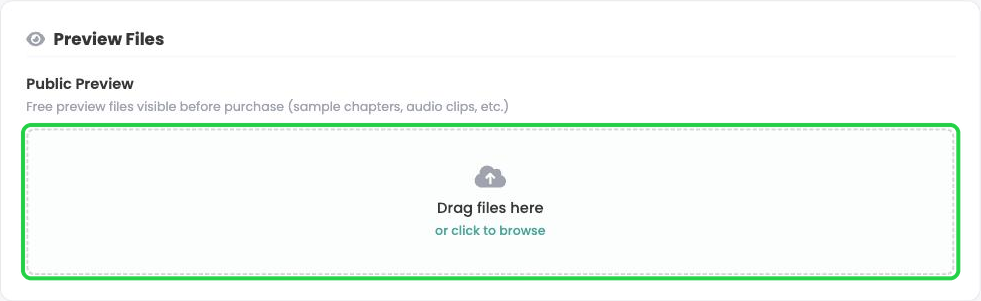
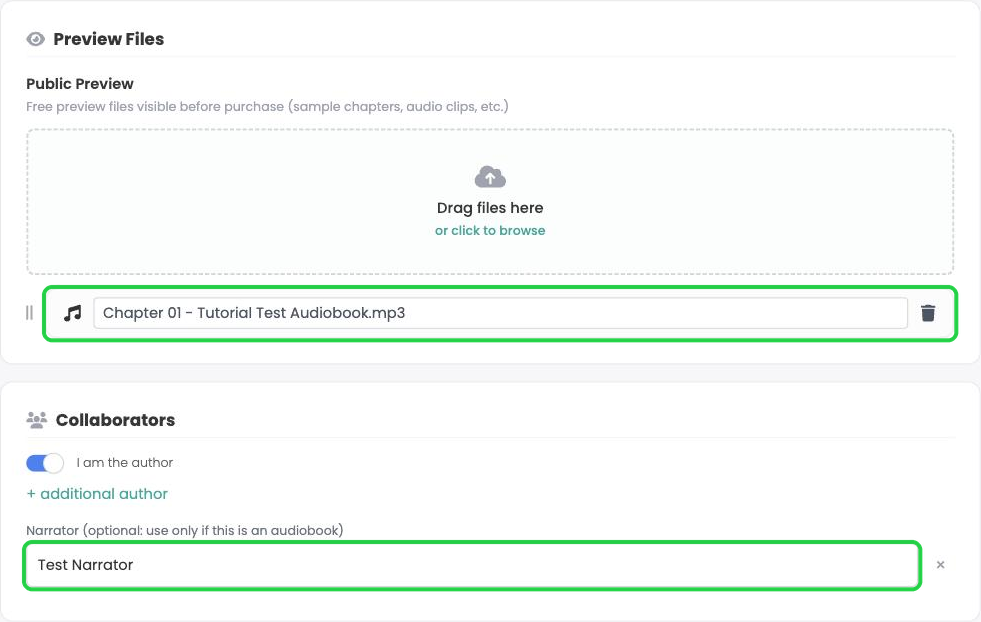
- Upload a sample clip to Public Preview. Make it long enough for listeners to judge the narrator's voice and performance.
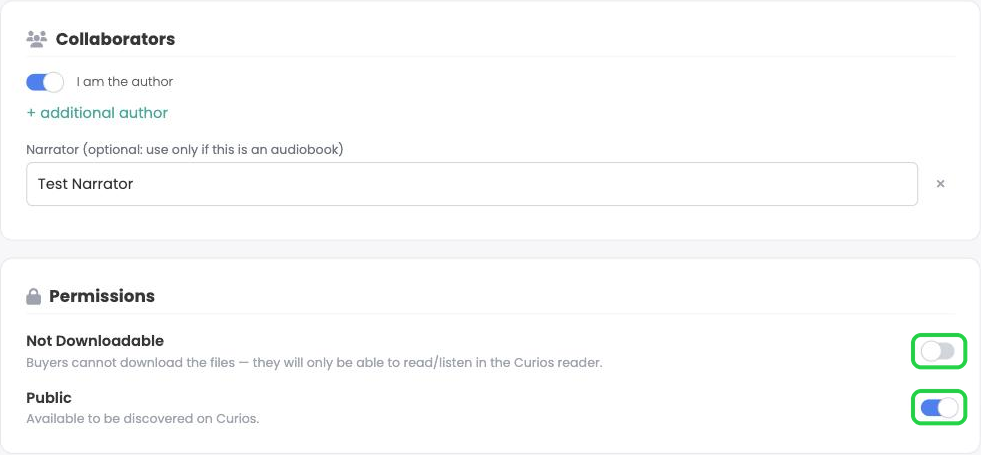
- Under Collaborators, type the narrator's name in the Narrator field.
9Set permissions
- Not Downloadable (off, the default): listeners stream in the Curios app. Switch it on for Downloadable so they can download the files.
- Public (on, the default): anyone can find it on Curios. Switch it off for Private (Unlisted).
10Review, then save or publish
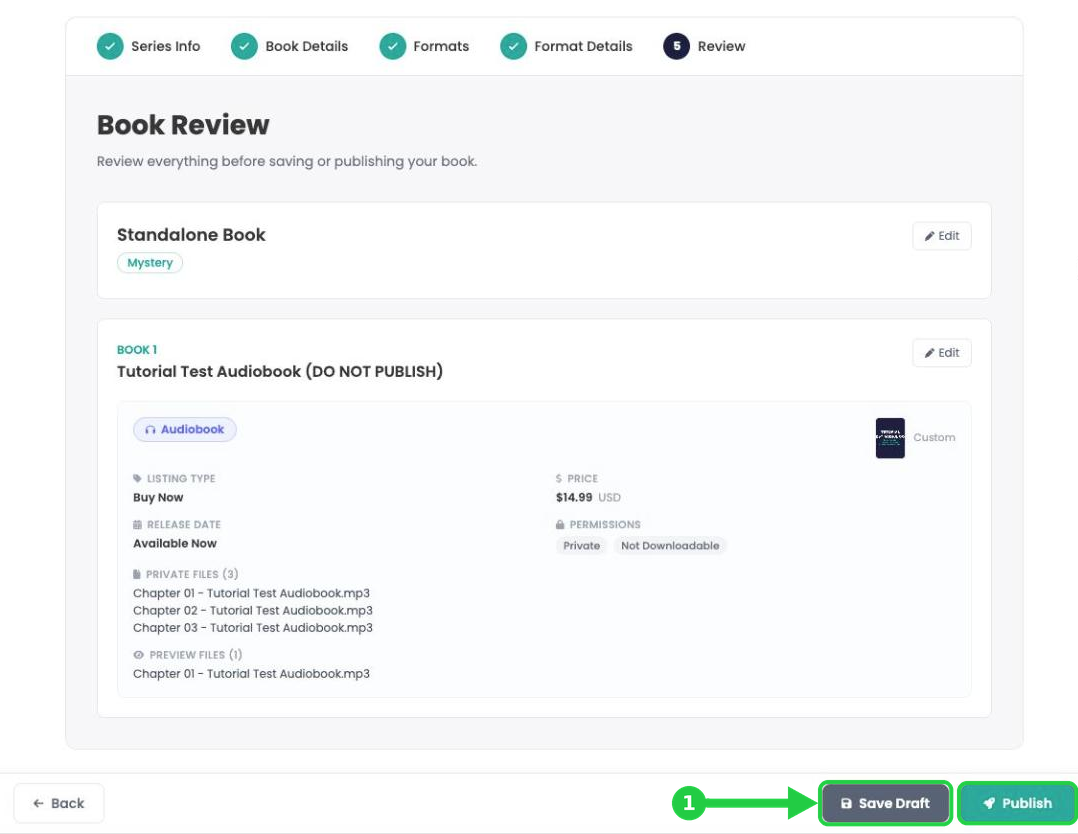
- Click Series Review at the bottom right of the page.
- Check the details and your file list, then click Save Draft (1) to save without going live, or Publish to put it on the marketplace now.
11Check your product page and publish
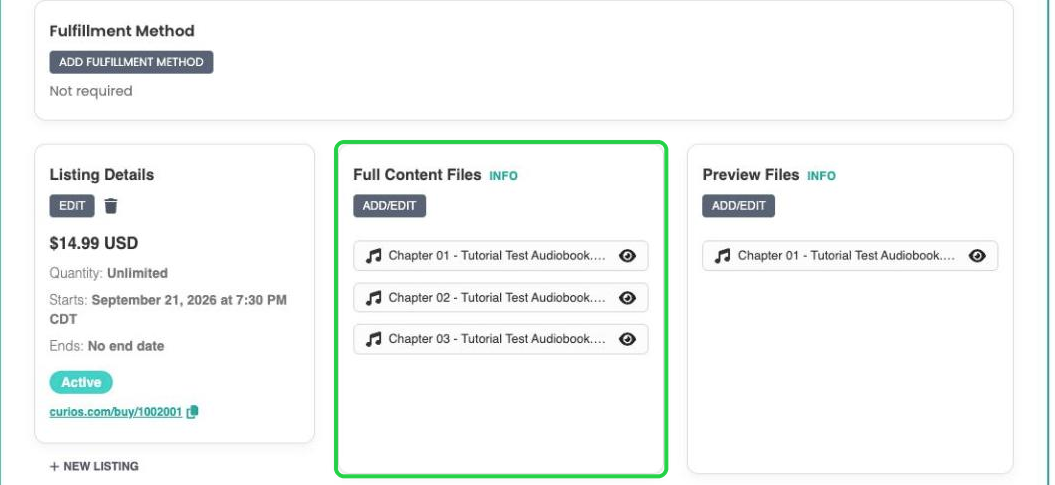
- On the product page, make sure Full Content Files lists every chapter. If anything is missing, click ADD/EDIT and upload it again.
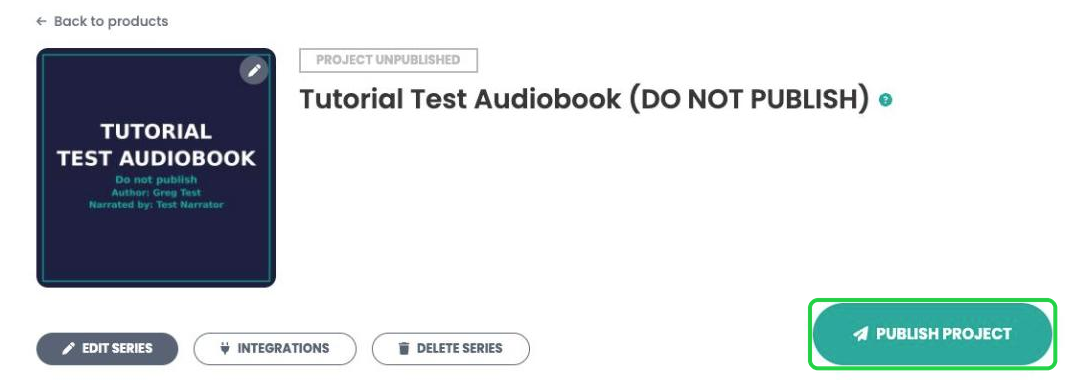
- Click Publish Project when you're ready to go live.
You're always in control. You can change your price, shipping, images, description or release date at any time, even after you publish. Click the product on your Studio dashboard to open its page.
Stuck? Contact Curios support. We're here to help.
Related articles
- TutorialTurn a Standalone Book into Part of a SeriesThis tutorial shows you how to turn a standalone book into part of a series: set up the series, move each book into it, then group each book's formats so readers see every format on one product page.
- TutorialUpload a Multi-Format Book SeriesThis tutorial walks you through setting up a three-book series on Curios, with an ebook, an audiobook, a paperback and a combo pack for every book, all in one pass.
- TutorialCreate a Combo Pack on CuriosThis tutorial walks you through creating a combo pack, such as an ebook plus a signed paperback, sold together at one price.