
Earn Money Promoting Other Creators
On this page
Earn Money Promoting Other Creators
Recommend books and other work your audience will love, and earn a commission on every sale your link brings in. It's free to join, and it fits right into the newsletter or posts you already send.
Earn up to 50%
Creators set commissions from 5% to 50% of each sale you refer.
Made for newsletters
Add a "What I'm reading" pick to your next email and get paid for it.
Help fellow creators
Your readers find new favorites, and the creator gets a new fan.
The sweet spot
Look for work that's similar to yours. If your readers like your books, they'll probably like books in the same genre, and your recommendation carries weight with them.
How you earn
1Sign in to Curios Partners
- Go to partners.curios.com.
- Enter your email address, or sign in with Google or Apple.
- Enter the one-time code Curios emails you. Joining is free, and there's no application to wait on.
The menu at the top takes you everywhere you need:

2Browse the catalog
- On your Dashboard, click Explore the catalog, or click Product Catalog in the menu.

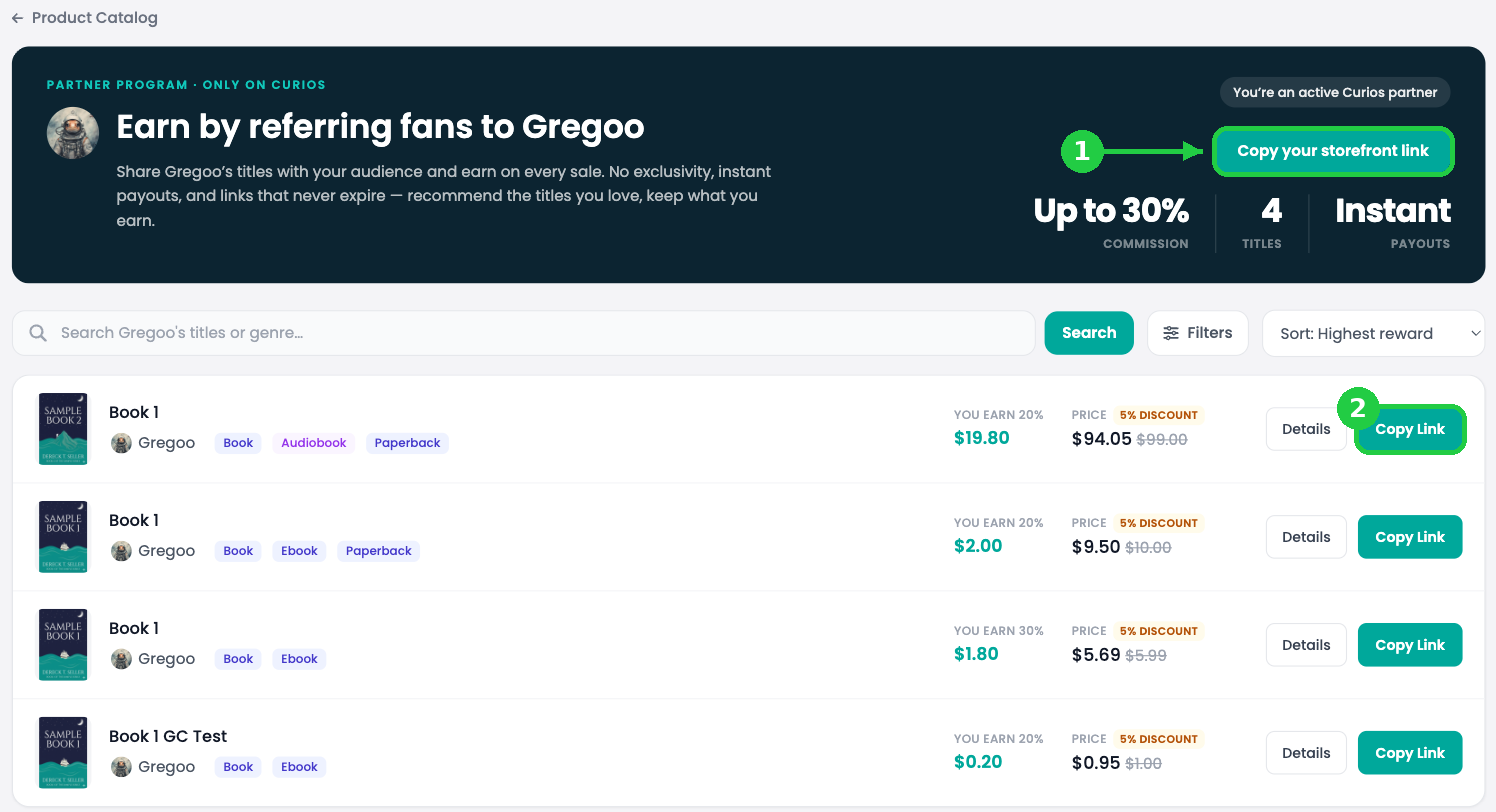
- Search by title, creator or genre (1).
- Each listing shows what you earn per sale, the price and any fan discount, plus Details and Copy Link (2).

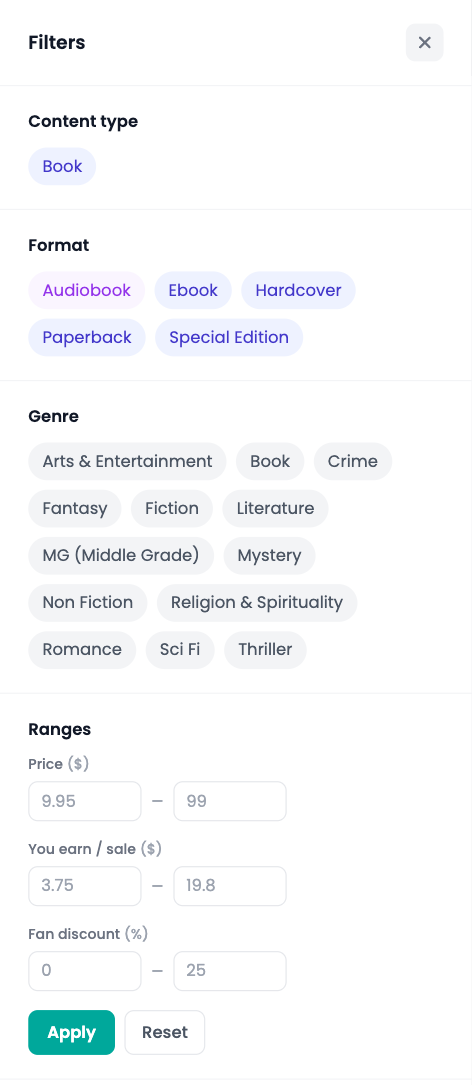
- Click Filters to narrow by format, genre, price, what you earn per sale, or fan discount. Click Apply, then Show items.
- Use the sort menu to sort by Highest reward, price or discount.
3Check the details
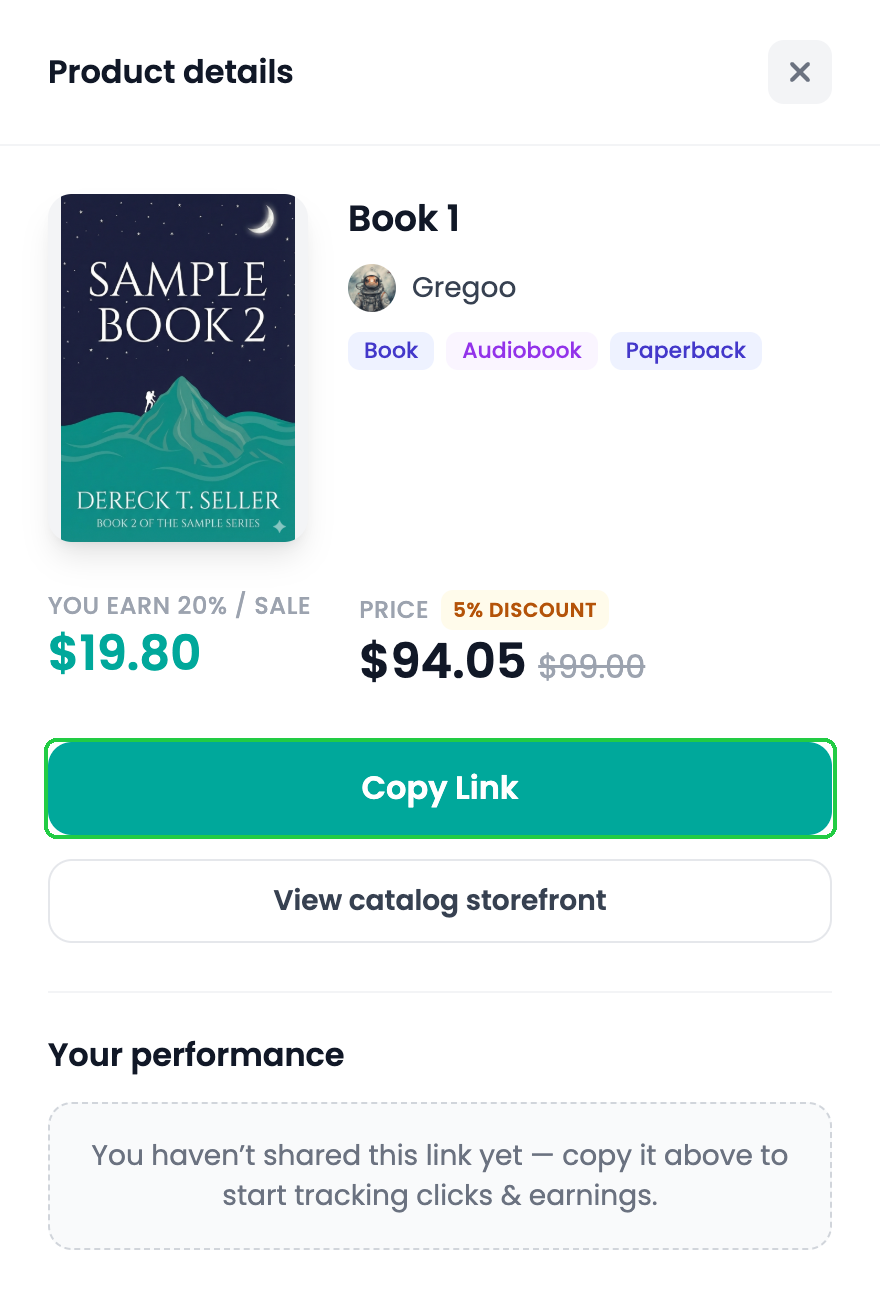
- Click Details on any listing.
- The panel shows the cover, formats, what you earn per sale and the price your readers pay.
- Click View catalog storefront to see everything else that creator offers.
4Copy your link
- Click Copy Link on the listing or in the Details panel.
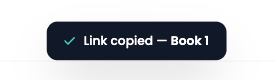
- You'll see Link copied. Your link is on your clipboard, ready to paste.
Product links look like curios.com/af/ followed by a short code that's unique to you.
5Promote a creator's whole catalog
Love everything a creator makes? Open their catalog page by clicking their name, or View catalog storefront.
- Click Copy your storefront link (1) to get one link to their whole storefront.
- Or click Copy Link (2) on any single title.
6Share it
What happens when someone clicks your link
Referral rules
| Rule | How it works |
|---|---|
| 90-day window | If someone clicks your link and buys within 90 days, you earn the commission, even if they leave and come back later. |
| Most recent click wins | If a buyer clicked links from two affiliates, the most recent one gets the commission. |
| Links never expire | Your link keeps working as long as the creator keeps the product in the program. |
| Real people only | Clicks from bots and crawlers, like link previews and search engines, are filtered out and not counted. |
| One discount per order | If the buyer applies a coupon code, it replaces your link's fan discount. |
| No exclusivity | Promote as many creators as you like. |
Track your results and get paid
- Your Dashboard shows clicks, unique visitors, conversions and earnings, in total and for each product. Click Details on a product for its full breakdown.
- Earnings lists every commission with its date and amount.
- To cash out, click Request Payout on your Dashboard, or turn on Auto Pay to be paid automatically.
Bonus: invite creators
Know a creator who isn't on Curios yet? Open Invite Creators and share your invite link. If they join as a seller, you could earn 1% of every sale they make for a year.
FAQ
Does it cost anything to join?
Do I need to sell on Curios to be an affiliate?
Does the buyer pay more because of my link?
Why don't I see a click I expected?
Stuck? Contact Curios support. We're here to help.
Related articles
- TutorialSet Up Your Affiliate ProgramLet other creators and fans sell your work for a commission you set. Choose your products, check your take-home, and share your catalog link.
- TutorialTurn Affiliates Into Your Sales TeamPut your products in front of affiliates, influencers and creators across the Curios network. You choose the commission and only pay when they make a sale.
- TutorialCreate Coupon CodesRun a sale, reward your newsletter or thank a superfan. Create a discount code and choose what it covers, when it runs and how many times it can be used.