
Private vs Public Files
On this page
What are Private Files?
Content delivered only to people who purchased or claimed your item.
Full content: your complete ebook, audiobook, album, video, or bundle.
Exclusive access: locked to buyers/claimers; auto-delivered on purchase (or on release day for presales).
Multiple formats: JPEG, PNG, MP4, EPUB, PDF, MP3 and more
Where in Studio: Collection → Private Files
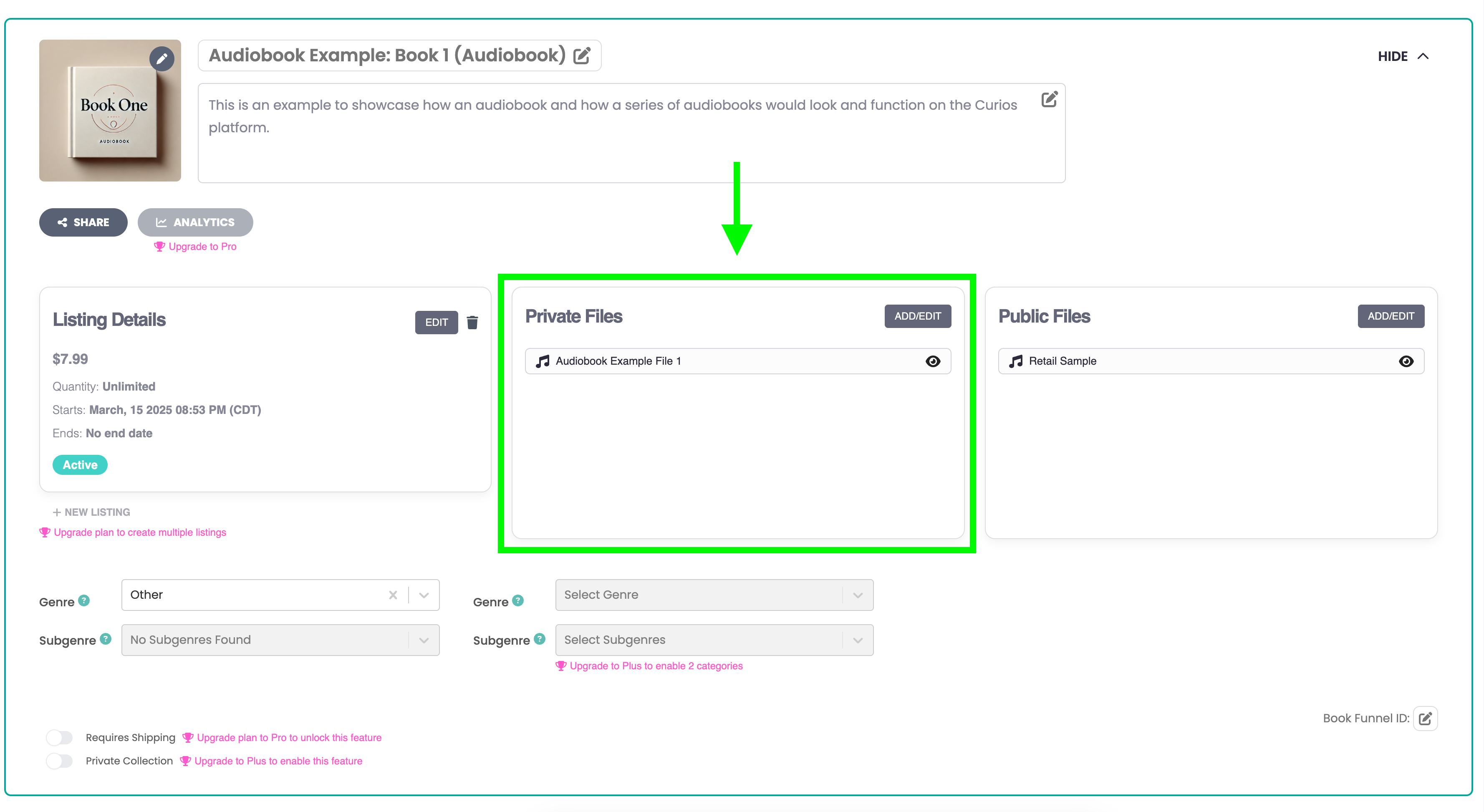
Private Files are updateable. You can add content or replace private file content at any time. This can be very convenient for serialized items that are released upon completion or for rewarding your purchasers with bonus content.
What are Public Files?
Free, preview-only assets anyone can see. Use them to earn the click and the sale.
Teasers: first chapter, 30–60s audio sample, trailer/clip.
Marketing materials: cover, promo graphics, press kit PDF.
SEO boost: public files can be indexed by search engines.
Where in Studio: Collection → Public Files
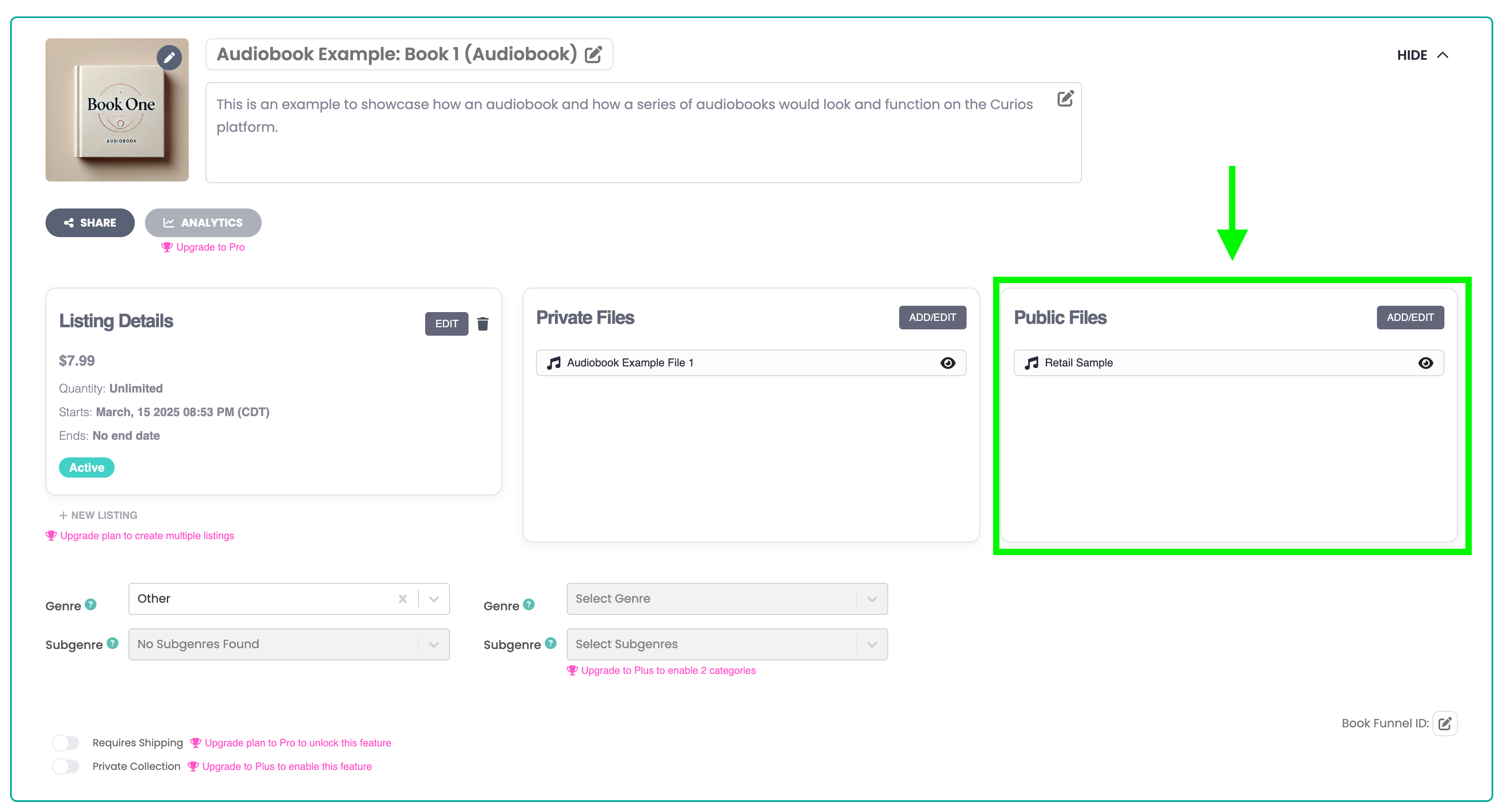
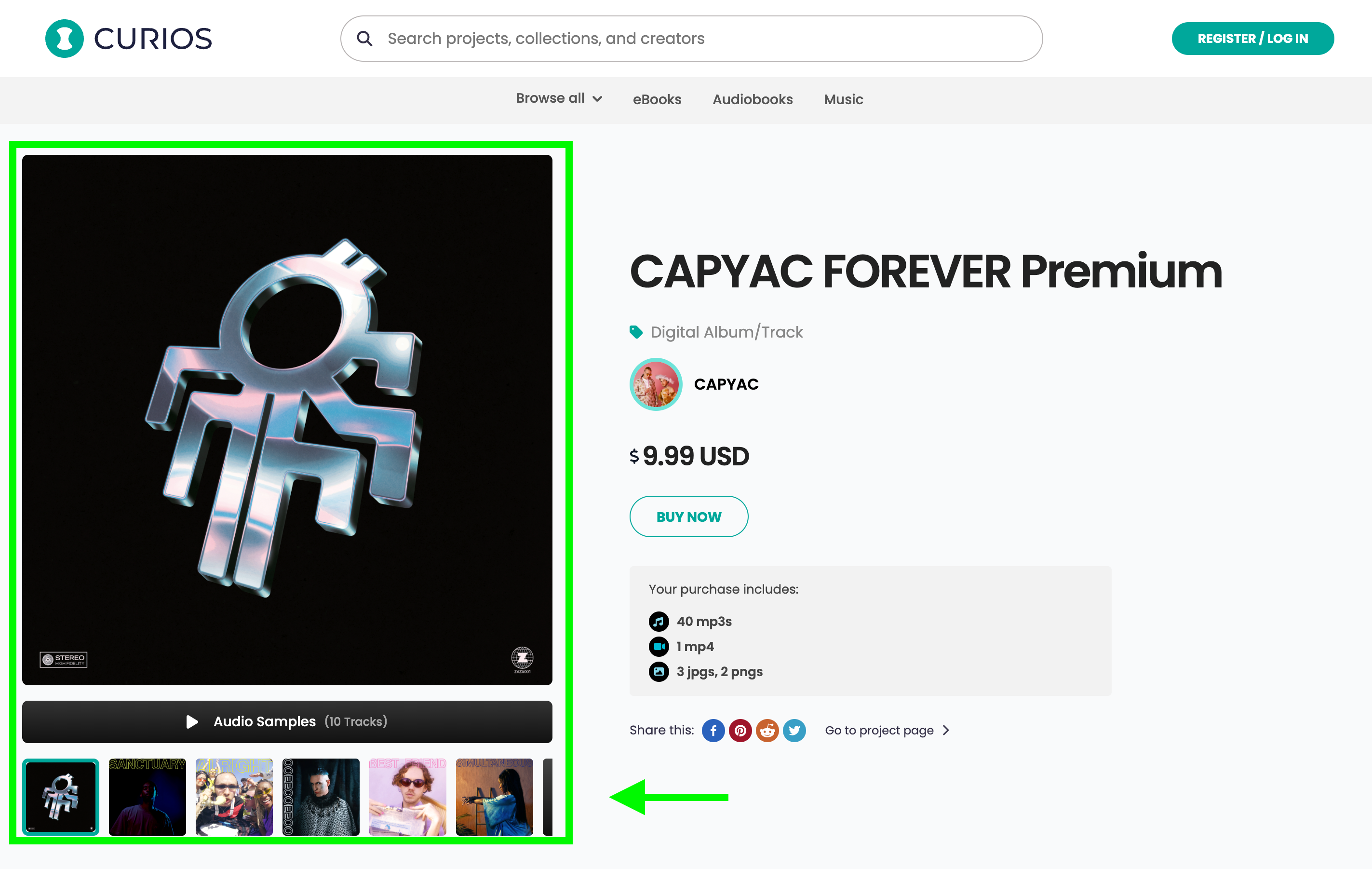
Fan Experience (What your audience sees)
Public Files show up right on your dedicated sales pages for your content. Anyone can see this information regardless of whether or not they purchase or claim the item.
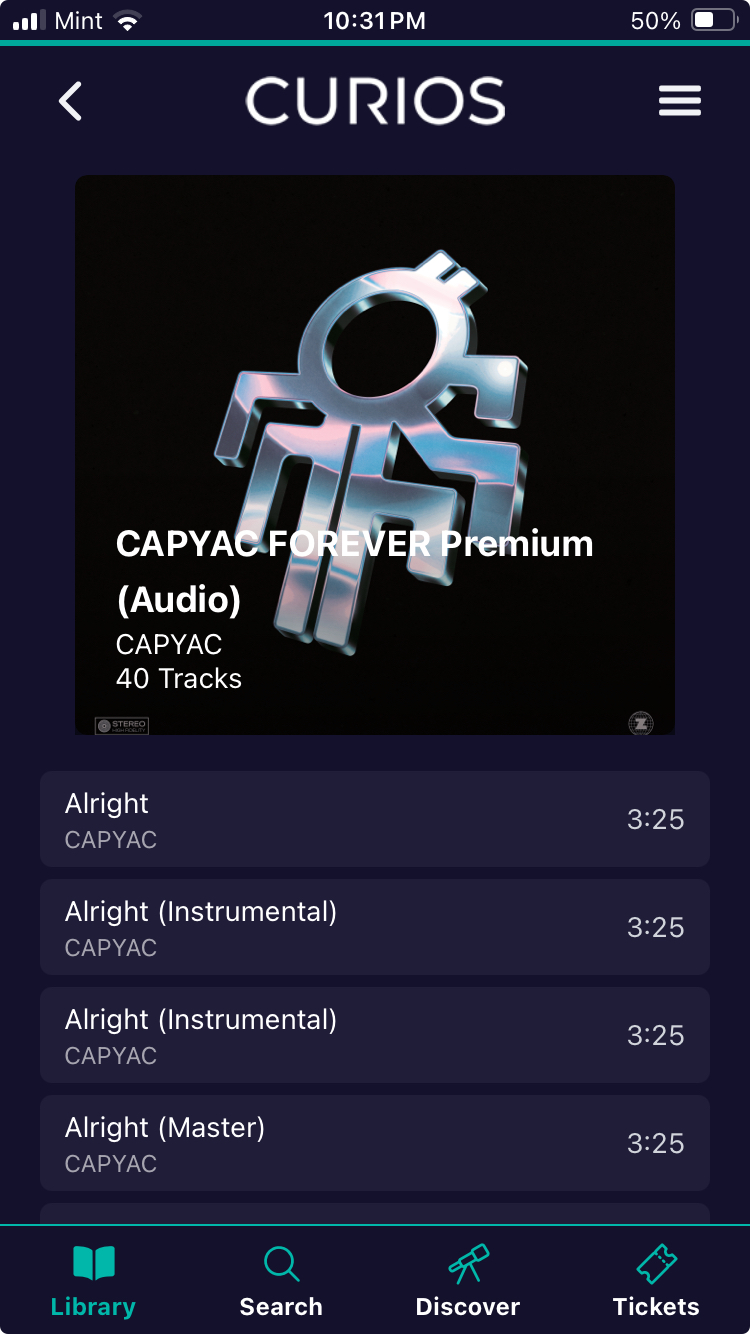
Private files show up only for the purchaser of the content, this is available in the Curios app or in the purchaser's library on Curios' website.
Conversion Playbook
Hook with the best 1–3 minutes or first chapter.
Quality over quantity: one killer preview beats five weak ones.
Cut on a cliffhanger: end where curiosity peaks.
Reward loyalty: drop new bonuses into Private later to surprise buyers.
Presales tip: leave Private empty until release day; upload then and Curios auto-delivers to everyone who pre-bought.
Security options (optional): use stream-only for sensitive video/audio; offer downloads for convenience after launch.
Related articles
- TutorialCreate Coupon CodesRun a sale, reward your newsletter or thank a superfan. Create a discount code and choose what it covers, when it runs and how many times it can be used.
- TutorialConnect Meta Pixel and Conversions APISee which Facebook and Instagram ads actually sell your books. Connect your Meta Pixel and the Conversions API in about five minutes, with no developer needed.
- TutorialSet Up Your Affiliate ProgramLet other creators and fans sell your work for a commission you set. Choose your products, check your take-home, and share your catalog link.