
Self Fulfilled Shipping on Curios
You can sell physical books, including paperbacks, hardcovers, special editions, signed books, merchandise, and any combination of the above on Curios.
Note: This is currently in private beta, if you want access to this feature please email [email protected].
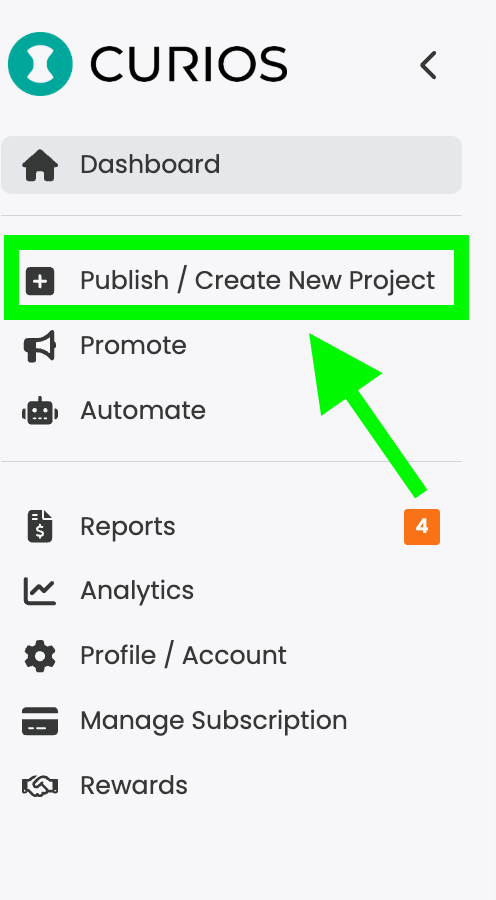
Step 1: Login to studio.curios.com and click "+ Publish / Add New Product"
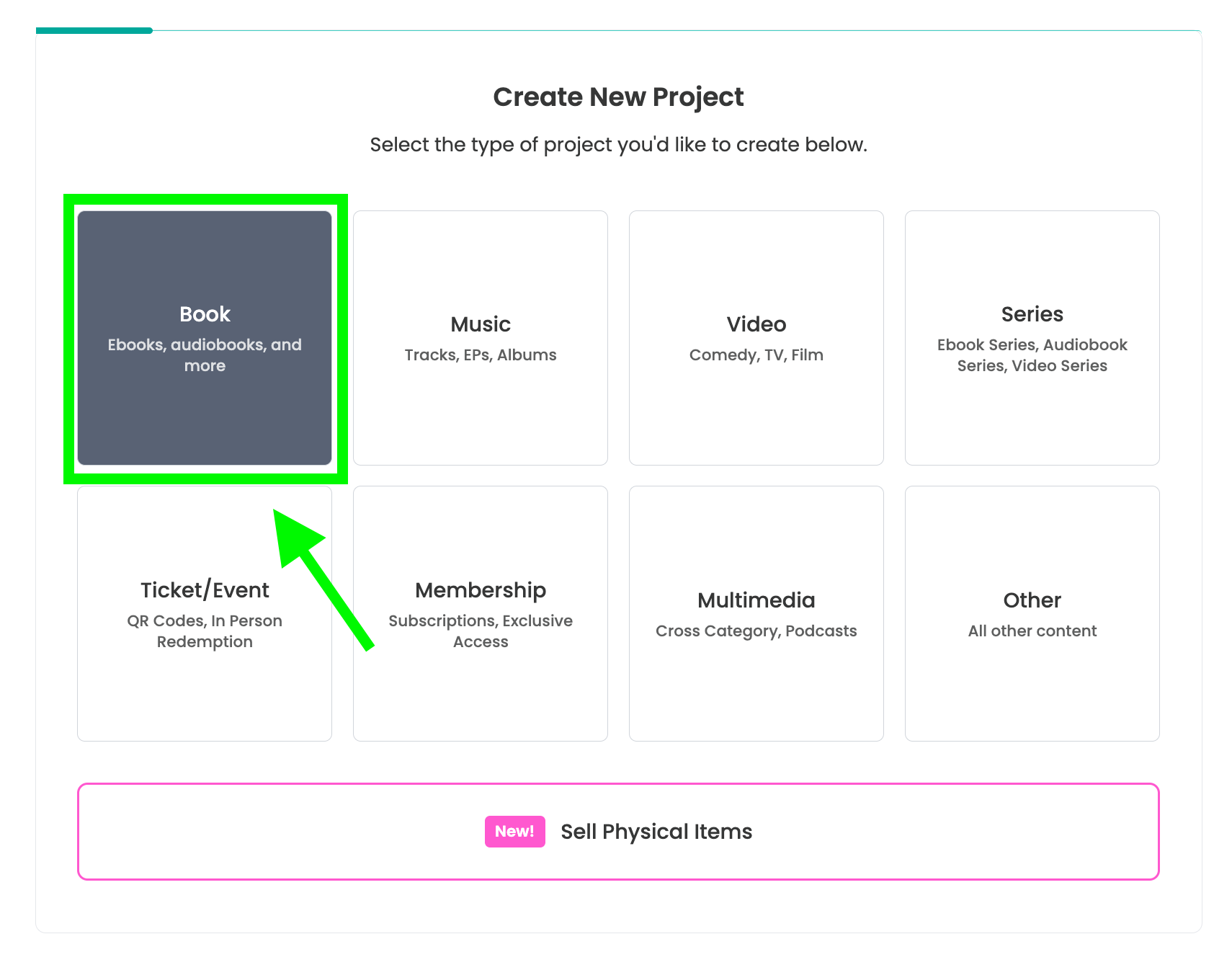
Step 2: Select "Book" from the Project Types
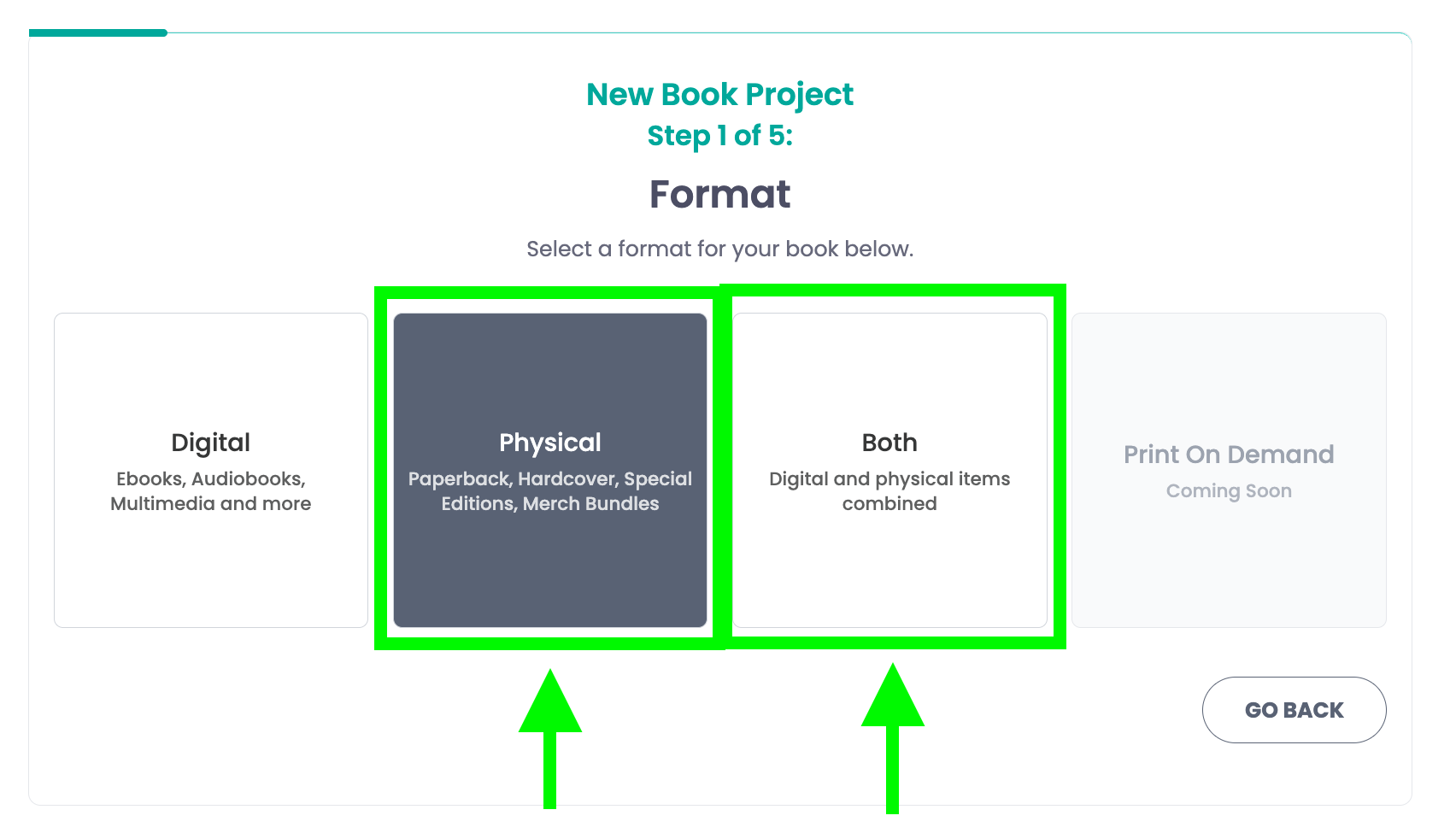
Step 3: Select either physical or both
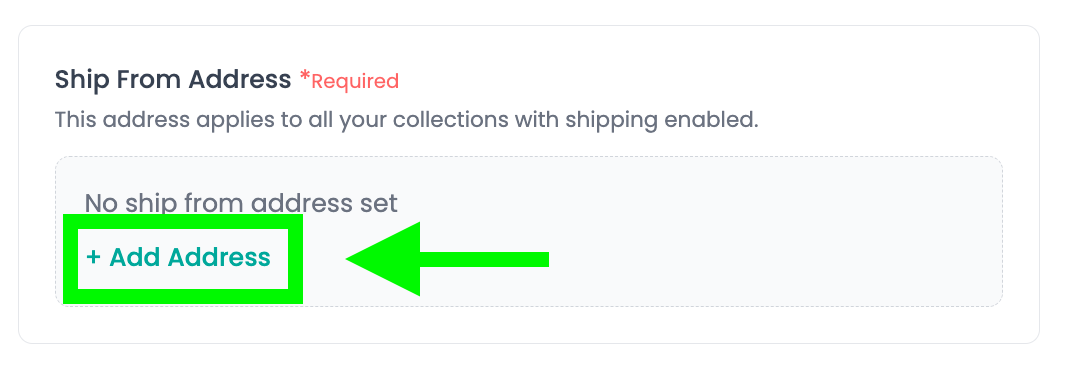
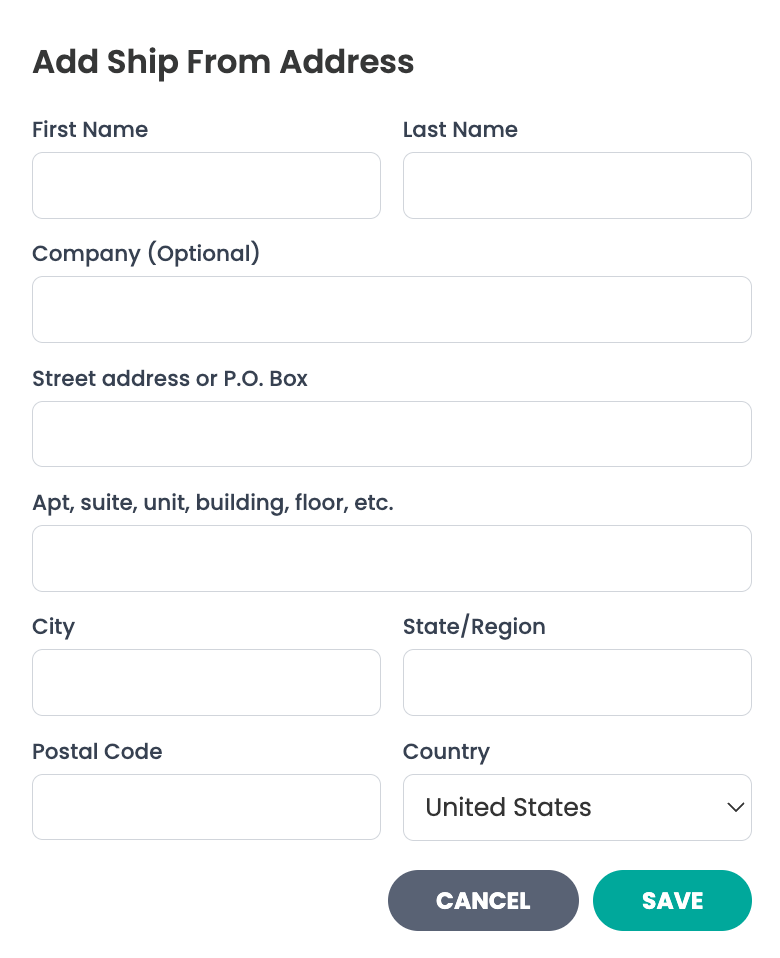
Step 6A: Set your "Ship From Address"
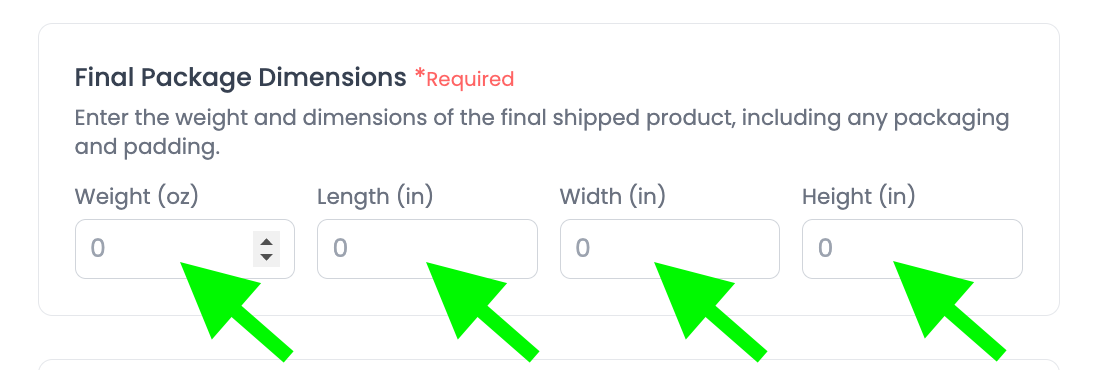
Step 6B: Enter the Package Dimensions
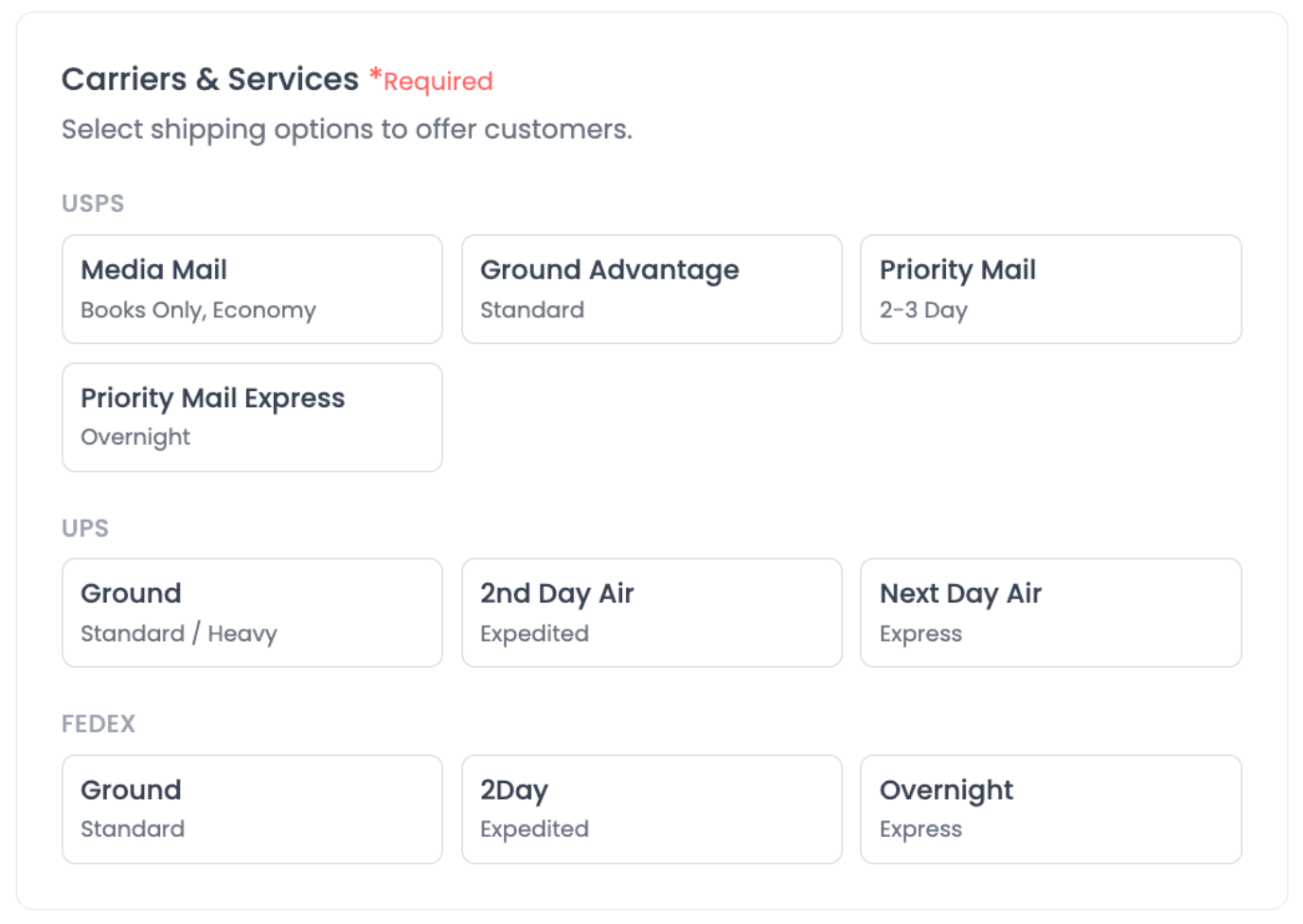
Step 6C: Select carriers and shipping speeds
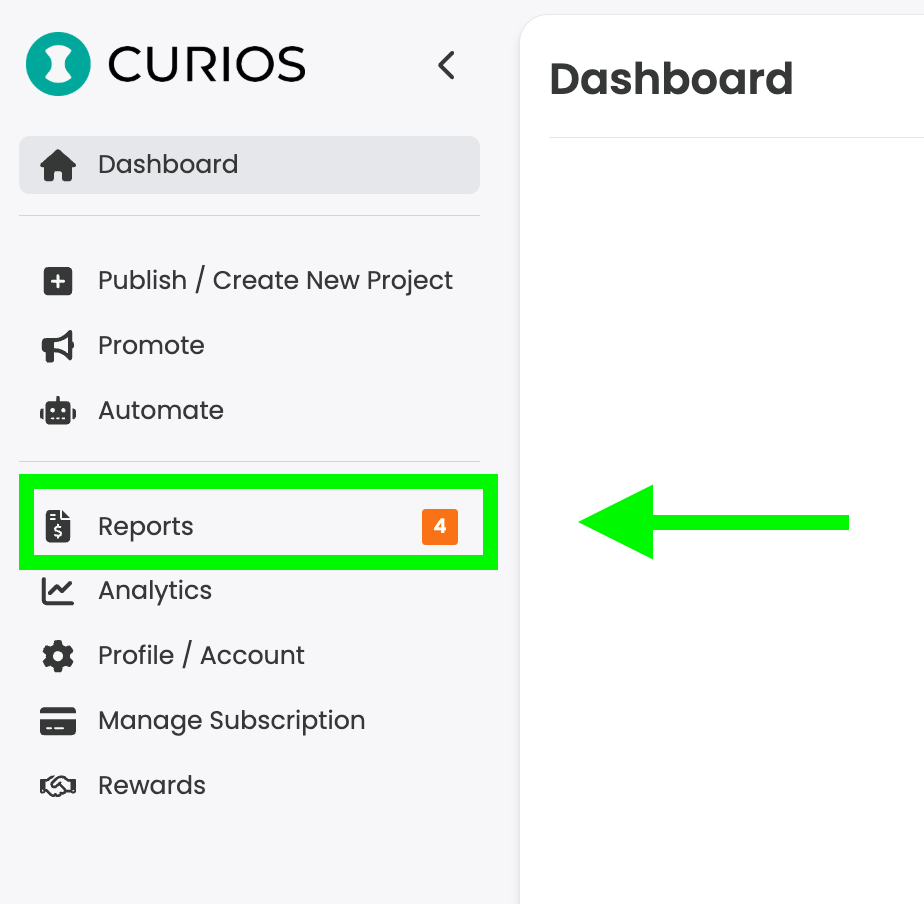
Step 9: Locate Your Orders That Require Shipping
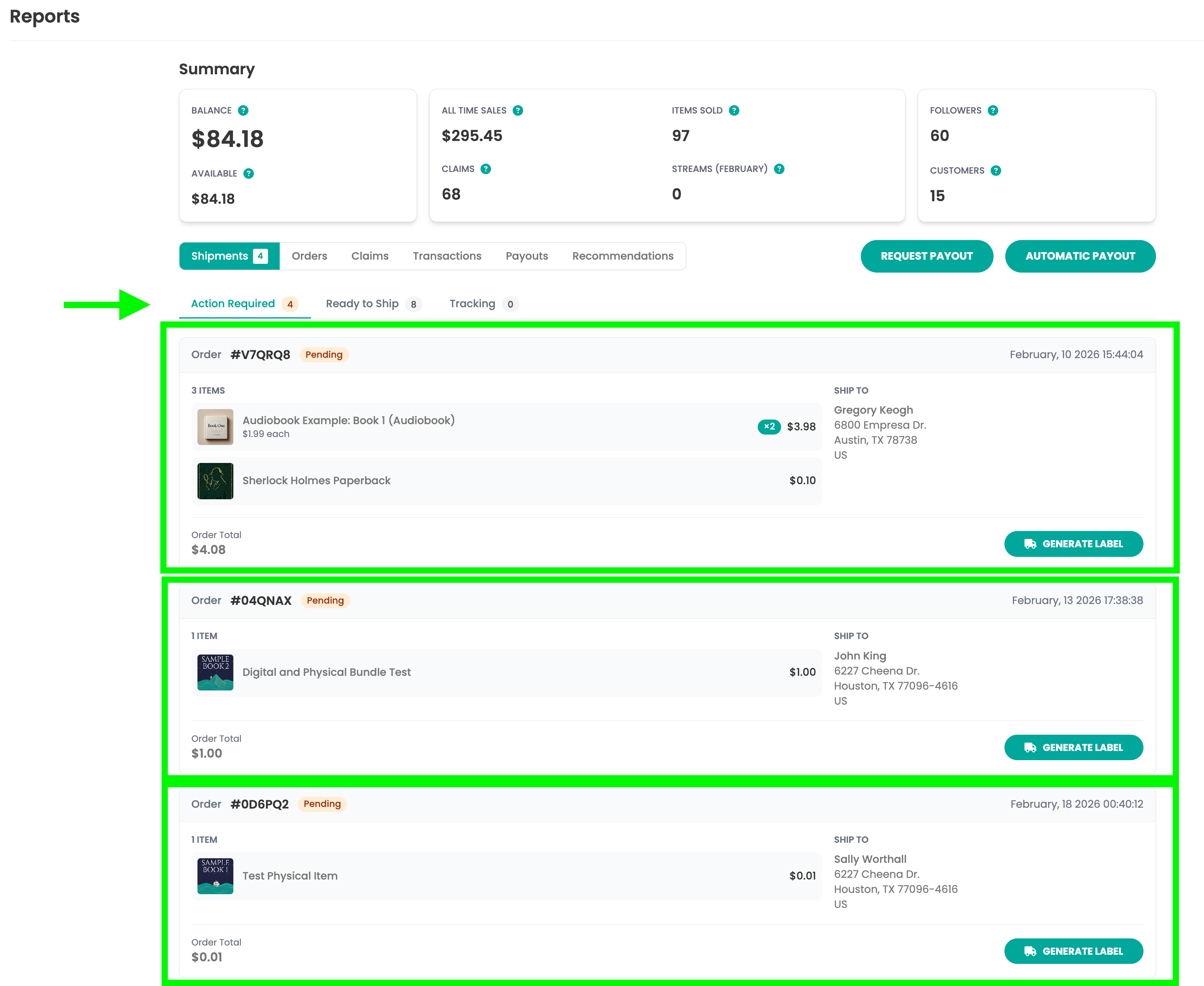
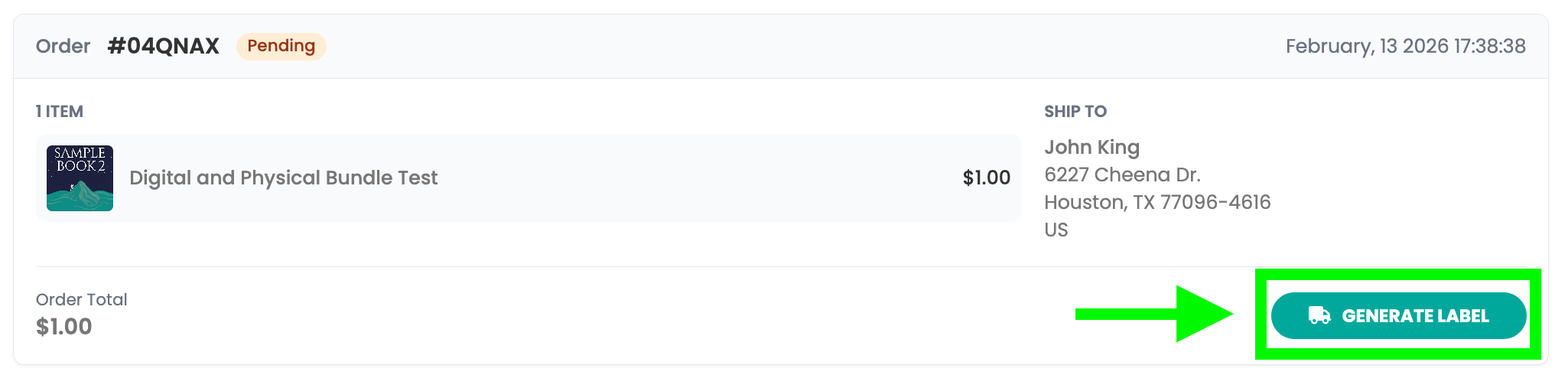
Step 10: Generate Shipping Label
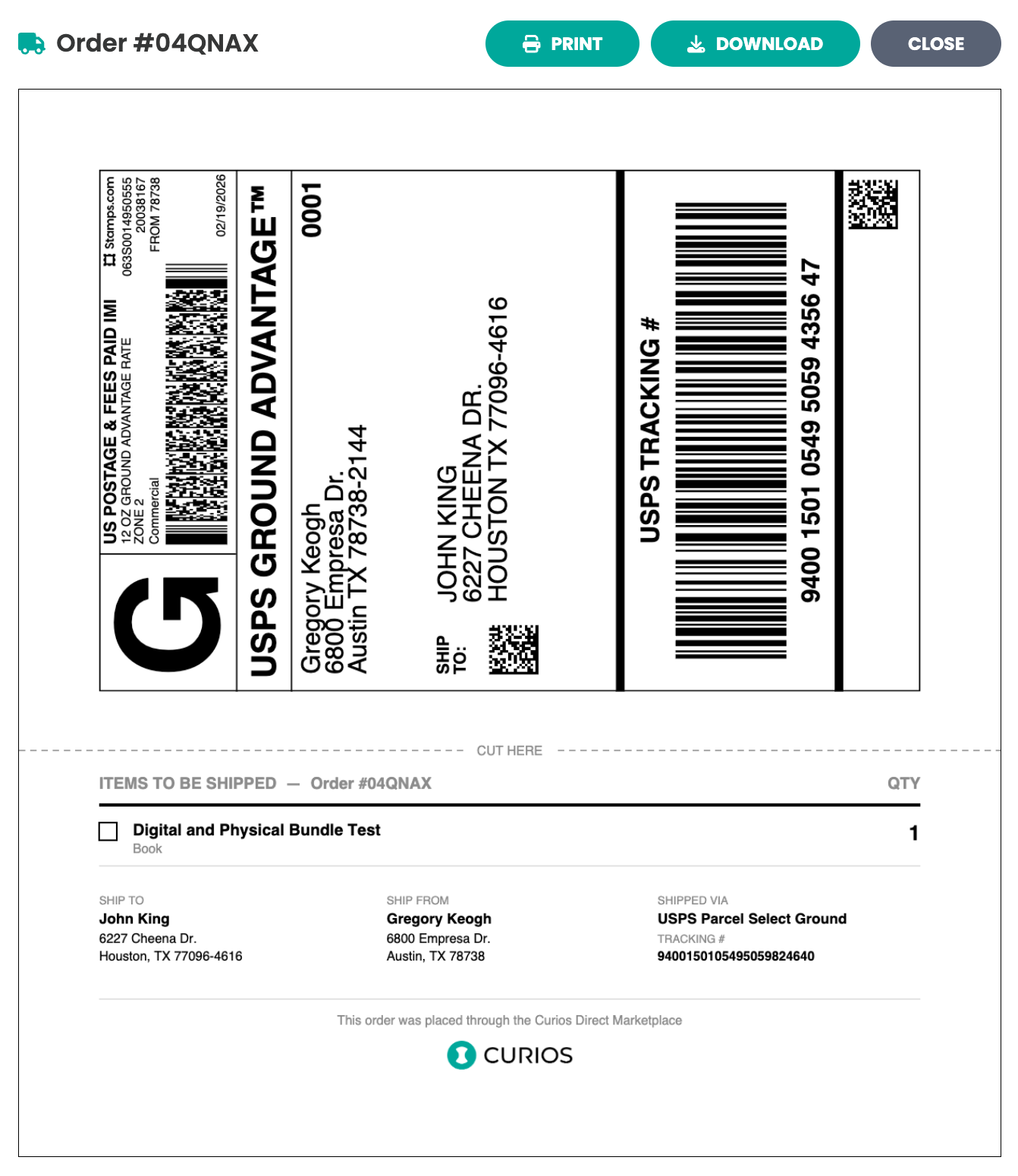
Step 11: Apply the label and drop off with the appropriate carrier
- USPS packages need to be brought to a US Post Office
- UPS packages need to be brought to a UPS Store or accepted location
- FedEx packages need to be brought to a FedEx store or accepted location
If you run into any issues you can always contact Curios support, we are here to help!
Self Fulfilled Shipping on Curios
You can sell physical books, including paperbacks, hardcovers, special editions, signed books, merchandise, and any combination of the above on Curios.
Note: This is currently in private beta, if you want access to this feature please email [email protected].
Step 1: Login to studio.curios.com and click "+ Publish / Add New Product"
Step 2: Select "Book" from the Project Types
Step 3: Select either physical or both
Step 6A: Set your "Ship From Address"
Step 6B: Enter the Package Dimensions
Step 6C: Select carriers and shipping speeds
Step 9: Locate Your Orders That Require Shipping
Step 10: Generate Shipping Label
Step 11: Apply the label and drop off with the appropriate carrier
- USPS packages need to be brought to a US Post Office
- UPS packages need to be brought to a UPS Store or accepted location
- FedEx packages need to be brought to a FedEx store or accepted location
If you run into any issues you can always contact Curios support, we are here to help!
Ready to sell direct and keep 100%?
No credit card required. Join creators building real businesses on their own terms.